backtest-kit api reference
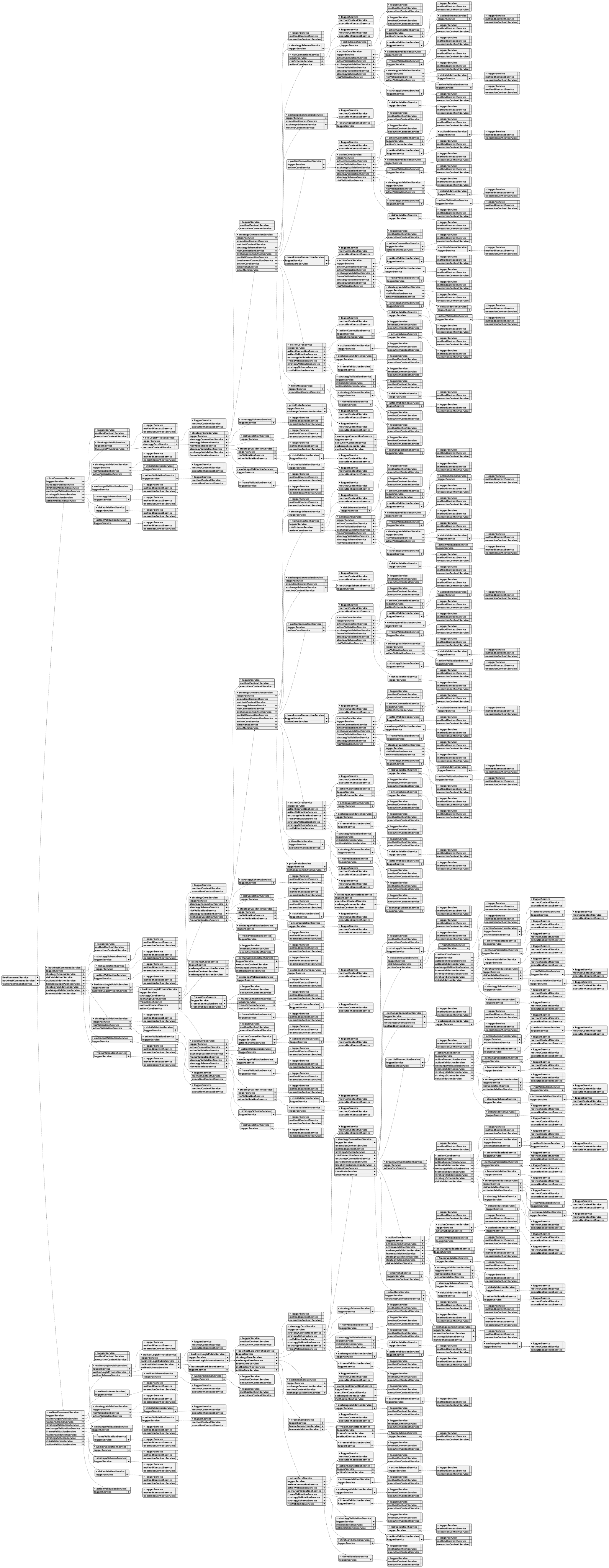
Overview:
Backtest-kit is a production-ready TypeScript framework for backtesting and live trading strategies with crash-safe state persistence, signal validation, and memory-optimized architecture. The framework follows clean architecture principles with dependency injection, separation of concerns, and type-safe discriminated unions.
Core Concepts:
- Signal Lifecycle: Type-safe state machine (idle → opened → active → closed) with discriminated unions
- Execution Modes: Backtest mode (historical data) and Live mode (real-time with crash recovery)
- VWAP Pricing: Volume Weighted Average Price from last 5 1-minute candles for all entry/exit decisions
- Signal Validation: Comprehensive validation ensures TP/SL logic, positive prices, and valid timestamps
- Interval Throttling: Prevents signal spam with configurable intervals (1m, 3m, 5m, 15m, 30m, 1h)
- Crash-Safe Persistence: Atomic file writes with automatic state recovery for live trading
- Async Generators: Memory-efficient streaming for backtest and live execution
- Accurate PNL: Calculation with fees (0.1%) and slippage (0.1%) for realistic simulations
- Event System: Signal emitters for backtest/live/global signals, errors, and completion events
- Graceful Shutdown: Live.background() waits for open positions to close before stopping
- Pluggable Persistence: Custom adapters for Redis, MongoDB, or any storage backend
Architecture Layers:
- Client Layer: Pure business logic without DI (ClientStrategy, ClientExchange, ClientFrame) using prototype methods for memory efficiency
- Service Layer: DI-based services organized by responsibility:
- Schema Services: Registry pattern for configuration with shallow validation (StrategySchemaService, ExchangeSchemaService, FrameSchemaService)
- Validation Services: Runtime existence validation with memoization (StrategyValidationService, ExchangeValidationService, FrameValidationService)
- Connection Services: Memoized client instance creators (StrategyConnectionService, ExchangeConnectionService, FrameConnectionService)
- Global Services: Context wrappers for public API (StrategyGlobalService, ExchangeGlobalService, FrameGlobalService)
- Logic Services: Async generator orchestration (BacktestLogicPrivateService, LiveLogicPrivateService)
- Markdown Services: Auto-generated reports with tick-based event log (BacktestMarkdownService, LiveMarkdownService)
- Persistence Layer: Crash-safe atomic file writes with PersistSignalAdaper, extensible via PersistBase
- Event Layer: Subject-based emitters (signalEmitter, errorEmitter, doneEmitter) with queued async processing
Key Design Patterns:
- Discriminated Unions: Type-safe state machines without optional fields
- Async Generators: Stream results without memory accumulation, enable early termination
- Dependency Injection: Custom DI container with Symbol-based tokens
- Memoization: Client instances cached by schema name using functools-kit
- Context Propagation: Nested contexts using di-scoped (ExecutionContext + MethodContext)
- Registry Pattern: Schema services use ToolRegistry for configuration management
- Singleshot Initialization: One-time operations with cached promise results
- Persist-and-Restart: Stateless process design with disk-based state recovery
- Pluggable Adapters: PersistBase as base class for custom storage backends
- Queued Processing: Sequential event handling with functools-kit queued wrapper
Data Flow (Backtest):
- User calls Backtest.background(symbol, context) or Backtest.run(symbol, context)
- Validation services check strategyName, exchangeName, frameName existence
- BacktestLogicPrivateService.run(symbol) creates async generator with yield
- MethodContextService.runInContext sets strategyName, exchangeName, frameName
- Loop through timeframes, call StrategyGlobalService.tick()
- ExecutionContextService.runInContext sets symbol, when, backtest=true
- ClientStrategy.tick() checks VWAP against TP/SL conditions
- If opened: fetch candles and call ClientStrategy.backtest(candles)
- Yield closed result and skip timeframes until closeTimestamp
- Emit signals via signalEmitter, signalBacktestEmitter
- On completion emit doneEmitter with { backtest: true, symbol, strategyName, exchangeName }
Data Flow (Live):
- User calls Live.background(symbol, context) or Live.run(symbol, context)
- Validation services check strategyName, exchangeName existence
- LiveLogicPrivateService.run(symbol) creates infinite async generator with while(true)
- MethodContextService.runInContext sets schema names
- Loop: create when = new Date(), call StrategyGlobalService.tick()
- ClientStrategy.waitForInit() loads persisted signal state from PersistSignalAdaper
- ClientStrategy.tick() with interval throttling and validation
- setPendingSignal() persists state via PersistSignalAdaper.writeSignalData()
- Yield opened and closed results, sleep(TICK_TTL) between ticks
- Emit signals via signalEmitter, signalLiveEmitter
- On stop() call: wait for lastValue?.action === 'closed' before breaking loop (graceful shutdown)
- On completion emit doneEmitter with { backtest: false, symbol, strategyName, exchangeName }
Event System:
- Signal Events: listenSignal, listenSignalBacktest, listenSignalLive for tick results (idle/opened/active/closed)
- Error Events: listenError for background execution errors (Live.background, Backtest.background)
- Completion Events: listenDone, listenDoneOnce for background execution completion with DoneContract
- Queued Processing: All listeners use queued wrapper from functools-kit for sequential async execution
- Filter Predicates: Once listeners (listenSignalOnce, listenDoneOnce) accept filter function for conditional triggering
Performance Optimizations:
- Memoization of client instances by schema name
- Prototype methods (not arrow functions) for memory efficiency
- Fast backtest method skips individual ticks
- Timeframe skipping after signal closes
- VWAP caching per tick/candle
- Async generators stream without array accumulation
- Interval throttling prevents excessive signal generation
- Singleshot initialization runs exactly once per instance
- LiveMarkdownService bounded queue (MAX_EVENTS = 25) prevents memory leaks
- Smart idle event replacement (only replaces if no open/active signals after last idle)
Use Cases:
- Algorithmic trading with backtest validation and live deployment
- Strategy research and hypothesis testing on historical data
- Signal generation with ML models or technical indicators
- Portfolio management tracking multiple strategies across symbols
- Educational projects for learning trading system architecture
- Event-driven trading bots with real-time notifications (Telegram, Discord, email)
- Multi-exchange trading with pluggable exchange adapters
Test Coverage:
The framework includes comprehensive unit tests using worker-testbed (tape-based testing):
- exchange.test.mjs: Tests exchange helper functions (getCandles, getAveragePrice, getDate, getMode, formatPrice, formatQuantity) with mock candle data and VWAP calculations
- event.test.mjs: Tests Live.background() execution and event listener system (listenSignalLive, listenSignalLiveOnce, listenDone, listenDoneOnce) for async coordination
- validation.test.mjs: Tests signal validation logic (valid long/short positions, invalid TP/SL relationships, negative price detection, timestamp validation) using listenError for error handling
- pnl.test.mjs: Tests PNL calculation accuracy with realistic fees (0.1%) and slippage (0.1%) simulation
- backtest.test.mjs: Tests Backtest.run() and Backtest.background() with signal lifecycle verification (idle → opened → active → closed), listenDone events, early termination, and all close reasons (take_profit, stop_loss, time_expired)
- callbacks.test.mjs: Tests strategy lifecycle callbacks (onOpen, onClose, onTimeframe) with correct parameter passing, backtest flag verification, and signal object integrity
- report.test.mjs: Tests markdown report generation (Backtest.getReport, Live.getReport) with statistics validation (win rate, average PNL, total PNL, closed signals count) and table formatting
All tests follow consistent patterns:
- Unique exchange/strategy/frame names per test to prevent cross-contamination
- Mock candle generator (getMockCandles.mjs) with forward timestamp progression
- createAwaiter from functools-kit for async coordination
- Background execution with Backtest.background() and event-driven completion detection
backtest-kit functions
Function writeMemory
This function lets you store data persistently within your trading strategy, essentially creating a "memory" for your bot. You provide a name for the memory bucket, a unique identifier within that bucket, the data you want to save (which can be any object), and a description for what the data represents. The function handles the technical details of where and how this data is stored, ensuring it's available later when your strategy needs it, and adapts to whether you're running a backtest or a live trading session. Think of it as giving your bot a way to remember important information across different execution cycles.
Function warmCandles
This function is designed to prepare your backtesting environment by pre-loading historical candle data. Think of it as a way to ensure that the data your trading strategies need is readily available, minimizing delays during backtest runs. It fetches candle data for a specified date range, essentially downloading all the candles for a particular time interval between a starting and ending date. This process stores the data in persistent storage, making it quick to access during the actual backtest. It takes a set of parameters to control the date range and interval of the candles to be cached.
Function waitForReady
This function helps ensure everything is set up correctly before you start trading, especially when components load asynchronously. It waits for the necessary data registries to be populated – these registries contain information about exchanges, trading strategies, and historical data (for backtesting).
During backtesting, it makes sure all three types of registries are ready. However, for live trading, it only requires the exchange and strategy registries.
Think of it as a safety net; the function pauses the process until it's confident that the core building blocks are in place, preventing errors that might arise from incomplete data. It will wait for a maximum of a few seconds, and if it doesn't see the necessary data, it won't throw an error itself—it's up to the next step to handle any issues.
Function validate
This function helps ensure that all the pieces of your trading setup are correctly registered before you start testing or optimizing. It checks that the names you're using for things like exchanges, trading strategies, and risk controls actually exist within the system.
You can tell it to validate specific pieces of your setup by providing arguments, or if you want a complete check, just run it without any arguments – it will validate everything. The results are saved so it doesn’t need to repeat the checks every time. It’s a good habit to run this before any backtesting or optimization work to avoid errors later on.
Function stopStrategy
This function allows you to pause a trading strategy without completely resetting it. It effectively stops the strategy from creating any new trading signals.
Any existing signals that are already active will finish executing as planned.
Whether you're running a backtest or a live trading session, the strategy will pause at a convenient point, such as when it's idle or after a signal concludes. You simply need to specify the trading pair symbol to indicate which strategy to halt. The framework will figure out whether it’s backtesting or live trading automatically.
Function shutdown
This function provides a way to properly end a backtest run. It signals to all parts of the backtest system that it's time to wrap things up and clean up resources. Think of it as a polite way to tell the backtest to stop, allowing it to finish any pending tasks and prepare for a clean exit, especially when the backtest is being stopped unexpectedly. It's designed to be used when you need to terminate the backtest process, like when you press Ctrl+C.
Function setStrategyPaused
This function lets you temporarily stop your trading strategy from opening new positions. Think of it as putting the strategy on hold.
When paused, the system won’t process any new trading signals, but it will still manage existing orders.
These paused signals remain queued and are processed when you resume the strategy.
The pause status is saved, so it will remain active even after restarts. To reactivate the strategy, you need to explicitly set it back to an unpaused state. The system will notify you when the pause status changes using a "PauseContract" event. The function works in both backtesting and live trading environments automatically.
You control this with the symbol of the trading pair and a boolean value indicating whether the strategy should be paused or resumed.
Function setSessionData
The setSessionData function lets you store information that lasts throughout a single backtest or live trading run, even if the process restarts. Think of it as a way to remember things like calculations from indicators or results from AI models between candles, and keep them separate for each trading pair. You can clear this stored data by setting the value to null. It automatically adapts to whether you are running a backtest or live trading. The function takes the trading symbol and the value you want to store as input.
Function setLogger
This function lets you plug in your own logging system to the backtest-kit. It's useful if you want to send logs to a specific file, a database, or a monitoring service instead of the default. When you provide a logger, all the framework's internal logging messages will go through it. Importantly, the logger will automatically receive extra context about each log, like the trading strategy name, the exchange used, and the symbol being traded. This gives you more detailed information in your logs to help with debugging and analysis.
Function setConfig
This function lets you adjust how the backtesting framework operates. You can modify certain settings to tailor the environment to your specific needs.
It accepts a configuration object where you can selectively change existing settings – you don't have to provide everything all at once.
There’s also a flag, _unsafe, which bypasses safety checks on your configuration. This is mainly for testing environments where you might be experimenting with unusual settings and don’t want the framework to enforce strict rules.
Function setColumns
This function lets you customize the columns displayed in your markdown reports. Think of it as fine-tuning what information you see when reviewing your backtest results. You can adjust existing column definitions or add entirely new ones.
It's important to note that the framework carefully checks these configurations to make sure they're structurally sound – unless you bypass this check using the _unsafe flag, which is primarily intended for testing environments.
Function searchMemory
The searchMemory function lets you find relevant memory entries based on a text search. Think of it as a way to quickly locate information stored in your backtest or live trading environment. It uses a sophisticated search algorithm (BM25) to rank the results by how well they match your query.
The function works with a simple object (dto) that tells it which memory bucket to search and the search term itself.
It cleverly figures out if you're running a backtest or a live trading session based on the current environment. The function will return a list of memory entries, each with an ID, a score indicating how well it matches the query, and the actual content of the memory entry itself. You can specify the expected structure of the memory content using a generic type to ensure type safety.
Function runInMockContext
This function allows you to execute code as if it were running within a backtest or live trading environment, but without actually running a full backtest. It's particularly helpful when testing code that relies on things like the current timeframe or other context-dependent services.
You provide a function that you want to run, and this function will set up a temporary, simplified environment for it. You can customize this environment by providing values for the exchange name, strategy name, timeframe, symbol, whether it’s a backtest or live mode, and the execution time.
If you don't provide these values, it uses sensible defaults creating a live trading mode environment. This lets you isolate and test specific pieces of code that need to know about the current trading context.
Function removeMemory
This function helps you clean up your backtest data. Specifically, it removes a memory entry associated with a particular signal.
Think of it as deleting a record of a past calculation or state.
It automatically figures out whether you're running a backtest or a live trading environment and handles resolving any pending or scheduled signals in the process.
You need to provide the bucket name and the unique ID of the memory entry you want to remove.
Function readMemory
The readMemory function lets you retrieve data stored in a specific memory location within your trading system. Think of it as accessing a saved variable that's relevant to the current trade.
You need to specify the name of the memory bucket and a unique identifier for the piece of data you want to retrieve.
The function intelligently figures out whether you're running a backtest or a live trading session, and automatically handles the active signal for you, making it easier to manage your data across different environments. The data returned is of a type you define.
Function overrideWalkerSchema
This function lets you tweak an already existing walker configuration, which is useful when you want to compare different strategies. Think of it as making small adjustments to an existing plan rather than starting from scratch. You provide just the parts of the walker's configuration you want to change – anything you don’t specify will remain as it was previously defined. This is a convenient way to experiment with different settings without completely redefining the walker.
Function overrideSweepSchema
This function lets you modify a sweep configuration that's already set up within the backtest-kit framework. Think of it as a way to tweak a running configuration without having to recreate it entirely. Only the specific changes you provide will be applied; everything else remains as it was. Keep in mind that the framework remembers sweep configurations, so any changes you make won't affect previously created sweep instances – they'll only apply to new ones. If you need to refresh all sweep instances, you'll need to clear the connection service’s cache.
The function takes a partial sweep configuration object as input.
Function overrideStrategySchema
This function lets you modify a trading strategy that’s already been set up within the framework. Think of it as a way to fine-tune an existing strategy – you can change specific settings without having to recreate the entire thing. You provide a new configuration object with just the changes you want to make, and the function updates the original strategy accordingly, leaving the rest untouched. It's useful for adjusting strategies based on new information or testing different approaches.
Function overrideSizingSchema
This function lets you tweak existing position sizing rules within the backtesting framework. Think of it as a way to make small adjustments to how much capital is allocated to each trade. It doesn't replace the whole sizing configuration; instead, it only updates the specific settings you provide, leaving everything else untouched. This is useful for fine-tuning your strategy without rewriting the entire sizing setup.
Function overrideRiskSchema
This function lets you tweak an existing risk management setup within the backtest-kit framework. Think of it as a way to make small adjustments to a risk profile that's already been defined. You provide only the parts you want to change – like specific thresholds or limits – and the rest of the original risk configuration stays as it was. This is handy when you need to make iterative improvements or fine-tune your risk controls without rebuilding everything from scratch. The function returns a modified risk schema object that you can then use in your backtesting process.
Function overrideMCPSchema
This function lets you modify an existing MCP (Model Context Protocol) configuration. Think of it as a way to tweak a previously defined setup without rebuilding it entirely. You provide a snippet of updated configuration, and it merges that into the existing MCP, leaving everything else untouched. It's useful for making small adjustments or adding new features to an existing MCP.
Function overrideFrameSchema
This function lets you tweak an existing timeframe configuration used during backtesting. Think of it as a way to make small adjustments to a timeframe’s settings without rebuilding the entire configuration from scratch. You can specify only the parts of the timeframe you want to change, and the rest will remain as they were originally defined. It’s useful for fine-tuning your backtest environment.
The frameSchema parameter is where you provide those modifications. It's essentially a partial definition of the timeframe configuration you want to update.
Function overrideExchangeSchema
This function lets you modify an existing exchange’s settings within the trading framework. Think of it as making adjustments to a pre-existing exchange’s data source, rather than creating a whole new one. You specify which parts of the exchange's configuration you want to change – only those sections you provide will be updated; the rest will stay as they were. It’s useful for making small tweaks or corrections to an exchange's setup without rebuilding it entirely. The function takes a partial exchange configuration object as input and returns a promise resolving to the updated exchange schema.
Function overrideActionSchema
This function lets you modify existing action handlers within the backtest-kit framework. Think of it as a way to tweak how your trading actions behave without having to completely replace the original configuration.
You can use it to update specific parts of an action handler, like its callback function or other settings, while keeping the rest of the setup untouched.
This is helpful for making adjustments, such as changing how actions are handled in different environments (like development versus production) or switching between different implementations of the same action. It allows for flexible control over your trading actions without impacting your core strategy.
Function listenWalkerProgress
This function lets you keep track of what's happening as your trading strategies are tested. It's like having a notification system that tells you when each strategy finishes running during a backtest.
The information is delivered in order, and even if your callback function takes some time to process (maybe it's doing some calculations), it ensures that these notifications aren't overwhelming the system and happen one at a time.
To use it, you provide a function that will be called after each strategy finishes; this function receives details about the progress of the backtest. The function you provide will also return a function that you can call to unsubscribe from these progress updates.
Function listenWalkerOnce
This function lets you set up a listener that reacts to events from a walker, but only once a specific condition is met. You provide a filter that defines which events you're interested in, and a callback function that will run when an event matches that filter. Once the callback has executed, the listener automatically stops listening, making it perfect for situations where you need to respond to a single occurrence of something happening within the walker's process. This simplifies your code by eliminating the need to manually unsubscribe from the listener.
Function listenWalkerFilter
This function allows you to observe events as they occur during a trading backtest, but with a specific focus. You provide a condition, filterFn, that determines which events you're interested in. Only events that meet this condition will trigger the callback function, fn. This is useful if you only want to react to certain types of trades or market changes during the backtest process, and it ensures you continuously receive those relevant events. The function returns another function that, when called, will unsubscribe from these events, giving you control over when the listener stops.
Function listenWalkerComplete
This function lets you listen for when the backtest walker finishes running all of its strategies. Think of it as getting a notification when the whole process is done.
The events are handled one at a time, ensuring that even if your callback function takes some time to process (like dealing with asynchronous operations), things don't get jumbled up.
It uses a special queuing system to make sure your callback function runs safely and doesn't interfere with other parts of your code. You provide a function that will be executed whenever the walker is complete.
Function listenWalker
The listenWalker function lets you track the progress of a trading strategy backtest. It’s like setting up a listener that gets notified when each strategy finishes running within a backtest.
This listener is special because it ensures that events are handled one at a time, even if the code you provide to process the event takes some time to complete, like making an asynchronous call.
You pass a function (fn) to listenWalker, and that function will be called with details about each strategy’s completion. When you're done listening, you can call the function returned by listenWalker to unsubscribe.
Function listenValidation
This function lets you keep an eye on potential problems when your trading strategies are being checked for risk. It's like setting up a listener that gets notified whenever a validation error occurs during the signal checking process.
You provide a function (fn) that will be executed whenever an error happens – it will receive the error details as an argument.
Importantly, these errors are handled in the order they arrive, and your callback function is protected from being run at the same time as other operations, ensuring stability and preventing unexpected behavior. This is a great tool for debugging and monitoring how your risk validation is working.
Function listenSync
The listenSync function allows you to monitor and react to synchronization events related to orders, such as when a signal is being opened or closed. Think of it as a way to get notified and potentially intervene in the order processing flow.
It’s designed to handle asynchronous operations—if your callback function returns a promise, the signal processing will pause until that promise resolves.
Importantly, any errors you throw within this listener function have specific meanings that dictate how the system responds. Plain errors or temporary issues trigger retries for opening or closing orders, while rejected orders are immediately dropped. Certain errors, like order deletion errors, are treated as temporary issues. This function provides a critical level of control and insight into the order execution process.
Function listenStrategyCommitUnique
This function lets you keep an eye on when new trading strategies are set up. It sends you notifications only when a brand new strategy is created, specifically identifying it by its unique ID.
Think of it as a way to react to the initial setup of a strategy, ignoring any later changes or updates to that same strategy.
You provide two pieces of information: a filter to decide which strategies you're interested in and a function that gets executed each time a matching strategy is created.
This is helpful for things like automatically configuring or monitoring newly deployed strategies.
Function listenStrategyCommitOnce
This function lets you react to specific changes in your trading strategy, but only once. Think of it as setting up a temporary listener.
You provide a condition – a filter – to define what kind of strategy change you're interested in. When that specific change happens, a function you define will run just once, and then the listener automatically stops listening. This is perfect for situations where you need to respond to a particular event and then be done with it.
Essentially, it's a way to “wait for” something specific to happen in your strategy and then take action, without cluttering your code with persistent listeners.
Function listenStrategyCommitFilter
This function lets you observe changes related to strategies, but with a specific focus. It's like setting up a notification system where you only receive alerts for strategy changes that meet a certain criteria you define.
You provide a filter – a test to see if an event is relevant – and then a function to execute whenever that event occurs. The system will continuously send updates about strategy commits that pass your filter, ensuring you don't miss any relevant changes. This is a more targeted way to stay informed compared to receiving all strategy updates.
Function listenStrategyCommit
This function lets you monitor changes happening within your trading strategies. It's like setting up a listener that gets notified whenever a strategy makes a specific adjustment, such as canceling a scheduled action, closing a position, or modifying stop-loss and take-profit levels. The events are delivered in the order they occur, and the system ensures that your code handling these events runs one at a time, even if the code you provide takes some time to complete. You provide a function that gets called each time one of these events happens, and this function is what you’ll use to respond to changes in your strategy. The function you provide also returns another function to unsubscribe from the listener.
Function listenSignalWaitingUnique
This function helps you track when a specific condition is met for a trading signal that's currently waiting. It listens for updates related to these waiting signals and only triggers once per unique signal ID.
Think of it as a way to be notified only the first time a waiting signal fulfills a particular requirement you define.
You provide a function (filterFn) to identify the signals you're interested in, and a callback function (fn) to execute when a matching signal is found. The subscription is automatically cancelled when the returned function is called.
Function listenSignalWaiting
This function lets you monitor what's happening between when a signal is scheduled and when it actually triggers. It's useful for understanding the time gap and potential actions you could take during that period.
Think of it as getting updates on signals that are "pending."
Because these events fire frequently for each waiting signal, it can generate a lot of updates. If you only need to know when a specific signal is waiting, consider using the listenSignalWaitingUnique alternative.
You provide a callback function that will be executed each time a waiting signal event occurs, and this callback receives details about the event.
Function listenSignalUnique
This function lets you react to trading signals, but with a special twist: you'll only get notified about each unique signal ID once.
It first lets you specify a filter to only receive signals that meet certain criteria.
Then, even if the same signal appears multiple times, you'll only receive it once. The callback function you provide will be executed with the details of the unique signal. Events that don't have a signal (idle events) are automatically skipped.
This is useful for actions that need to happen just once per signal, regardless of how frequently it’s repeated.
The function returns an unsubscribe function, allowing you to easily stop listening for these signals later.
Function listenSignalScheduledUnique
This function lets you react to scheduled trading signals, but it makes sure you only get notified once for each unique signal. You provide a filter function to decide which signals you're interested in, and then a callback function that gets executed when a matching signal arrives. Think of it as a way to listen for specific trading opportunities without being overwhelmed by repeated notifications for the same opportunity. This is particularly helpful when backtesting or dealing with signals that might be generated multiple times. The function returns an unsubscribe function that can be called to stop the subscription.
Function listenSignalScheduled
This function lets you listen for signals that are scheduled to trigger based on a specific price level. Think of it as setting up an alert that goes off when the price hits a target you’ve defined.
You provide a function that will be called whenever a new scheduled signal is generated or when the system checks if the signal should activate.
The event you receive will contain details about the scheduled signal, including the target price it’s waiting for. This is useful for building strategies that react to specific price points in both live trading and backtesting scenarios.
The function returns another function that you can use to unsubscribe from these scheduled signal events when you no longer need them.
Function listenSignalOpenedUnique
This function lets you listen for signals that have been opened, but ensures you only receive each unique signal once. You provide a filter function to decide which signals you're interested in, and then a callback function that will be executed for each unique, filtered signal. This is useful when you want to react to new signal openings without being repeatedly notified about the same signal. The function returns an unsubscribe function, which you can call to stop listening for these events.
Function listenSignalOpened
This function lets you hook into when a trading signal opens a position, whether that's happening live or during a backtest. It's like setting up an alert for every time a trade starts. You provide a function that gets called with details about the opened position, and in return, you get a function that lets you unsubscribe from these alerts later. Essentially, it allows you to react to the very first moment a trade begins.
Function listenSignalOnce
This function lets you set up a listener that reacts to a specific kind of trading signal and then disappears. You provide a filter—a condition that must be met—and a function to run when that condition is met. Once the filter matches a signal, the provided function is executed, and the listener automatically stops listening. This is perfect for scenarios where you only need to respond to something happening once.
It takes two parts: the filter that defines what kind of signal you're looking for, and a function that will be triggered when a signal matches that filter. The function returns a method to unsubscribe.
Function listenSignalNotifyUnique
This function lets you listen for signal information updates, but with a clever twist: you'll only receive notifications for unique signal IDs. If a strategy repeatedly sends the same signal ID, this function ensures you only get one notification for it, preventing unnecessary callbacks.
You provide a filter function to decide which signals you’re interested in, and a callback function that will be executed when a new, unique signal is detected. This is really useful for avoiding redundant processing when dealing with strategies that might be generating a lot of signal updates. Essentially, it helps you focus on the important changes.
Function listenSignalNotifyOnce
This function helps you to react to specific trading signals, but only once. You provide a condition – a filter – that determines which signals you're interested in. Then, you specify a function to run when a signal matches that condition. Once that signal is received and your function executes, the subscription automatically stops, so you won’t be bothered by further matching signals.
It’s like setting up a temporary alert for a particular trading signal – you’ll get notified once, and then the alert disappears.
Here's a breakdown of what it needs:
- filterFn: This is the rule you set to decide which signals should trigger your reaction.
- fn: This is the action that will happen once when a signal matches your rule.
Function listenSignalNotifyFilter
This function lets you set up a persistent listener for specific trading signals.
Think of it as a way to only receive notifications for signals that meet certain criteria you define. You provide a filter function that determines which signals are interesting to you, and then a callback function that runs whenever a matching signal arrives. The listener remains active, continuously processing signals until you explicitly unsubscribe. It's a refined version of a basic listener, focusing only on signals that fit your defined requirements.
Function listenSignalNotify
This function lets you listen for notifications about signals, specifically user-defined notes related to open positions. When a strategy uses commitSignalInfo() to share a note, this function will trigger a callback.
Importantly, these notifications are handled in the order they're received, and your callback function – even if it's asynchronous – will be executed sequentially to avoid any conflicts. It's like having a queue that ensures things happen one at a time. You provide a function as input, and that function gets called whenever a new signal notification is available. The function you provide will be returned and can be called to unsubscribe.
Function listenSignalLiveWaitingUnique
This function lets you listen for specific events from live trading executions, but it’s designed to avoid overwhelming you with repetitive notifications. It focuses on "waiting" ticks – those moments when a trade is poised to happen but hasn't yet.
The key feature is that it only triggers your callback once for each unique signal, preventing a flood of updates as the system waits. Think of it as a smart filter that ensures you only get notified about significant changes.
It only works with live executions, not historical backtests.
To ensure clarity, the function uses a filter. This filter allows you to specify exactly which events you're interested in, and it's processed before any duplicate prevention. This means even if an event initially matches the filter, subsequent identical events will be ignored until a new signal arrives. This ensures that your callback isn't triggered multiple times for the same underlying event.
Function listenSignalLiveWaiting
This function lets you listen for updates while a trading signal is still waiting to be triggered during a live trade. Think of it as getting a stream of information about a potential trade before it actually happens.
You'll receive data about the expected entry point and the theoretical profit/loss (which is just a projection, as no trade is open yet).
This is specifically for live trading scenarios – backtesting won't trigger these updates.
It's designed for actions you want to perform in real-time, such as mirroring orders, sending alerts, or notifications – since the events are isolated to specific actions, the data you receive is directly relevant without needing extra checks.
Function listenSignalLiveUnique
This function helps you listen for incoming trading signals in real-time. It’s designed to provide updates only when a new signal arrives during a live trading execution, ignoring periods of inactivity. You can use a filter function to specify which signals you're interested in, ensuring you only receive the relevant information. Each time a unique signal appears, a callback function you provide will be triggered, allowing you to react to the signal immediately. This provides a reliable way to process new signals as they occur within a live backtest or trading simulation.
Function listenSignalLiveScheduledUnique
This function lets you listen for specific events generated during live trading executions, ensuring you only receive each signal once. It’s designed to handle situations where a signal might be briefly emitted multiple times.
Think of it as a way to react to a signal only the first time it appears during a live trade.
It only works with signals generated during live executions, not during backtesting replays.
The system intelligently avoids duplicates based on details like the strategy, exchange, and the specific trading symbol. If multiple strategies are running, they won't interfere with each other's signal handling.
Crucially, the filter function you provide is applied before any duplicate checking, meaning rejected events won't block later, potentially relevant, events.
The filterFn lets you specify which events you’re interested in, and the fn defines what should happen when a matching event is received.
Function listenSignalLiveScheduled
This function lets you listen for events when a strategy initiates a trade based on a scheduled price target – essentially, when the engine is waiting for the market to reach that price.
It only works during live trading sessions; backtesting won’t trigger these events.
Think of it as a starting signal: it tells you precisely when the strategy first requests a trade at a specific price, before any actual position is open. It’s safe for things like placing mirror orders or sending out alerts because it’s isolated to live executions. The data you receive is directly related to the specific action being taken, so you don’t need extra checks to understand what’s happening.
You provide a function as an argument – this function will be called every time a scheduled tick result becomes available. The function you provide receives information about the scheduled tick result.
The function you provide returns another function that you can call to stop listening for these scheduled tick results.
Function listenSignalLiveOpenedUnique
This function lets you listen for when a new trade is opened in a live trading environment. It’s designed to ensure you only receive this information once for each trade, even if the system occasionally sends duplicates.
Think of it as a way to react to the very beginning of a trade being executed.
It only works with live executions, not historical backtests. The system tracks which trades it has already notified you about, making sure you don't miss anything important but also avoiding unnecessary notifications.
You provide a filter to decide which trades you’re interested in, and then a function that gets called for those selected trades. This function will only be called once per unique trade.
Function listenSignalLiveOpened
This function lets you react to when a trading strategy actually begins a new position in a live trading environment.
Essentially, it's a way to get notified the moment a trade is initiated, providing details like the entry price and stop-loss/take-profit levels.
It’s specifically designed for live trading, meaning you can safely use it for things that involve real-world actions like placing orders or sending notifications, because it won't trigger during backtesting.
The information passed to your callback is tailored for opened positions, eliminating the need for extra checks within the callback function itself.
Function listenSignalLiveOnce
This function lets you temporarily listen for specific trading signals coming from a live simulation. You provide a filter that determines which signals you're interested in, and a function that will be executed only once when a matching signal arrives. Once that one execution happens, the listener automatically stops listening, so you don't need to worry about manually unsubscribing. This is useful for quickly reacting to a particular event during a live test run.
Function listenSignalLiveIdle
This function lets you listen for moments when your trading strategy isn't actively managing a position and has nothing on its to-do list.
Think of it as a signal that the strategy is "idle."
It's specifically designed for live trading environments, not backtesting, and is incredibly safe to use for tasks that interact with the real world, like sending alerts or placing mirror orders. The data you receive includes the current price and symbol, along with information about your strategy, exchange, and the data frame. Because the signal data itself is always null when this event fires, you can be sure you're only seeing these moments of inactivity.
Function listenSignalLiveFilter
This function lets you listen for incoming trading signals and selectively process only those that meet specific criteria. You provide a test – a filterFn – that determines which signals are passed through.
The callback function (fn) then receives just the signals that pass your filter.
Importantly, this subscription persists – it won't automatically stop, so you'll need to manually unsubscribe when you're done using it by calling the function it returns. Think of it as a way to focus on the signals that are most relevant to your trading strategy.
Function listenSignalLiveClosedUnique
This function lets you react to when a trading strategy's position is closed during a live trading session, ensuring you only receive each closure event once. It's like setting up a special alert that only triggers when a trade finishes and you want to know about it.
It’s designed to be extra cautious by preventing duplicate notifications – if the same closing event happens again, you won’t be alerted twice.
This alert system only works with live trades; it won’t trigger when reviewing past trading data.
It intelligently distinguishes between different trading strategies or even multiple strategies running simultaneously, so one strategy’s closure won’t accidentally block another’s notification.
You provide a filter to decide which closures you’re interested in, and a function to execute when a match is found. Importantly, the filter runs first, so if it rejects an event, it's gone for good and won’t block any subsequent events.
Function listenSignalLiveClosed
This function lets you monitor when positions are closed during live trading.
It provides specific details about each closure, including the reason (like hitting a stop-loss or take-profit), the exact time, and the profit/loss calculation that includes fees and slippage.
Think of it as a notification system for completed trades while the market is actually running. It’s designed for actions like sending alerts or recording trade data, since it only receives signals from live executions, ensuring it won’t trigger during backtests. The events are directly relevant to closed positions, so you don't need to filter them further.
You provide a function that will be called whenever a position closes, and this function will return a function to unsubscribe.
Function listenSignalLiveCancelledUnique
This function lets you monitor when a resting order is cancelled during a live trading simulation. It ensures you only receive a notification for each unique cancellation, providing a safety measure against redundant signals.
You'll only get these notifications from live executions, not from backtests or replays.
To prevent interference between multiple strategies, the cancellation events are deduplicated based on various factors like the strategy, exchange, time frame, and symbol.
The provided filter function is checked first, and any events it rejects won't be tracked, preventing them from accidentally blocking valid later events. You provide a function to determine which cancelled events you are interested in, and then a callback function that will be executed for those events.
Function listenSignalLiveCancelled
This function lets you listen for situations where a trading signal was cancelled before it resulted in a position being opened. Think of it as a notification when a potential trade didn't go through – maybe the price moved unexpectedly, or the waiting period expired.
It’s specifically designed for live trading scenarios using Live.run(); backtesting won't trigger these notifications.
This makes it suitable for actions that need to happen in real-time, such as sending notifications or updating a live display of trading activity.
You'll get details about why the signal was cancelled, and a unique identifier for user-initiated cancellations.
Function listenSignalLiveActiveUnique
This function lets you set up alerts that trigger only once for each trading signal during live trading. It focuses on "active" ticks, which are updates happening throughout the entire life of a trade.
Think of it as a way to get notified only when a specific condition is met for the very first time during a trade – like when a position reaches a certain profit level.
The alerts are exclusive to live executions, meaning they won't fire during backtesting.
To prevent redundant alerts, the system remembers the last signal it processed for each unique trading scenario, so you won't get spammed with the same notification.
You define a filter to select the events you're interested in; this happens before the system checks for duplicates. This ensures that if the filter rejects an event, it won't impact the processing of future, potentially matching events.
Function listenSignalLiveActive
This function lets you react to live trading events as they happen.
It provides updates on each tick while a trade is open, giving you information like profit and loss, and how close the price is to your take-profit and stop-loss levels.
Think of it as a constant stream of data specifically for live trades, never during backtesting.
This makes it ideal for things you want to do in real-time, like placing mirroring orders or sending alerts, without worrying about unexpected behavior during testing. The information is delivered directly, so you don’t need to filter it based on the action type.
The function returns an unsubscribe function to stop receiving updates.
Function listenSignalLive
This function lets you set up a listener to receive real-time trading signals as they happen during a live trading execution. Think of it as an event listener that gets triggered whenever a signal is generated.
It’s designed to handle these signals one at a time, ensuring they're processed in the order they arrive.
You provide a function that will be called with the signal data (an IStrategyTickResult) each time a new signal comes in. This listener only works when you're running a live trading test with Live.run().
The function returns another function that you can use to unsubscribe from the signal listener later on, which is useful for cleaning up when you're done with it.
Function listenSignalIdle
This function lets you react to moments in your trading simulation when your strategy isn't actively holding a position. Think of it as getting notified about periods of inactivity.
You provide a function that will be called whenever this "idle" state occurs.
The information passed to your function includes the current price and details about the strategy, exchange, and time frame involved – but crucially, there’s no signal to analyze because your strategy isn't doing anything at that moment. It’s a way to monitor and potentially adjust behavior during these quiet times.
Function listenSignalFilter
This function lets you set up a persistent listener for trading signals, but with a twist. You can specify a condition, a filter, that determines which signals actually trigger your callback function. Think of it as a way to only react to specific types of signals. Unlike some other listener functions, this one keeps the subscription active, so you'll continuously receive signals that meet your defined criteria. It’s great for reacting to a subset of events without needing to manage the listener's lifecycle manually.
The first argument is that condition – the filterFn – which checks each incoming signal to see if it matches. The second argument is the fn, which is the action you want to take when a signal passes the filter. The function returns a cleanup function, so you can unsubscribe when you no longer need to listen.
Function listenSignalEventUnique
This function lets you listen for specific signal events happening within the backtest-kit system. It's designed to make sure you only react to unique signal IDs, even if a single signal generates multiple events like an open and a close. You provide a filter function to decide which events you're interested in, and a callback function that will be executed for each unique signal ID that passes the filter. Think of it as a way to focus your attention on the most relevant signal activity. The function returns an unsubscribe function, which you can call to stop listening.
Function listenSignalEventOnce
This function lets you react to a specific, filtered event happening within the backtest-kit system, but only once. Think of it as setting up a temporary listener that waits for exactly what you need. It will trigger your provided function just one time when the event you're looking for occurs, then it automatically stops listening. This is handy if you need to wait for a trade to open or close and then perform an action immediately.
You tell it what kind of event you’re interested in using a filter function, and then provide a function to be executed when that event happens. After that single execution, the listener disappears, so you don't have to worry about cleaning it up yourself.
Function listenSignalEventFilter
This function allows you to listen for specific trading signals and react to them. You provide a filter—essentially a test—that determines which signals should trigger your reaction. Only signals that pass this test will be sent to your callback function. The function maintains the subscription, meaning it will continuously deliver matching signals as they occur. Think of it as setting up a targeted alert system for your trading strategy, only getting notified when specific conditions are met.
Function listenSignalEvent
This function allows you to track what’s happening with your trading signals – when they’re first created and when they’re closed.
It lets you subscribe to events triggered when a new signal is initiated, whether it's based on a specific action or user input, or when an existing signal is closed due to a profit target, stop-loss, or time expiry.
Importantly, the events are handled one after another, ensuring that any asynchronous operations you perform in response to these events are processed in the correct sequence. You provide a function that gets called whenever a signal event occurs, providing you with details about the event. This subscription can be stopped by returning the value returned by the function.
Function listenSignalClosedUnique
This function lets you keep an eye on when trading signals are closed, but in a way that ensures you only get notified about each unique signal once. You provide a way to identify the specific closed signal events you're interested in, and then a function that will be executed whenever a new, unique closed signal matches your criteria. Think of it as a targeted notification system for signal closures. It’s particularly useful when you want to react to events without being overwhelmed by duplicates. The function returns an unsubscribe method, allowing you to stop listening when it's no longer needed.
Function listenSignalClosed
This function lets you be notified whenever a trade closes, whether it's a live trade or a backtest. It’s a way to react to trades finishing.
When a trade closes, the function will call the callback you provide, passing along information like the profit/loss (pnl), why the trade closed (closeReason), and the exact time it closed (closeTimestamp).
You can think of it as setting up a listener that waits for trades to end and then does something in response. To stop listening, the function returns a function that you can call to unsubscribe.
Function listenSignalCancelledUnique
This function lets you react to cancelled trades or signals generated by your trading strategy. It's like setting up a listener that only triggers when a signal is cancelled, and importantly, it only fires once for each unique signal ID. You provide a filter function to specify which cancelled signals you're interested in, and a callback function that gets executed with the details of the cancelled signal. The function returns an unsubscribe function, which you can use to stop listening later.
Function listenSignalCancelled
This function lets you be notified when a trading signal is cancelled before a trade ever happens.
Essentially, it's a way to know when a planned trade didn't go through, and why.
You provide a function that will be called whenever a signal is cancelled, and that function will receive information about the cancellation, like the reason behind it.
This can be useful for understanding why your strategies aren't always executing as intended and potentially improving their logic. It helps you monitor for dropped signals during both live and backtesting scenarios.
Function listenSignalBacktestWaitingUnique
This function lets you listen for specific waiting tick results during backtest runs, making sure you only get notified once per signal. It's designed for situations where a resting order is waiting to be filled – it only triggers the first time a condition is met and then ignores further occurrences for that particular signal.
This is useful because "waiting" ticks happen repeatedly until the order activates. The function prevents you from being flooded with notifications by only executing the callback once per signal.
It only works with data from backtest executions, so you won’t receive notifications in live trading environments.
The function keeps track of which signals it has already handled within each backtest execution (determined by strategy, exchange, frame, mode, and symbol), ensuring that parallel strategies don't interfere with each other's notifications. The filtering function runs first, so signals it rejects won't be remembered, preventing them from suppressing later matches.
You provide a filtering function to decide which events you want to be notified about and a callback function that gets executed when a matching event is found.
Function listenSignalBacktestWaiting
This function allows you to monitor the signals generated during backtesting while a trade is still waiting to be executed. It provides a stream of data for each waiting signal, giving you information like the signal details and a theoretical profit and loss (P&L) calculation—remembering that the position isn't actually open yet.
Think of it as a specialized channel focused solely on backtesting scenarios. You won't receive these events during live trading, which makes it ideal for analyzing backtest results and generating reports without being affected by real-time market data.
The information arrives in a pre-filtered format, so you don't need to check the event type before accessing the signal and P&L details. It’s designed to be a high-volume stream, sending events for each waiting signal on every tick. To use this, you provide a callback function that will be executed for each waiting signal event. This allows you to react to and analyze the state of pending trades during backtest simulations.
Function listenSignalBacktestUnique
This function allows you to react to specific trading signals generated during a backtest. It's a way to listen for signals and perform actions based on them, but it only considers signals that come from an actively running backtest.
Essentially, it filters signals, ensuring you only receive ones that meet your criteria, and then executes a callback function for each unique signal identified. The callback function receives the signal data, enabling you to process it as needed. It ignores signals indicating no activity.
Function listenSignalBacktestScheduledUnique
This function lets you listen for specific events happening during backtesting runs, but ensures you only get each signal once. It's like having a filter that only lets the most important updates through.
The function is designed to handle data from backtest executions, meaning it won’t be triggered during live trading.
You provide a function (filterFn) to decide which events you’re interested in. The callback function (fn) then gets executed only for the signals that pass that filter, and only the very first time that signal appears. This prevents redundant notifications and keeps your code clean.
The system keeps track of which signals it's already processed for each backtest run, so even if the same signal appears again, you won't get another notification. Think of it as a guarantee that you’ll only receive unique updates.
Function listenSignalBacktestScheduled
This function lets you tap into the backtest process to react specifically when a strategy places an order that will execute in the future. Think of it as getting a notification the instant a strategy requests a trade at a certain price, before any actual trading has happened.
It’s designed solely for backtesting – you won’t receive these events during live trading. This makes it perfect for creating analyses or generating reports based on simulated trading behavior without interference from real-world market activity.
The events you receive are targeted, meaning you don't need to filter them based on the action type because the callback only delivers the specific scheduled event you're interested in. It signifies the start of a pending order, not subsequent updates.
Function listenSignalBacktestOpenedUnique
This function lets you listen for when a trading strategy opens a position during a backtest. It ensures you only get notified once for each unique trading opportunity, providing a safety net against repeated notifications.
The callback you provide will only be triggered for positions that meet a specific condition you define.
Importantly, this feature only works during backtest simulations, not in live trading environments.
It tracks which signals have already been processed within a particular backtest run (considering the strategy, exchange, timeframe, mode, and symbol), preventing the same signal from triggering your callback multiple times.
The initial filter you provide is applied before any deduplication happens, so events that don't meet your criteria won't be remembered and won’t affect future notifications.
Function listenSignalBacktestOpened
This function allows you to monitor when trading positions are opened during a backtest.
It's like setting up an alert that triggers specifically when a trade begins.
You provide a function (the fn parameter) that will be called each time a position opens, providing you with details about the signal that initiated the trade, including the entry price and stop-loss/take-profit levels.
Importantly, this only works during backtesting – it won't fire during live trading, making it perfect for analyzing your strategy’s behavior and generating reports without interference from real-time market data. You don’t need to check the event type; the information you need is readily available.
Function listenSignalBacktestOnce
This function lets you react to specific events generated during a backtest run, but only once. You provide a filter – a test condition – to determine which events you're interested in. When an event passes your filter, a callback function you define is triggered to handle that single event. After that single execution, the subscription is automatically removed, preventing further callbacks. It's useful for quick, isolated actions during a backtest, like logging a particular condition or performing a short analysis.
Function listenSignalBacktestIdle
This function lets you listen for specific moments during a backtest when your trading strategy isn't actively doing anything – it’s just waiting. Think of it as getting notified when your strategy is "idle."
These notifications happen when there’s no open position and no scheduled actions, providing a glimpse into the periods of inactivity.
The data you receive will include information like the current price, the trading symbol, and details about the strategy, exchange, and time frame being used, but notably, the 'signal' will always be null.
Importantly, this only works during backtests; you won't receive these notifications while trading live, ensuring your analysis isn't affected by real-time market activity.
It's a clean way to monitor backtest progress or gather data during quiet periods, without needing to filter events.
Function listenSignalBacktestFilter
This function lets you react to specific trading signals generated during a backtest. You provide a filter that defines which signals you're interested in, and a callback function that gets executed whenever a matching signal occurs. Importantly, it sets up a continuous subscription, meaning you’ll keep receiving these signals as the backtest progresses. Think of it as setting up a targeted alert system for your backtest, ensuring you only handle the signals that are relevant to your analysis.
Function listenSignalBacktestClosedUnique
This function lets you listen for when a backtest trading strategy has closed a position, but ensures you only get notified about each closed position once. It's designed to prevent duplicate notifications, especially if something goes wrong during the backtest.
You provide a function (filterFn) to decide which closed position events you're interested in. This function is run before any de-duplication happens, so it can't accidentally block a legitimate event.
The callback function (fn) is then executed for each unique, filtered closed position.
This only works with backtest executions, and it won't trigger any notifications during live trading.
The de-duplication process considers several factors to make sure notifications are unique even when running multiple strategies simultaneously.
Function listenSignalBacktestClosed
This function lets you monitor when positions close during backtesting runs.
It's like setting up a listener that gets notified whenever a trade is finished, whether it's due to a profit target, a stop-loss, time expiration, or manual closure.
You’ll receive details such as the reason for closure, the exact time it happened, and the profit and loss (P&L) realized, factoring in fees and slippage.
Importantly, this listener only works with backtest data; it won't be triggered during live trading.
It’s ideal for analyzing backtest results and generating reports without interference from real-time trading activity. The information is delivered directly, so you don't need to filter events based on action type.
Function listenSignalBacktestCancelledUnique
This function lets you listen for notifications when a backtest cancels a resting order. It ensures you only get these notifications once for each unique trading situation.
Think of it as a way to be informed about cancelled orders during backtesting, but only if you really need to know about them.
The notifications are specific to each trading strategy, exchange, time frame, and symbol, meaning multiple strategies running simultaneously won’t interfere with each other’s notifications.
The function first checks if the event matches your filter, and only then decides whether to deliver it to your callback. This helps prevent you from missing out on important events.
Function listenSignalBacktestCancelled
This function lets you track when a trading signal in a backtest is cancelled before it ever turns into a trade.
It's specifically designed for backtesting scenarios—you won't receive these notifications when you're live trading.
When a signal is cancelled, you'll get an event that tells you why, whether it was due to a timeout, price movement, or a user action. This is really useful for analyzing backtest results and generating reports without being affected by real-time trading activity.
The events you receive will directly provide the relevant details about the cancellation, making it easy to understand what happened.
Function listenSignalBacktestActiveUnique
This function lets you listen for specific events during backtesting, ensuring you only get notified once per trading signal. It focuses on "active" ticks, which happen throughout the life of a position.
Think of it as a way to set up one-time alerts, like when a trade reaches a certain profit level – you'll only receive that notification once.
It’s exclusive to backtesting; live trading won’t trigger these notifications. To prevent repeated notifications for the same signal, the system remembers the last signal it delivered, avoiding duplicates within a backtest run. The provided filter determines which events are considered, and it is applied before any deduplication occurs.
Function listenSignalBacktestActive
This function lets you keep a close eye on what's happening during a backtest, specifically when a trading position is open. It sends you updates for every tick while a position is active, giving you the current profit and loss, as well as how close the price is to your take-profit and stop-loss levels.
Think of it as a dedicated feed for backtest analysis – it’s designed for examining past performance and isn't affected by live trading data. You'll only receive these updates if you're running a backtest using Backtest.run().
You provide a function (fn) that will be called with each event. This function receives an object containing the active tick result, allowing you to analyze and report on the backtest process in detail. You don't need to filter the events based on action; the information you need is already readily available.
Function listenSignalBacktest
This function lets you react to events happening during a backtest. It's like setting up an alert system for your trading strategy.
You provide a function that gets called whenever a signal is generated during the backtest process, specifically from events triggered by Backtest.run().
Importantly, these events are handled one after another, ensuring that they're processed in the order they occur. This allows you to build systems that rely on a consistent, sequential flow of information from the backtest.
The function you provide will receive data about each signal, which you can then use to monitor the backtest or potentially perform other actions. The function itself returns another function, which you need to call to unsubscribe from these events.
Function listenSignalActiveUnique
This function lets you monitor specific active trading signals. It focuses on unique signals, meaning you'll only receive a notification once for each distinct signal.
Think of it as a way to react to signals that are currently influencing your positions.
The filterFn allows you to define precisely which signals you're interested in – it's like setting a rule to only get notifications for signals that meet certain criteria. The fn then executes when a matching signal becomes active, giving you a chance to respond. Remember, these active signals will continue to fire initially, then stop once the position is closed.
Function listenSignalActive
This function lets you be notified whenever a trading strategy has an open position and generates an active tick. Essentially, you’ll receive updates as the trade progresses, giving you real-time information about the current profit and loss, and how close it is to your take profit and stop loss levels.
Because it sends data for every tick on every active position, be aware that it can generate a lot of events, especially with multiple open trades. If you only need to know about changes for each individual position, consider using the listenSignalActiveUnique alternative instead.
You provide a function as input; this function will be called repeatedly with the tick data whenever an active tick occurs. This function returns a function that can be called to unsubscribe from the active tick events.
Function listenSignal
This function lets you listen for updates about your trading strategy – things like when it’s idle, when a position is opened, when it’s active, and when a position is closed.
It’s designed to make sure these updates are handled one at a time, even if the code you write to handle them takes some time to run.
Essentially, you provide a function that will be called whenever one of these events occurs, and the system takes care of managing the order in which they’re processed. This ensures a predictable and safe way to react to strategy events.
Function listenSchedulePingUnique
This function lets you monitor specific schedule ping events, but it's designed to avoid overwhelming you with data. It filters the continuous stream of pings that happen while a resting order is waiting to be triggered, ensuring you only receive a notification for each unique signal. You provide a function to decide which events you're interested in, and another function to handle those events. The function returns a function that, when called, unsubscribes from the ping events.
Function listenSchedulePingOnce
This function allows you to react to specific ping events and then automatically stop listening. Think of it as setting up a temporary alert – you only want to do something once when a certain condition is met.
You provide a filter to specify which events should trigger your response, and then a function that will be executed when that event occurs. Once the event is processed, the listener will automatically be turned off, so you don't need to manually unsubscribe. This is helpful when you need to react to a single, specific ping condition and then move on.
Function listenSchedulePingFilter
This function lets you listen for specific schedule ping events, but only those that meet a certain criteria you define. Think of it as setting up a targeted alert system for your trading strategies. You provide a filter – a function that decides whether an event is relevant – and a callback function that gets executed whenever a relevant event occurs. Importantly, this listener persists, meaning it will continue to deliver events that match your filter as they come. It's a filtered version of a broader event listener, allowing you to focus on the signals that truly matter.
Function listenSchedulePing
This function lets you keep an eye on what's happening with your scheduled signals, specifically while they’re waiting to become active. It sends out a little "ping" every minute during this waiting period.
Think of it as a heartbeat – you can use these pings to build your own custom checks or logging to make sure everything's running smoothly.
You provide a function that will be called with each ping, giving you the details of the signal. When you're done listening, the function returns another function that you can call to unsubscribe from these pings.
Function listenRiskOnce
listenRiskOnce lets you react to specific risk rejection events just once and then automatically stop listening. Think of it as setting up a temporary alert—you define what kind of risk rejection you're interested in, and when that exact event happens, your function runs, and then the alert is automatically turned off. It's handy when you need to wait for a particular risk condition to occur and then take action, without continuously monitoring. You provide a filter to specify the event you want to watch for, and a function to execute when that event is detected.
Function listenRiskFilter
This function lets you monitor specific risk rejection events within your trading system.
It allows you to define a filter – a condition – that determines which events trigger a particular action. Only events that meet this filter will be passed to your callback function.
The key benefit is that it provides a persistent subscription; you'll continue receiving events that match your filter until you explicitly unsubscribe. This is great for responding to certain risk conditions in real-time.
You provide a function (filterFn) to identify the relevant events and another function (fn) that executes when a matching event occurs. The function returns a way to stop the listener.
Function listenRisk
This function lets you monitor and react to situations where trading signals are blocked because of risk controls.
Essentially, it's like setting up an alert that only goes off when a trade is rejected due to a risk rule.
You provide a function that will be called whenever a signal fails a risk check.
The system makes sure these alerts are handled one at a time, and in the order they arrive, even if your function takes some time to run. This ensures you don't get overwhelmed with alerts and that they are processed reliably.
Function listenPerformance
This function allows you to monitor the performance of your trading strategies. It listens for events that record details about how long different operations take during the strategy's execution.
Think of it as a way to profile your code and spot areas where things might be slow.
You provide a function that will be called whenever a performance event occurs, and it will handle the data from that event. The events are processed one at a time to ensure accurate timing, even if your callback function takes some time to run. It’s a great tool to help you optimize your strategy's speed and efficiency.
Function listenPauseOnce
This function lets you react to changes in a pause state, but only once. You provide a condition, a filter, to determine which state changes you're interested in, and then a function to execute when that condition is met. Once the callback runs, the listener automatically stops listening, ensuring it only triggers once for a specific event. It’s a handy way to perform a single action based on a pause state change without needing to manage subscriptions yourself.
Function listenPauseFilter
This function lets you monitor changes in a trading contract's paused state, but with a specific filter. You provide a function that determines which pause events you're interested in, and another function that gets executed whenever a matching pause event occurs. It's like setting up a customized alert for contract pauses—you only get notified about the ones you care about, and you'll continue to receive updates as they happen. The subscription remains active until you manually unsubscribe.
Function listenPause
This function lets you keep track of when your trading strategy is paused or resumed. It’s designed to help you inform users about these changes, like showing a notification when trading is temporarily stopped.
The function provides a way to subscribe to events that happen when the strategy's pause status changes—specifically when trading is suspended or resumed. Importantly, it ensures events are handled in the order they arrive and prevents multiple callbacks from running at the same time, keeping things organized. You provide a function (the fn parameter) that will be called each time the pause state changes, giving you the data you need to take action.
Function listenPartialProfitAvailableUnique
This function lets you keep an eye on when partial profit levels are reached in your trading strategy. It sends you notifications for each unique signal ID, ensuring you only receive information about the first profit level achieved for each signal. If you need to track every single profit level for a signal, you'll have to manage that yourself or refine the filter to target specific levels. You provide a function to determine which events are relevant, and another function that gets executed when a matching event occurs. The function returns a cleanup function that you can use to unsubscribe.
Function listenPartialProfitAvailableOnce
This function lets you listen for a specific profit level being reached, but only once. You provide a condition, like "when the partial profit reaches X," and a function to run when that condition is met. After the condition is met and the function runs, the listener automatically stops, so you don't have to worry about cleaning up. This is perfect if you need to react to a single event and then move on.
It takes two things: a filter that decides which profit levels trigger the action, and a callback function that gets executed just once when the filter finds a match. Think of it as a "one-time notification" for a profit condition.
Function listenPartialProfitAvailableFilter
This function allows you to monitor for changes in partial profit levels, but with a specific condition. You provide a filter – a function – that determines whether a particular event should be passed to your callback function. The callback function then receives the event data whenever the filter condition is met. Importantly, this subscription is persistent, meaning you'll continue receiving updates for subsequent levels of the same signal that match your filter. Think of it as a refined way to listen for partial profit events, focusing only on the ones that truly interest you.
Function listenPartialProfitAvailable
This function lets you be notified when your trading strategy hits certain profit milestones, like reaching 10%, 20%, or 30% profit. It's designed to ensure these notifications happen in a reliable order, even if the code you write to handle them takes some time to run. Think of it as a way to track progress and react at specific profit levels without worrying about things getting out of sync. You provide a function that gets called each time a milestone is reached, and this function will be executed one at a time.
Function listenPartialLossAvailableUnique
This function lets you keep an eye on when partial losses occur in your trading. It sends you a notification for each unique signal that experiences a partial loss. To avoid getting bombarded with notifications, it only sends one for the first partial loss level of each signal – so be specific with your filtering if you need to track every level. You provide a way to select which events you’re interested in, and a function that gets executed when a matching event happens. The function returns a cleanup function that you can use to unsubscribe from the events when you no longer need them.
Function listenPartialLossAvailableOnce
This function lets you set up a listener that will react to specific changes in partial loss levels. It's designed to trigger a callback function only once when a matching event occurs, then it stops listening. Think of it as a way to wait for a particular loss condition to happen and then act on it, without needing to manage ongoing subscriptions. You provide a filter to specify which events you're interested in, and a function to execute when the filter matches. Once that one event triggers the function, the listener automatically stops.
Function listenPartialLossAvailableFilter
This function lets you monitor for changes in partial loss levels, but with a filter to only receive the events you're interested in. You provide a function (filterFn) that determines whether an event should be passed on to your callback. The callback function (fn) then receives those filtered events, and it will continue to receive updates for that same signal as the partial loss level changes. This setup allows for focused monitoring without being overwhelmed by every single event. The function returns another function you can call to stop the subscription.
Function listenPartialLossAvailable
This function lets you keep track of how much a trading strategy has lost, marking progress at levels like 10%, 20%, or 30% loss. It sends you notifications whenever these loss milestones are hit. Importantly, the notifications are delivered one at a time, even if your notification handling takes some time, ensuring events aren't missed or processed out of order. It makes sure your code responds to these loss events in a controlled, sequential way. You provide a function that gets called with details about the loss event. To stop listening, the function returns another function that you can call to unsubscribe.
Function listenOrderStop
This function lets you track what happens to orders that have been stopped during a trading simulation. It's like having a notification system that alerts you when an order stop has been resolved, either because it was deleted or because it failed too many times.
The alerts you receive provide information like the reason for the stop (e.g., order deleted or retry attempts exhausted), and the number of consecutive failures that led to it.
Importantly, this feature only works during live simulations, not in backtesting scenarios. Any errors within your listener function are automatically handled – they're logged and don’t interrupt the main simulation flow. To use it, you provide a function that will be called whenever a stop event occurs, and this function returns a way to unsubscribe from the events.
Function listenOrderScheduleUnique
This function lets you keep an eye on scheduled events happening within the backtest-kit system. It's designed to notify you when a new signal is scheduled or cancelled.
The filterFn allows you to be specific about which events you're interested in – for example, you might only want to know about signals that are being scheduled, or only those that are being cancelled.
The provided function will call your fn callback once for each distinct signal ID, ensuring you only process each new signal once. Think of it as a way to react to changes in your trading signals as they happen.
Function listenOrderSchedule
This function lets you keep track of what's happening with your scheduled orders, like those you create with specific price targets. It will notify you when a scheduled order is created, meaning the system is waiting for the market to reach that price, or when that order is cancelled before it ever executes.
You won't receive notifications when a scheduled order actually becomes active—that’s handled separately through the regular signal listeners.
Think of this as a behind-the-scenes stream that the trading framework itself uses; it’s a direct line to the order scheduling process. It reports cancellations even if the order is already gone.
If you're building an exchange integration, using the broker adapter hooks is generally preferred. This listener is really for observing what's happening – things like logging, sending notifications, or keeping an audit trail.
Events are handled in the order they come, even if your callback involves asynchronous operations.
Function listenOrderReject
This function lets you tap into events when an order is definitively rejected by the exchange. It's specifically for situations where the rejection is final – the system won't automatically try again.
Think of it as a confirmation of the rejection; it only triggers once the system has determined the order won't be filled.
The events are handled asynchronously, with queued processing if your callback function returns a promise. This ensures stability and prevents errors from disrupting the overall process.
Critically, errors within your callback are handled internally, making it safe to use for sending notifications to external services like Telegram or webhooks. Because it's a notification channel, anything you do within the callback won’t affect the final decision already made. This ensures it doesn't influence the system's decisions about retries.
Function listenOrderFill
This function lets you listen for notifications when your orders are actually filled by the broker. It's a way to get confirmation that an order has been placed or executed on the exchange.
Importantly, this isn't a gate – it's a notification – so any errors you encounter while processing these notifications won't disrupt the trading process. Think of it as a reliable way to know when things have definitively happened.
The events you’ll receive tell you whether an order was filled to open a position, a schedule was placed, or an order was executed to close a position.
Because it's a notification, it's safe to use for things like sending messages to Telegram or webhooks.
You provide a function that will be called whenever a fill event occurs, and that function can optionally return a promise for asynchronous processing.
Function listenOrderContinue
This function lets you monitor the status of your orders after they've been initially checked. It's like a continuous health check for your trades.
Think of it as listening for updates on whether an order remains valid or if a temporary problem needs further observation.
The system sends updates as long as the order is still active or scheduled and passes checks.
If the order passes, event.attempt will be 0. If a minor issue is detected, event.attempt will be a number greater than 0, and the monitoring continues.
Importantly, this works only during live trading – backtesting doesn’t involve these checks.
If your callback function (the fn you provide) takes too long, processing will be delayed. Any errors that occur within the callback are handled internally and won't impact the overall trading decisions.
Function listenMaxDrawdownUnique
This function lets you monitor for maximum drawdown events. It helps you focus on significant changes in your trading strategy's performance.
The function listens for these drawdown events, but it smartly avoids overwhelming you with repeated notifications. It ensures you only receive a notification the first time a specific signal's drawdown reaches a new maximum.
You provide a filter to decide which events you're interested in, and a callback function that will be executed when a relevant event occurs, focusing on a new signal. This allows for tailored alerts and analysis of your backtesting results.
Function listenMaxDrawdownOnce
This function allows you to monitor for specific maximum drawdown events and react to them just once. Think of it as setting up a temporary alert – when a drawdown meets your criteria, the provided function runs, and then the monitoring stops. It’s perfect for situations where you need to take action based on a particular drawdown condition and don’t want to continuously monitor afterward.
You specify the conditions for the alert using a filter function, which determines if an event should trigger the callback. The callback itself is the action you want to take when the condition is met.
The function returns an unsubscribe function which will stop listening if needed.
Function listenMaxDrawdownFilter
This function allows you to monitor for maximum drawdown events, but with a specific condition. You provide a filter function that determines which drawdown events you're interested in. Only the drawdown events that meet the criteria defined in your filter function will trigger the callback function you also provide. Importantly, this setup keeps the subscription active, so you'll continue to receive events as they happen, even if they're deeper drawdowns related to the same signal. Essentially, it's a way to stay informed about particular drawdown situations without constantly re-registering for updates.
Function listenMaxDrawdown
This function lets you monitor for when your trading strategy experiences a new, larger drawdown. Think of it as keeping an eye on how much your profits have shrunk during a losing streak.
It will notify you whenever a new maximum drawdown is reached for a trading strategy.
Importantly, it handles these notifications one at a time, even if the callback function you provide takes some time to complete.
This is really helpful if you need to react to drawdown changes, like automatically adjusting your risk levels.
To use it, you simply provide a function that will be called each time a new maximum drawdown is detected. This function will receive data about the event. The function you provide will be called and will return a function you can call to unsubscribe.
Function listenIdlePingOnce
This function lets you react to idle ping events, but only once a specific condition is met. You provide a filter that checks each ping event—it could be based on the time, data, or any characteristic of the ping. When an event matches your filter, a callback function is triggered just once and then the subscription is automatically stopped. This is useful for tasks like triggering a brief check or adjustment only after a certain period of inactivity.
Function listenIdlePingFilter
This function allows you to monitor for specific idle ping events within your trading system. You provide a filter – a function that determines which events you're interested in – and a callback function that will be executed whenever a matching event occurs. It's designed to continuously listen for these filtered events, ensuring you don't miss any relevant data. Think of it as setting up a persistent watch for particular signals related to idle pings.
Function listenIdlePing
This function lets you be notified whenever your backtest-kit system is completely idle, meaning there are no signals being actively monitored. Think of it as a signal that everything's quiet and the system is waiting.
You provide a function as input, and it will be called whenever this idle state is detected. The function receives an IdlePingContract object, which likely contains information about the ping event.
Importantly, the function returns another function. Calling that returned function will unsubscribe you from these idle ping events, effectively stopping the notifications.
Function listenHighestProfitUnique
This function lets you track events related to the highest profit achieved for each trading signal. It’s designed to avoid duplicate notifications; you'll only receive one event per signal, representing the very first time its highest profit is reached and your filter condition is met. You provide a filter to specify which events you're interested in, and a function to execute when a new, unique highest profit event occurs for a specific signal. Think of it as a way to be notified only about the initial significant profit milestones for each trading signal.
Function listenHighestProfitOnce
This function allows you to react to specific, high-profit trading events, but only once. You provide a condition – a filter – that determines which events you're interested in. When an event matching that condition occurs, a callback function you provide is executed. Once that callback runs, the listener automatically stops, so you won't receive any further notifications. Think of it as setting up a single, targeted alert for a particular profit scenario.
You define what constitutes a "highest profit event" with the filter. Then you specify the code to run when that specific event happens. After the callback runs once, the subscription is automatically ended.
Function listenHighestProfitFilter
This function lets you listen for events related to the highest profit achieved in a trading strategy.
It allows you to define a specific condition (filterFn) that events must meet before they are processed. Only events that satisfy this condition will trigger the callback function (fn).
Essentially, it's a way to focus on the most significant profit peaks while ignoring less relevant events. The listener remains active, continuously providing updates whenever a new highest profit event that meets your criteria occurs.
Function listenHighestProfit
This function lets you monitor when a trading strategy reaches a new peak profit level. It ensures that whenever a new highest profit is achieved, your code gets notified in a controlled, sequential manner, even if your notification logic involves asynchronous operations. This is great for things like logging important profit milestones or automatically adjusting your trading strategy as it performs. You provide a function that will be executed each time a new highest profit is detected, and this function returns a way to unsubscribe from receiving these notifications later.
Function listenExit
This function allows you to be notified when the backtest, live, or walker processes encounter a fatal error – a problem so significant it halts execution. It’s different from catching regular errors; these are critical issues that stop everything.
The function takes a callback function as input, which will be triggered whenever a fatal error occurs.
Any errors are handled one at a time to avoid issues with how they are processed.
You can unsubscribe from these exit notifications when you no longer need them.
Function listenError
This function allows you to monitor and respond to errors that occur while your trading strategy is running, but aren't critical enough to stop the whole process. Think of it as a safety net – if something goes wrong, like a temporary API issue, you can catch that error, deal with it, and the strategy keeps running. The errors are handled one at a time, in the order they happen, ensuring that your response is orderly, even if the callback function you provide needs to do some asynchronous work. It essentially gives you a way to react to problems without derailing your entire trading plan.
Function listenDoneWalkerOnce
This function lets you react to when a background process within your trading system finishes, but only once. You provide a filter – a way to specify exactly which completed processes you're interested in – and a function that will be run when a matching process concludes. After the callback runs once, the subscription is automatically removed, preventing further executions. Think of it as setting up a temporary listener that vanishes after its initial job is done. It’s useful for things like updating a UI element after a single background task completes.
Function listenDoneWalkerFilter
This function allows you to monitor when tasks within a trading backtest are finished, but with a specific filter. You provide a condition (filterFn) that determines which completion events you're interested in. Only the completion events that meet this condition will trigger the callback function (fn) you provide. Importantly, this creates a persistent subscription, meaning you'll continue to receive matching events as they occur.
Function listenDoneWalker
This function lets you monitor when background tasks within the trading framework finish running. It provides a way to be notified when a background process completes, ensuring that any actions you take in response happen one after another, even if those actions involve asynchronous operations. Think of it as a reliable signal that a task is done, processed in the correct order, and handled safely without potential conflicts. You provide a function that will be called when the background task is complete, and the function returns another function to unsubscribe from these notifications.
Function listenDoneLiveOnce
This function lets you react to when a background task managed by Live completes, but only once. It's useful for situations where you need to perform an action immediately after a background process finishes, and then you don't need to worry about it anymore.
You provide a filter – a condition that must be met for the callback to run – and then a function that will be executed when a matching background task completes.
The function automatically handles unsubscribing after it runs the callback, ensuring that you don't continue to receive notifications you no longer need.
Function listenDoneLiveFilter
This function lets you continuously monitor for specific completed contracts. It’s a way to react to events as they happen, but only when they meet certain criteria you define. You provide a filter—a test—that determines which events you’re interested in, and a callback function that gets executed for each event that passes the filter. The important thing is that it keeps listening for those events indefinitely, unlike some other options. Think of it as setting up a persistent watch list for particular trading outcomes.
Function listenDoneLive
This function lets you listen for when background tasks run by the Live system finish. Think of it as a way to be notified when something’s done processing in the background.
It’s designed to handle events one at a time, even if the function you provide to handle the event takes some time to run, ensuring things don't get jumbled up.
You provide a function that gets called when a background task completes, and this function returns another function you can call to stop listening.
Function listenDoneBacktestOnce
This function lets you react to when a background backtest finishes, but only once. You provide a way to decide which backtest completions you’re interested in – a filter – and a function to run when a matching backtest is done. Once that function has run once, it automatically stops listening, so you don't need to worry about managing the subscription yourself. It's perfect for actions you only want to perform a single time upon backtest completion.
Essentially, it's a simplified way to be notified and react to the end of a specific background backtest run.
Function listenDoneBacktestFilter
This function lets you listen for when a backtest finishes, but with a twist – you can specify a condition that must be met for the event to be considered. Think of it as setting up a filter; only backtest completion events that satisfy your filter function will trigger the callback you provide. The listener stays active, meaning it will continue to notify you of matching events as they occur, rather than just a single time. This is helpful for ongoing monitoring or reacting to specific backtest outcomes.
It takes two pieces: the filter function that determines which events you want to see, and the callback function that handles those events.
Function listenDoneBacktest
This function lets you react when a background backtest finishes running. It’s like setting up a notification system.
Whenever a backtest initiated with Backtest.background() is done, this function will call your provided function.
Even if your function needs to do some asynchronous work, it will be handled one at a time to avoid any issues with multiple callbacks running simultaneously. You'll receive events in the order they occurred.
To stop listening for these completion events, the function returns another function that you can call to unsubscribe.
Function listenCheck
The listenCheck function allows you to monitor the status of orders within your backtesting system. It subscribes to a special "order check" channel that periodically verifies if an order is still active on the exchange.
This is particularly useful for ensuring orders remain open and valid during the backtest process. The function will notify you with events related to active, open positions or scheduled orders (resting entry orders).
Errors encountered during these checks are handled in specific ways: minor issues like temporary network problems are tolerated and the system continues monitoring, while definitive errors like the order being deleted will immediately halt the backtest.
You provide a function that gets called for each check event, and this function can handle order verification logic, potentially performing asynchronous operations.
Function listenBreakevenAvailableUnique
This function lets you keep an eye on when breakeven conditions are met for your trades. It will notify you about each new signal that meets a specific criteria you define.
You provide a filter function to specify which breakeven events you're interested in, and a callback function that will be executed for each matching event. The key is that you'll only receive updates for unique signal IDs, preventing duplicate notifications.
This subscription can be cancelled at any time by returning the value that this function returns.
Function listenBreakevenAvailableOnce
This function helps you react to a specific situation where a breakeven protection is available. It listens for these events, but only runs your provided callback function once when the condition you define is met, and then stops listening. Think of it as setting up a one-time alert for a particular breakeven scenario.
You provide a filter to define what constitutes that specific scenario, and a function to execute when the scenario arises. Once that event happens, the listener is automatically turned off.
Function listenBreakevenAvailableFilter
This function lets you set up a way to be notified whenever a specific trading condition – a breakeven point – is met, but only when that condition fits a particular rule you define. Think of it as creating a focused alert system for your trades.
You provide a filter, which is like a set of criteria, to decide which breakeven events should trigger the notification. Only the events that satisfy your filter will be passed to the callback function you provide.
Importantly, this is a persistent subscription, meaning it will continue to deliver matching breakeven events until you explicitly stop it. The function returns a way to cancel this ongoing subscription when it's no longer needed.
Function listenBreakevenAvailable
This function lets you get notified whenever a trade's stop-loss automatically adjusts to the entry price – essentially, it’s reached a breakeven point. It's designed to handle situations where the price has moved favorably enough to cover trading costs and protect your initial investment. The notifications are delivered one at a time, even if your callback function takes a bit of time to execute, ensuring everything processes smoothly and prevents conflicts. You provide a function that will be called with details about the trade that reached this breakeven state.
Function listenBeforeStartOnce
This function lets you react to events that happen just before a trading simulation begins, but only once. You provide a filter to specify which events you're interested in, and then a function to execute when a matching event occurs. Once that single event is handled, the subscription automatically stops, so you don't have to worry about cleaning up. It’s handy for setting up initial conditions or performing one-time tasks before the backtest starts.
It works like this:
- You tell it what kind of "before start" event you want to react to, using a filter.
- You tell it what code you want to run when that event happens.
- The function listens for that specific event, runs your code once, and then stops listening.
Function listenBeforeStartFilter
This function lets you react to specific trading events that happen right before a trading strategy starts. Think of it as a way to set up a custom check or action that only runs when certain conditions are met before the trading begins. It’s like a filtered version of a more general event listener, ensuring that your callback only gets triggered by events that meet your criteria. The subscription remains active so you'll continue to receive these events if they happen again. You provide a function to determine which events are relevant, and then a function to handle those relevant events.
Function listenBeforeStart
This function lets you hook into the moment right before a trading strategy begins for a specific symbol. It's designed for situations where you need to do something like prepare data or set up conditions before the strategy kicks off.
The important thing to know is that any actions you take in your callback function will be handled one after another, in the order they are received. Even if your function involves asynchronous operations, they’ll complete sequentially to ensure things are processed correctly and prevent any conflicts. This helps guarantee a smooth and predictable start to each strategy execution.
To use it, you provide a function as an argument – that function will then be called each time the engine is about to start a new strategy. The function you provide will receive information about the upcoming strategy. When you are done listening, you can unsubscribe from the event by calling the function that listenBeforeStart returns.
Function listenBacktestProgress
This function lets you keep an eye on how your backtest is running. It provides updates as the backtest progresses, allowing you to track its status.
You give it a function that will be called with each update, and it handles the process of sending those updates to you one at a time, even if your function takes a bit of time to complete. This ensures a smooth and controlled way to monitor your backtest's journey.
The function returns another function that you can call to stop listening to these progress updates.
Function listenAfterEndOnce
This function lets you react to specific trading events that happen after a trade has finished. It's perfect for one-off actions you need to take based on the outcome of a trade.
You provide a filter – a test that determines which events you're interested in – and a function to run once when a matching event occurs. The function automatically stops listening after that single execution, keeping your code clean and efficient. It's designed for situations where you only need to respond to an event a single time.
Function listenAfterEndFilter
This function lets you set up a persistent listener for specific after-end events. Think of it like a more selective version of a standard listener – you provide a filter function (filterFn) that determines which events you're interested in. Only events that pass this filter will trigger the callback function (fn) that you provide. The listener remains active, continuously processing and delivering matching events.
It's useful when you only want to react to a subset of after-end events, ensuring your code only handles the events it needs to.
Function listenAfterEnd
This function lets you react to when a trading strategy's execution finishes for a specific asset. Think of it as a notification that the calculations and simulations are complete.
The important thing is that any code you put inside the callback function will run one step at a time, even if it involves asynchronous operations.
This ensures that the processing of these events happens in a controlled and orderly manner.
To use it, provide a function that will be called whenever a strategy execution ends, and it will return a function you can call to unsubscribe from these notifications later.
Function listenActivePingUnique
This function allows you to keep a close watch on active ping events, but with a clever twist. It ensures you only react to the very first signal id that meets a specific condition.
Think of it as a way to efficiently track when a position first satisfies certain criteria; after that initial reaction, the function will ignore subsequent signals for the same position.
You provide a filter to determine which events you're interested in and a callback function that gets executed when a new, unique signal id is identified. This helps you avoid being overwhelmed by constant updates and focus on the initial triggers.
Function listenActivePingOnce
This function helps you react to specific active ping events and then stop listening. You provide a way to identify the events you're interested in—a filter function—and a function to execute when a matching event occurs. Once that single event is processed, the listener automatically stops, so you don't have to manage subscriptions yourself. It's perfect for situations where you need to wait for a particular condition to be met and then take action.
The first argument, filterFn, is how you decide which events to listen for. The second argument, fn, is what gets called when a matching event happens. The function itself returns a way to manually unsubscribe from the listener if needed.
Function listenActivePingFilter
This function lets you continuously monitor for specific active ping events. You provide a filter – a function that decides which events you're interested in – and a callback function that will be executed whenever an event passes that filter. Unlike a simple one-time listener, this subscription remains active, consistently delivering matching events as they occur. Essentially, it’s a way to stay informed about a subset of active ping events based on your defined criteria.
Function listenActivePing
This function lets you keep track of active trading signals. It will notify you every minute about the status of these signals.
Think of it as a way to monitor what's happening with your signals in real-time.
The events are handled one after another, even if the processing takes some time, so you don't have to worry about things getting jumbled up. You provide a function that will be called each time a new ping event arrives, and that function can be asynchronous. This allows you to dynamically manage your trading strategies based on the signals' current state. The subscription can be cancelled by returning the value the function returns.
Function listWalkerSchema
This function allows you to discover all the trading strategies or "walkers" currently set up within the backtest-kit framework. Think of it as a way to see a complete inventory of the different approaches you're testing. It returns a list that you can use to understand what's active or even to build tools that automatically display information about each strategy. This is particularly helpful when you're troubleshooting or documenting your backtesting environment.
Function listSweepSchema
This function helps you discover all the different sweep configurations currently in use within your backtesting environment. It essentially gives you a list of all the "sweep" setups you’ve defined – think of them as pre-defined sets of parameters to test. This is handy for checking what’s been configured, generating documentation, or creating user interfaces that dynamically adapt to the available sweep options. You can use it to easily see and manage all the different variations you're planning to test.
Function listStrategySchema
This function lets you see a complete list of all the trading strategies currently set up within the backtest-kit framework. It's like a directory of your available strategies.
Think of it as a way to inspect what strategies are ready to be used for backtesting or simulation.
You can use this to check if strategies were registered correctly, generate documentation, or build interactive tools to manage your strategies. The function returns a promise that resolves to an array of strategy schemas.
Function listSizingSchema
This function helps you see all the sizing strategies that are currently active within your backtest environment. It essentially provides a look at how your portfolio is being adjusted during simulations. Think of it as a way to check your work or build tools that display your sizing rules. It returns a list of sizing configurations, allowing you to inspect them programmatically.
Function listRiskSchema
This function lets you see all the risk configurations currently in use within your backtest. Think of it as a way to get a complete inventory of how your risk is being managed. It returns a list of all the risk schemas you've added, making it handy for troubleshooting, creating documentation, or building tools that need to understand your risk setup. Essentially, it gives you a straightforward view of your risk landscape.
Function listMemory
This function helps you see all the stored memories associated with your trading signal. It’s like looking through a history log of past data.
You provide the name of the memory bucket you’re interested in, and it returns a list of entries. Each entry includes a unique ID and the actual content of the memory.
Importantly, it figures out whether it’s running a backtest or a live trading environment and automatically uses the correct signal context. You don't need to manually specify which signal it should be looking at.
Function listMCPSchema
This function provides a way to see all the different data structures your trading system understands.
It essentially gives you a list of all the "models" that the backtest-kit framework knows how to work with.
Think of it like inspecting the blueprints of all your trading components – it's helpful when you're troubleshooting, creating documentation, or building tools that need to understand what data is available. The function returns a promise that resolves to an array of these schema definitions.
Function listFrameSchema
This function helps you discover all the different data structures, or "frames," that your backtest-kit system understands. It returns a list describing each of these frames, allowing you to see what data is available and how it's organized. You can use this information to troubleshoot issues, generate documentation, or even build tools that adapt to the specific frames you’re using. Essentially, it's a way to get a complete inventory of your data schemas.
Function listExchangeSchema
This function provides a way to see all the different exchanges your backtest-kit setup supports. It returns a list of information describing each exchange, like their name and supported order types. Think of it as a quick inventory of all the trading venues your backtest-kit knows about. You can use this to check your configuration, create helpful documentation, or build interfaces that adapt to the specific exchanges you’re working with.
Function hasTradeContext
This function simply tells you whether you're in a state where you can actually execute trading actions.
It checks if both the execution context and the method context are currently active.
Think of it as a quick check to see if all the necessary pieces are in place before trying to do things like fetch historical data or calculate prices – if it returns false, those operations won't be available.
You'll need this to be true to use functions that interact with the trading environment.
Function hasNoScheduledSignal
This function checks whether a scheduled trading signal currently exists for a specific trading pair. It will return true if no signal is scheduled and false if one is.
Think of it as the opposite of hasScheduledSignal; you can use this to ensure your signal generation processes only run when no signal is already planned.
The function smartly figures out whether you’re running a backtest or a live trading environment.
You just need to provide the symbol of the trading pair you want to check (like "BTCUSDT").
Function hasNoPendingSignal
This function, hasNoPendingSignal, helps you check if a trading signal is currently waiting for execution for a specific trading pair, like BTC-USDT. It returns true if there isn't a signal pending, and false if there is. Think of it as the opposite of hasPendingSignal – it’s useful when you only want to create new signals when none are already waiting. The function automatically figures out whether it's running a backtest or a live trading session.
You provide the symbol of the trading pair you want to check.
Function getWalkerSchema
This function helps you find the blueprint, or schema, for a specific trading strategy component called a "walker." Think of a walker as a specialized piece of logic that performs a task in your backtesting process. You give it a name – a unique identifier – and this function returns the detailed structure and rules associated with that walker. This lets you understand exactly how that component is built and what it expects. Essentially, it's a way to peek under the hood of your trading strategies.
Function getTotalPercentHeld
This function tells you what percentage of your original position you still hold. Think of it as a way to see how much of your initial investment is still actively in a trade. A value of 100 means you haven't closed any part of the position yet, while 0 means the entire position has been closed.
It cleverly handles situations where you’ve made multiple purchases (DCA) and then closed parts of the position, giving you an accurate picture of your remaining exposure.
You just need to provide the trading pair's symbol as input – the function knows whether it’s running in a backtest or a live trading environment.
Function getTimestamp
This function, getTimestamp, provides a way to retrieve the current timestamp within your trading strategy. It's particularly useful for tracking time-based events or synchronizing actions.
Essentially, it tells you what time it is for the backtest kit.
During a backtest, it gives you the timestamp associated with the specific historical timeframe being analyzed. If you're running in a live trading environment, it returns the actual, current time.
Function getSymbol
This function lets you find out what symbol you're currently trading. It's a simple way to retrieve the symbol being used in your backtest or live trading environment. The function returns a promise that resolves to the symbol as a string. Essentially, it tells you "what are you trading right now?".
Function getSweepSchema
This function lets you fetch the configuration details for a specific trading sweep, identified by its name. Think of it as looking up the blueprint for how a particular sweep operates within your backtesting setup. You provide the name of the sweep, and it returns a schema that describes its parameters and behavior. This is useful for understanding and potentially modifying how your trading strategies are executed.
Function getStrategyStatus
The getStrategyStatus function allows you to peek at what’s happening internally with a trading strategy. It provides a snapshot of the strategy's current state, including any signals waiting to be processed and actions that haven’t been finalized. Think of it as a quick look under the hood to see what's queued up for execution. This function intelligently figures out whether the backtest is running in a simulated environment or a live trading scenario, making it adaptable to different setups. You just need to provide the trading pair's symbol to get the status information.
Function getStrategySchema
The getStrategySchema function helps you find the blueprint for a specific trading strategy you've defined within the backtest-kit framework. Think of it as looking up the strategy's structure and rules. You provide the strategy's unique name, and the function returns a detailed description of that strategy, outlining its inputs, outputs, and how it's designed to operate. This allows you to inspect and understand the inner workings of registered strategies.
Function getStrategyPaused
This function allows you to check if a particular trading strategy is currently paused. When a strategy is paused, it won't initiate any new trades; the getSignal function won't be called, and any new trade requests are held back. However, existing trades that are already in progress, like pending orders, will still be handled and closed as expected. The function automatically figures out if it’s running in a backtesting environment or a live trading setting. You just need to provide the symbol of the trading pair you're interested in.
Function getSizingSchema
This function lets you access the details of how your trading strategy determines position sizes. It’s like looking up a recipe – you provide the name of the sizing method you want to use, and it returns all the information about that method, including what parameters it requires. Essentially, it helps you understand and configure how much capital your strategy will allocate to each trade. You'll use this to define the sizing rules for your backtesting.
Function getSessionData
This function lets you retrieve data specifically tied to a trading session, like a particular symbol. Think of it as a way to store and reuse information across multiple candles during a backtest or even when you're live trading. It's perfect for things that need to remember state, such as calculations or results from AI models, that should persist even if the program restarts. It automatically adjusts to whether you're in backtest mode or live trading. You provide the trading symbol as input, and it returns the stored data, or null if nothing is there.
Function getScheduledSignal
This function lets you find out what scheduled signal is currently running for a specific trading pair.
It’s designed to be simple to use - just provide the symbol of the trading pair you’re interested in.
If there isn't a scheduled signal active for that pair, it will tell you by returning null.
It handles the difference between testing and live trading automatically, so you don't need to worry about setting that up.
Function getRuntimeInfo
This function provides essential information about how your trading strategy is currently running. It tells you things like which asset you're trading, the exchange being used, the timeframe of your analysis, and the specific strategy that's active. Importantly, it also indicates whether the strategy is running a backtest (historical data) or a live trading session. Think of it as a quick check to confirm the context of your current trading execution. You can customize the data returned by specifying a custom RuntimeData type.
Function getRiskSchema
To manage and validate risk parameters during backtesting, the getRiskSchema function helps you fetch pre-defined structures. You give it a unique name representing the risk you want to work with, and it returns a detailed schema outlining the expected parameters. This schema essentially defines what information is required for a specific risk calculation or constraint. Think of it as retrieving a template or blueprint for handling a particular risk.
Function getRemainingCostBasis
This function helps you figure out how much money is still tied up in a specific investment, even if you've already sold off some of it. It's particularly useful if you've been gradually buying into an asset over time (like with dollar-cost averaging). The function considers those initial purchases as you track the remaining investment amount. It intelligently adapts to whether you're running a historical test (backtest) or a live trading scenario.
To use it, simply provide the trading symbol, like "BTCUSDT", and it will return the remaining cost basis as a dollar amount.
Function getRawCandles
This function lets you retrieve historical candle data for a specific trading pair and timeframe. You can easily specify how many candles you want and a date range to narrow down the data.
It’s designed to prevent issues with looking into the future when analyzing past data.
Here's how you can use it:
- You can give it a start date, end date, and a limit (number of candles) to get a specific set of data.
- Or, give just a start date and end date, and it'll figure out how many candles to fetch.
- You can provide an end date and a limit, and it'll calculate the starting date automatically.
- If you only want to specify a limit, it will default to looking backward from the current time.
The function takes the trading symbol (like "BTCUSDT"), the candle interval (e.g., "1m" for one-minute candles), and optional start and end dates as input, returning an array of candle data. The dates you provide must be valid timestamps in milliseconds.
Function getPositionWaitingMinutes
This function helps you understand how long a trading signal has been pending for a specific trading pair. It tells you the number of minutes a signal has been waiting to be executed. If there's no pending signal for that pair, it will return null. You provide the symbol of the trading pair, like "BTCUSDT," and it gives you the waiting time.
Function getPositionPnlPercent
This function calculates the percentage of unrealized profit or loss on your open position for a specific trading pair. It considers factors like how much of the position you've already closed, any dollar-cost averaging you’ve used, and even potential slippage and fees.
If you don't have any active trading signals, the function will let you know. It cleverly determines whether it's running in a backtest or live trading environment and automatically fetches the current market price to make the calculation. You just need to tell it which trading pair you're interested in.
Function getPositionPnlCost
This function helps you understand how much money you've potentially gained or lost on a trade that hasn't been fully settled yet. It calculates the unrealized profit or loss in dollars for a specific trading pair, like BTC-USDT.
Think of it as a quick check on your open positions – it factors in things like the percentage of the position, the total cost of your investment, any partial closes you might have made, and even considers potential slippage and fees.
If you don't have any active trades pending, the function will let you know by throwing an error. It figures out whether you're in a backtesting or live trading environment and gets the current market price for you automatically. You just need to tell it the symbol of the trading pair you're interested in.
Function getPositionPartials
This function allows you to see a history of how your position has been partially closed, whether it was for taking profits or cutting losses. It provides a list of events, each detailing the percentage of the position closed, the price used for that closure, and the accounting details like cost basis and number of entries at the time. If you haven't executed any partial closes, you'll get an empty list back. You need to have a signal currently active to use this function, otherwise it will throw an error. The function needs the trading pair symbol to work.
Function getPositionPartialOverlap
This function helps you avoid accidentally closing parts of your positions multiple times at roughly the same price. It checks if the current market price falls within a defined range around previously executed partial closing prices.
Essentially, it's a safeguard to prevent redundant trades.
The function takes the trading symbol, the current price, and optionally a configuration for the tolerance range. It returns true if the current price is within that acceptable range of a past partial close, and false otherwise – meaning no such overlap exists. This is useful for ensuring smooth and intentional trading execution.
Function getPositionMaxDrawdownTimestamp
This function helps you understand the history of a specific trading position. It tells you exactly when the position experienced its largest drawdown, meaning the point where it was furthest from its peak value. This timestamp can be invaluable for analyzing past performance and understanding potential risks associated with similar trades in the future. To use it, simply provide the trading symbol you’re interested in, and it will return the corresponding timestamp. If no trading signal is currently active for that symbol, it will let you know.
Function getPositionMaxDrawdownPrice
This function helps you understand how much a trading position has lost at its worst point. It calculates the maximum drawdown, which is the largest peak-to-trough decline during the position's entire history.
Essentially, it tells you how far "underwater" the position got.
To use it, you provide the trading symbol (like BTC/USD), and it returns a number representing that maximum drawdown price.
If no trading signal is available for the position, the function will let you know by throwing an error.
Function getPositionMaxDrawdownPnlPercentage
This function helps you understand the risk profile of a specific trading position. It calculates the maximum drawdown of the position’s profit and loss, expressed as a percentage. Essentially, it shows you how far the position's profit dipped at its lowest point during its entire lifespan.
You’ll need to specify the trading pair symbol (like 'BTC-USDT') to retrieve the drawdown percentage.
If there are no signals associated with the position, the function will report an error.
Function getPositionMaxDrawdownPnlCost
This function helps you understand the financial impact of a trading position's biggest loss. It calculates the amount of money you would have lost in your quote currency (like USD or EUR) when the position hit its lowest point.
Essentially, it tells you how much 'pain' you experienced during the worst drawdown of that specific trading symbol.
To use it, you need to provide the symbol of the trading pair you're interested in, like "BTC-USD". The function will then return a numerical value representing that cost.
If no trading signal is available for that position, it will notify you with an error.
Function getPositionMaxDrawdownMinutes
getPositionMaxDrawdownMinutes tells you how much time has passed since your position reached its lowest point. Think of it as a way to gauge how recently you experienced the largest loss on a trade.
The value will be zero right at the moment the price hit its lowest point.
It needs a trading symbol, like "BTCUSDT", to work.
If there isn't a current trade signal, it won’t be able to calculate this and will let you know.
Function getPositionLevels
This function, getPositionLevels, helps you understand where you’ve entered into a position using dollar-cost averaging (DCA). It provides a list of prices at which you've bought the asset.
The initial price at which you started your position will always be the first price in the list.
If you've added more entries using commitAverageBuy(), those prices will follow.
If you haven't made any additional DCA entries beyond the initial purchase, it will return a list containing only the original entry price.
The function requires you to specify the trading pair's symbol.
If there isn't a pending signal, the function will throw an error.
Function getPositionInvestedCount
This function tells you how many times you've added to a particular trade using dollar-cost averaging (DCA). It essentially counts the number of buys made for a specific trading pair, starting with the initial purchase. A result of 1 means only the first trade was made, while a higher number indicates subsequent DCA entries. If there's no active trade you're trying to track, the function will let you know. It figures out whether it's running in a test or live environment on its own. You provide the trading symbol, like "BTCUSDT", to get the count.
Function getPositionInvestedCost
This function lets you find out how much money you've put into a specific trading position.
It calculates the total cost of buying into that position, based on the prices used when those buy orders were placed.
Think of it as a running tally of all your initial investment costs for a particular symbol.
If there’s no active order in place, it'll let you know. The function handles whether it's running a backtest or live trading automatically.
You just need to tell it the symbol you’re interested in, like "BTC-USDT".
Function getPositionHighestProfitTimestamp
This function helps you find out when a specific trade, identified by its symbol, made the most profit. It returns a timestamp – a precise date and time – marking that moment of peak profitability for the trade. If there's no data available for a trade, the function will let you know by throwing an error. You'll need to provide the symbol of the trading pair you're interested in, like 'BTC-USDT'.
Function getPositionHighestProfitPrice
This function helps you find the highest price your open trade has reached while aiming for profit. It essentially remembers the best price movement in your favor since the trade began.
For long positions, it tracks the highest price above your entry price. For short positions, it tracks the lowest price below your entry price.
You'll get this value as a promise, and it will always return a valid price, even if it's just your original entry price. It won't work if there isn't an active trade signal. You just need to pass the trading pair symbol to use it.
Function getPositionHighestProfitMinutes
This function helps you understand how long a trading position has been operating below its best possible profit.
It calculates the time, in minutes, since the price reached its highest point for that trade.
Think of it as a way to gauge how far a position has fallen from its peak – a value of zero means it's currently at its most profitable level.
You need to provide the trading pair symbol (like 'BTCUSDT') to get this information. The function will alert you if there's no active trading signal for that symbol.
Function getPositionHighestProfitDistancePnlPercentage
This function helps you understand how far your current trading position is from its most profitable point. It calculates the difference between the highest profit percentage achieved so far and the current profit percentage.
Essentially, it tells you how much room there was for your trade to become even more profitable.
The result is always a positive number or zero, as it considers only the difference.
You need to provide the trading pair symbol (like "BTC-USDT") to get this information for a specific position.
If there’s no active trading signal for the given symbol, the function will let you know it can't proceed.
Function getPositionHighestProfitDistancePnlCost
This function helps you understand how far your current trading position is from its best possible profit. It calculates the difference between the highest profit achieved so far (the "peak") and the current profit, ensuring the result is never negative. Essentially, it tells you how much potential profit you've left on the table. This calculation uses the trading pair symbol to identify the specific position being analyzed and requires that there be an active signal for that position to function.
Function getPositionHighestProfitBreakeven
This function checks if a trading position could have realistically reached a breakeven point at its peak profit level. It's designed to see if the highest price achieved by the position was high enough to cover the initial investment.
You'll need to provide the trading pair symbol, like "BTCUSDT", to run the check.
Keep in mind that it won't work if there are no open signals for the specified trading pair - in that case, it will raise an error.
Function getPositionHighestPnlPercentage
This function helps you understand the peak profitability of a specific trading position. It tells you the highest percentage profit achieved during the position's entire history.
You provide the trading pair symbol, like 'BTC-USDT', and the function returns that peak profit percentage.
If there's an issue like missing trading signals, the function will let you know by throwing an error.
Function getPositionHighestPnlCost
This function helps you understand how much it cost to reach the peak profit for a specific trading pair. It looks at a position’s history and tells you the amount of money spent when the profit was at its highest point. This value is expressed in the currency of the trading pair (like USD if you were trading BTC/USD).
If there’s no recorded signal for that trading pair, the function will let you know with an error.
You provide the trading pair symbol (like 'BTC/USD') as input, and the function returns a number representing the highest PnL cost.
Function getPositionHighestMaxDrawdownPnlPercentage
This function helps you understand how much your trading position has recovered from its lowest point. It calculates the difference between your current profit percentage and the largest percentage loss you’ve experienced. Think of it as a measure of how far your position has bounced back from a potential low.
The result is always zero or positive, ensuring you only consider gains after a drawdown.
To use it, you need to provide the trading symbol, like 'BTCUSDT'.
It will let you know if there isn't a signal to analyze.
Function getPositionHighestMaxDrawdownPnlCost
This function helps you understand the potential downside risk of a trading position. It calculates how far your current profit is from the lowest point your position has reached, expressed in terms of profit and loss (PnL) cost. Essentially, it tells you how much you'd lose if the market reversed to that previous low.
It requires a symbol, like "BTCUSDT," to specify which trading pair you’re analyzing. If there are no active trade signals for that symbol, the function will let you know.
Function getPositionEstimateMinutes
This function helps you understand how long a trading position is expected to last. It tells you the estimated duration, in minutes, that a currently active signal is intended to hold a position. Think of it as checking the original plan for how long the trade was supposed to run before it might expire.
You’ll need to provide the trading symbol (like BTCUSDT) to get the estimate.
If there isn’t an active signal, the function will let you know with an error.
Function getPositionEntryOverlap
This function helps you avoid accidentally entering multiple positions at roughly the same price when using a dollar-cost averaging (DCA) strategy. It checks if the current market price is close to any of your existing DCA entry levels, allowing a small tolerance.
Essentially, it prevents you from accidentally creating overlapping entries.
The function returns true if the current price falls within a defined range around a previous entry level; otherwise, it returns false, meaning you’re likely safe to enter a new position.
You can adjust the range around each DCA level using the ladder parameter.
Function getPositionEntries
This function allows you to see the details of how your current position was built up, especially useful if you’re using DCA. It returns a list of entries, each showing the price and cost at which a portion of your position was acquired. If you haven’t made any DCA entries, you'll receive a list with only one entry representing the initial position opening.
Essentially, it breaks down the individual steps involved in accumulating your position, providing transparency into the cost and timing of each purchase. You provide the symbol of the trading pair (like BTCUSDT) to retrieve the information.
Function getPositionEffectivePrice
This function calculates the effective price of your current position, essentially the average price you paid over time, taking into account any partial closes and DCA (Dollar Cost Averaging) entries. It uses a method called cost-weighted harmonic mean to arrive at this price.
If you haven't used any DCA or partial closes, the effective price will be the same as the initial opening price.
It's important to note that this function requires a pending signal to be present; otherwise, it will throw an error. The function automatically adjusts its behavior depending on whether it's running in a backtest or live trading environment.
You provide the trading pair symbol (like 'BTC/USDT') as input to this function.
Function getPositionDrawdownMinutes
This function tells you how much time has passed since a trade reached its highest profit.
It's a way to track how far a position has fallen from its peak performance.
The value starts at zero when a trade first becomes profitable and increases as the price moves away from that initial high.
If no trade is currently active, the function will indicate an error.
You provide the symbol of the trading pair (like BTC/USD) to get the drawdown time for that specific trade.
Function getPositionCountdownMinutes
This function helps you figure out how much time is left before a trading position expires. It calculates the time based on when the position was pending and an estimated expiration time.
If the estimated time has already passed, it will tell you zero minutes remaining.
The function requires a symbol (like "BTC-USDT") to work and will let you know if it can’t find the relevant information for that symbol. It’s designed to never return a negative number, always showing at least zero minutes.
Function getPositionActiveMinutes
getPositionActiveMinutes helps you figure out how long a specific trading position has been open. It returns the duration in minutes, letting you track how long your strategies have been holding certain assets.
If there’s no active trading signal for the position, it will let you know by throwing an error.
You simply provide the symbol of the trading pair you're interested in, like 'BTCUSDT', and it will give you the active minutes.
Function getPendingSignal
This function helps you find out if a trading strategy has a pending order waiting to be filled. It looks for the most recent signal that's still active and hasn't been executed yet. If there's nothing waiting, it tells you that by returning a null value. You don't need to worry about whether the backtest is running or in a live environment; it figures that out on its own. To use it, you just need to provide the symbol of the trading pair you're interested in, like "BTCUSDT."
Function getOrderBook
This function retrieves the order book data for a specific trading pair, like BTCUSDT.
It pulls this information from the exchange you've configured within the backtest-kit framework.
The function takes the trading symbol as input, and optionally allows you to specify the desired depth of the order book – how many levels of bids and asks you want to see. The default depth is a pre-defined maximum.
The timing of the request is handled automatically based on the current state of the backtest or live trading environment. The exchange itself decides how to use the provided time range.
Function getNextCandles
This function allows you to retrieve a batch of candles from the exchange for a specific trading pair and time interval. It's designed to get candles that come after the current time being used in your backtest or trading simulation. You provide the symbol (like BTCUSDT), the desired interval (like 1m for one-minute candles), and how many candles you want to fetch. The function then uses the exchange’s own methods to get those candles.
It's particularly helpful when you need to simulate future data or ensure a consistent time-based order of events in your testing environment.
Function getMode
This function tells you whether the trading framework is currently running a backtest (analyzing historical data) or operating in live trading mode. It returns a promise that resolves to either "backtest" or "live", giving you a simple way to adjust your code's behavior depending on the situation. You can use this to, for example, disable certain features during live trading or to ensure data is saved correctly in backtest mode.
Function getMinutesSinceLatestSignalCreated
This function helps you determine how much time has passed since the last trading signal was generated for a specific trading pair. It tells you the number of complete minutes that have gone by.
Whether the signal is still active or has already been closed doesn’t matter – it just looks at the timestamp of the most recent signal. This is particularly useful if you need to implement a cooldown period after a stop-loss event, ensuring signals aren't generated too quickly.
The function first checks your historical backtest data and then looks in your current live data to find the latest signal. If no signal exists for that symbol, it will let you know. It automatically adapts to whether it's running in a backtest or live environment.
Function getMaxDrawdownDistancePnlPercentage
This function helps you understand the risk exposure of a trading strategy by calculating the maximum drawdown in terms of percentage profit. It figures out the difference between the highest profit achieved and the lowest point after that, essentially showing how far the strategy fell from its peak.
The result is expressed as a percentage, giving you a clear picture of potential losses.
To use it, you provide the trading symbol (like BTC/USDT) and it returns a number representing that maximum drawdown percentage.
If there’s a problem finding relevant data, it will let you know by throwing an error.
Function getMaxDrawdownDistancePnlCost
This function helps you understand the risk exposure of a trading strategy. It calculates the difference between the highest profit achieved and the lowest loss experienced during the backtest period for a specific trading pair.
Essentially, it tells you the maximum "distance" your profits could have fallen from their peak.
This value is always zero or positive because it considers the absolute difference, ensuring that any profit is always factored in.
To use it, you simply provide the trading pair's symbol, like 'BTCUSDT'. The function will then return a number representing this drawdown distance, calculated as the difference between the peak profit and the deepest loss. If the backtest lacks any trading signals, the function will raise an error, preventing incorrect analysis.
Function getMCPSchema
This function helps you access predefined structures for how data is organized within your backtesting environment. Think of it as looking up a template that tells you exactly what fields and data types you need to provide when working with specific model context protocols. You give it the name of the protocol you’re interested in, and it returns a schema defining the required information. This ensures consistency and avoids errors in your data handling. The name you provide must be a recognized MCP identifier.
Function getLatestSignal
This function helps you retrieve the most recent signal generated for a specific trading pair. It doesn't care if the signal is still active or already closed – you’ll get the one that was recorded most recently.
This is handy for situations like implementing cooldown periods, where you might want to prevent new trades for a certain amount of time after a stop-loss event.
The function first looks for the signal data in the historical backtest data, and if it's not found there, it checks the live trading data. If no signal is found anywhere, an error will be raised. It adapts automatically to whether you're running a backtest or live trading.
Function getFrameSchema
This function helps you find the blueprint for a specific type of data structure used within the backtest kit. Think of it as looking up the rules and expected format for a particular piece of information. You provide a name for the data structure you’re interested in, and it returns a detailed description of what that structure looks like. This is useful for understanding how data is organized and validated within the trading framework.
Function getExchangeSchema
This function helps you get information about a specific cryptocurrency exchange that backtest-kit knows about. Think of it as looking up the details – like what trading pairs are available or how order placement works – for a particular exchange. You provide the exchange's name, and it returns a structured description of how that exchange operates within the framework. This schema is crucial for setting up realistic backtests and simulations.
Function getDefaultConfig
This function gives you a starting point for configuring the backtest kit. It returns a large object filled with default values for various settings related to candle fetching, reporting, order management, and signal processing. Think of it as a cheat sheet – you can look at this to understand all the settings you can tweak and what they do by default. It's useful when setting up your first backtest or just exploring the framework's capabilities.
Function getDefaultColumns
This function gives you a set of pre-configured column definitions used to build reports. It’s like a template for how your data will be displayed. Think of it as a handy guide showing you all the possible columns you can use and how they're initially set up. You can use this to understand the structure and available options for displaying your trading data in a report.
Function getDate
This function, getDate, simply retrieves the current date. It's useful for knowing what date your trading logic is operating on. When you're running a backtest, it provides the date associated with the specific historical timeframe being analyzed. If you're running in live mode, it returns the current, real-time date.
Function getContext
This function retrieves information about the current environment where a method is running. Think of it as getting a snapshot of the context surrounding a specific action within your trading strategy. It provides a promise that, once resolved, will give you an object containing details relevant to that particular execution. This object lets you understand the conditions under which a part of your strategy is being carried out.
Function getConfig
This function allows you to peek at the entire configuration settings used by the backtest-kit framework. It's like getting a snapshot of all the knobs and dials that control how the backtesting process runs. The configuration covers things like how often the system checks for new signals, limits on the number of signals and notifications, and settings related to data fetching and reporting. Critically, it returns a copy of the configuration, so you can look at the values without accidentally changing the actual running settings.
Function getColumns
This function gives you access to how your trading data will be presented in the final report. It provides a snapshot of all the columns used for different aspects of the backtest, like closed trades, heatmaps, live data, partial fills, breakeven points, performance statistics, risk metrics, schedules, strategy events, sync events, highest profits, maximum drawdowns, walker signals, and strategy results. Think of it as a way to see exactly what data points are being tracked and displayed. Importantly, the returned configuration is a copy, so you can examine it without affecting the actual settings used by the backtest.
Function getClosePrice
To retrieve the most recent closing price for a specific trading pair, use this function. You’ll need to specify the symbol, like "BTCUSDT" for Bitcoin against USDT, and the candle interval – options include short durations like "1m" (one minute) or longer periods like "4h" (four hours). The function will then return a promise that resolves to the closing price of the most recent completed candle for that symbol and interval.
Function getCandles
This function allows you to retrieve historical price data, in the form of candles, from the trading platform you're connected to.
You specify the trading pair (like BTCUSDT), the timeframe for the candles (e.g., 1-minute, 1-hour), and how many candles you want to see. The function then goes back in time from the present to collect that data. It uses the platform's built-in way of getting candles, so it’s reliant on the platform’s capabilities.
Function getBreakeven
This function helps determine if a trade has reached a point where it's profitable enough to cover transaction costs. It looks at the current price of a trading pair and compares it to a calculated breakeven point, which considers factors like slippage and fees. Essentially, it tells you if you've made enough profit to break even on the initial trade. The function intelligently adapts to whether you're in a backtesting environment or a live trading scenario. You provide the symbol of the trading pair and the current price to check, and it will return true if the breakeven threshold has been surpassed, and false otherwise.
Function getBacktestTimeframe
This function helps you find out what dates are available for backtesting a particular trading pair, like Bitcoin against USDT (BTCUSDT). It takes the symbol of the trading pair as input and returns a list of dates that represent the timeframe for which historical data is available. This is useful for understanding how far back you can test your strategies. Essentially, it tells you the beginning and end points of the available historical data for a given trading pair.
Function getAveragePrice
The getAveragePrice function helps you determine the VWAP (Volume Weighted Average Price) for a specific trading symbol like BTCUSDT. It looks at the last five one-minute candles to compute this average, considering both the price and trading volume. Essentially, it figures out the average price weighted by how much was traded at each price point. In cases where trading volume is nonexistent, it falls back to a simple average of the closing prices instead. You just need to provide the symbol you’re interested in to get the result.
Function getAggregatedTrades
This function lets you retrieve historical trades for a specific trading pair, like BTCUSDT. It pulls this data from the exchange that's currently configured within the backtest-kit.
You can request all trades within a recent timeframe – roughly the last hour – or specify a limit to fetch just a certain number of the most recent trades. If you don't provide a limit, it will grab trades from within the past hour. The function retrieves trades in reverse chronological order.
Function getActionSchema
This function helps you find the blueprint for a specific action within your trading strategy. Think of it as looking up the detailed instructions for a particular step in your automated trading process. You give it the name of the action you’re interested in, and it returns a description of what that action involves – what data it needs, what calculations it performs, and what the expected output is. Essentially, it lets you inspect the design of a particular action within your backtesting setup.
Function formatQuantity
This function helps you present trade quantities correctly for different exchanges. It takes a trading symbol like "BTCUSDT" and a numerical quantity, and then converts that quantity into a string formatted according to the specific exchange's requirements, ensuring the right number of decimal places are used. Think of it as a way to make sure your order quantities look right when sent to an exchange.
Function formatPrice
The formatPrice function helps you display prices accurately for different trading pairs. It takes the symbol of the trading pair (like "BTCUSDT") and the raw price value as input. Then, it uses the specific rules of the exchange you’re working with to format the price correctly, ensuring the right number of decimal places are shown. This ensures consistency and avoids misleading users with incorrect price representations.
Function dumpText
The dumpText function allows you to record raw text data, like logs or debug information, tied to a specific signal within your trading strategy. It automatically handles the signal identification based on the current execution context, so you don't need to worry about manually specifying it. This function is useful for debugging and analyzing your strategy's behavior, whether you're running a backtest or a live trade. You provide a data transfer object (DTO) containing the bucket name, a unique dump ID, the actual text content, and a descriptive label for the data. This provides a straightforward way to create a record of important information related to your trading signals.
Function dumpTable
This function helps you display data in a neat, table format, especially useful when reviewing backtest results. It takes an array of objects, where each object represents a row in the table.
The function smartly handles the signal context, meaning you don’t need to worry about explicitly specifying which signal the table belongs to.
It also adapts to whether you're running a backtest or a live simulation, automatically. The table headers are automatically generated based on all the different properties used across all the rows.
Function dumpRecord
The dumpRecord function lets you save a snapshot of data, essentially a record of key-value pairs, associated with a specific bucket and identified by a dump ID. Think of it as creating a labeled entry in a log or database. It smartly figures out which signal to associate with this data, whether it's a pending or scheduled one, based on where the function is being used. Crucially, it adjusts its behavior depending on whether you're running a backtest or a live trading session.
The function takes an object (dto) containing details about the record you're saving:
bucketName: A name to categorize the data.dumpId: A unique identifier for this specific record.record: The actual data you want to save – it can be any combination of data types.description: A human-readable explanation of what the record represents.
The function promises to complete this saving process, without requiring you to explicitly manage the signal or execution context.
Function dumpMCPStatus
This function helps you create a snapshot of your Model Context Protocol (MCP) status, essentially capturing a moment in time related to your trading signal. It automatically figures out which signal it's working with and whether you're in backtesting or live mode.
It's designed to create a report that’s easy to understand. Text messages are included directly, and images are saved as separate image files and linked within the report.
You have options for how the report is generated. You can create a full markdown report with images, or you can opt for a simpler, text-only version that's easy to search, or even silence the report generation entirely. The whole process is managed by the dto parameter, which contains details like the bucket name, dump ID, messages and a short description.
Function dumpJson
The dumpJson function lets you easily save complex data structures as JSON formatted strings to a designated bucket and with a descriptive label. This is incredibly useful for debugging and inspecting the state of your trading strategies during backtesting or live trading. It intelligently handles the execution context, so you don't need to worry about whether you're in a backtest or a live environment. The function takes a data transfer object with the bucket name, a unique identifier for the dump, the JSON data itself (as an object), and a description to help you understand what the data represents. It will automatically resolves the active signal, making it simple to associate the dumped data with a specific trading event.
Function dumpError
The dumpError function helps you report error details within your trading strategies. It’s designed to associate error messages with specific signals, making it easier to track down problems during backtesting or live trading.
Think of it as a way to log errors in a structured way, linking them to the signal that was active when the error occurred. This function intelligently determines whether you’re in a backtest or live environment, ensuring consistent error reporting. You'll provide details like the bucket name, a unique dump ID, the actual error message, and a brief description to help identify and understand the issue. It automatically handles resolving the active signal, making the process simpler.
Function dumpAgentAnswer
This function lets you save the complete conversation history with the agent, linking it to a specific signal. It’s useful for detailed analysis or debugging, especially when you need to see exactly what was said and when.
The function cleverly figures out which signal it's associated with, and whether you’re running a backtest or a live trade, without you needing to tell it.
Here’s what you need to provide:
- bucketName: The name of the bucket where the data will be stored.
- dumpId: A unique identifier for this particular dump of the conversation.
- messages: An array containing all the message objects in the conversation. Each message object needs to match the
MessageModelstructure. - description: A short explanation of what this dump represents.
Function commitTrailingTakeCost
This function lets you set a specific price for your take-profit order, regardless of the initial take-profit distance. It's designed to simplify the process of adjusting your take-profit to a fixed price point.
The framework automatically figures out whether it's running a backtest or a live trading environment and retrieves the current market price to help calculate the necessary adjustments.
You provide the symbol of the trading pair and the desired take-profit price, and the function handles the rest, ensuring the calculation is correct.
Function commitTrailingTake
This function helps refine your trailing take-profit orders. It lets you adjust the distance of your take-profit from the original take-profit level, based on a percentage shift.
Importantly, it calculates changes based on the initial take-profit you set, preventing errors that can build up from repeated adjustments. The function only makes changes that move your take-profit closer to the entry price - if you try to make it more aggressive, it won't happen.
It automatically determines whether it's running in a backtesting or live trading environment. You provide the trading symbol, the percentage shift you want to apply, and the current market price. This function makes managing trailing take-profits more precise and reliable.
Function commitTrailingStopCost
This function lets you update a trailing stop-loss order to a specific price. It handles the technical details of calculating the correct percentage shift from the original stop-loss distance, so you don't have to. It works whether you're running a backtest or a live trading scenario, and it automatically gets the current market price to make the calculation accurate. You simply provide the symbol of the trading pair and the desired new stop-loss price. The function returns a promise that resolves to a boolean indicating whether the adjustment was successful.
Function commitTrailingStop
This function helps you fine-tune your trailing stop-loss orders. It allows you to adjust the distance of your stop-loss, expressed as a percentage of the original stop-loss level.
It’s really important to remember that this function always works relative to the initial stop-loss you set, not any changes you’ve already made. This keeps things consistent and avoids errors.
If you provide a smaller percentage change, the function will only make the adjustment if the new stop-loss distance offers better protection for your profits.
For long positions, it only allows you to widen your stop-loss. For short positions, it only allows you to narrow your stop-loss. Essentially, it always moves the stop-loss in a direction that is more favorable.
It automatically knows whether it's running in a backtest or a live trading environment.
You’ll need to supply the trading symbol, the percentage change you want to apply, and the current market price.
Function commitSignalNotify
This function lets you send out informational messages about your trading strategy's actions. Think of it as a way to add notes or alerts related to what your strategy is doing, without actually changing your open positions.
You can use it to mark important moments like when a specific indicator hits a certain level, or to trigger external alerts based on your strategy's logic.
It automatically includes details like the trading symbol, the name of your strategy, the exchange being used, and the current price of the asset – making your notifications more informative. You can also add extra details to the notification if you need to.
Function commitPartialProfitCost
This function helps you automatically close a portion of your position when you’ve reached a specific profit level. It allows you to take profits in dollar amounts, making it easy to manage your trading strategy. Essentially, it’s a shortcut that calculates the percentage of your position to close based on the dollar amount you specify.
The function will automatically determine if it’s running in a backtesting or live environment and will find the current price to calculate the closing percentage.
You'll need to provide the trading pair symbol and the dollar amount you want to recover as profit. Remember that the price movement needs to be in the profit direction for this function to work.
Function commitPartialProfit
The commitPartialProfit function allows you to automatically close a portion of your open trades when the price is moving in a favorable direction, towards your take profit target. You specify the symbol of the trading pair you're working with, and the percentage of the position you want to close. This helps to secure profits as your trade moves towards the target price. The function intelligently adapts to whether it's running in a backtesting environment or a live trading scenario.
Function commitPartialLossCost
This function lets you partially close a trading position when you're experiencing a loss, but want to do so by a specific dollar amount. Think of it as a way to slowly move your stop loss closer to your current price.
It simplifies the process by automatically calculating the percentage of your position that needs to be closed to reach that dollar amount.
You only need to provide the symbol of the trading pair and the dollar value you want to close; it handles the rest, including figuring out the current price and adapting to whether you're in a backtest or live trading environment. The price must be trending in a direction that would trigger a stop loss.
Function commitPartialLoss
This function allows you to partially close an existing trade when the price is moving in a losing direction, essentially bringing it closer to your stop-loss level. It lets you reduce your exposure on a trade that's not performing as expected. You specify the symbol of the trading pair and the percentage of the position you want to close, with the percentage ranging from 0 to 100. The framework automatically figures out if it's running in a backtesting environment or a live trading environment.
Function commitCreateTakeProfit
This function lets you tell the backtest framework that a take-profit order has been executed on the exchange, even if it didn't happen exactly as the framework initially predicted. It's useful when the actual market price hits a high or low, triggering the order to fill before the framework's internal VWAP calculation happens.
Essentially, it synchronizes the framework with the exchange's view of what happened.
The function recognizes whether it’s being used in a backtest or live trading environment and doesn't do anything if there's no active, pending trade signal. You can also include extra information like an order ID or a note with the function call to keep track of what’s happening.
Function commitCreateStopLoss
This function lets you tell the backtest kit that a stop-loss order for a position has been filled on the exchange. It's useful when the exchange executes the stop-loss at a price different than what the framework initially calculated, maybe because it hit a high or low price.
Essentially, it acknowledges that the position was closed due to the stop-loss, and the backtest kit will record it as such, even if the closing price was slightly different than expected.
The function handles whether you're in backtest or live mode automatically. If there's no open position with a pending stop-loss, the function does nothing.
You can optionally add extra information like an ID or note to the commit using the payload parameter.
Function commitCreateSignal
This function lets you feed custom signals directly into the backtest or live trading environment. Think of it as a way to inject your own trading logic, bypassing the standard signal retrieval process. You provide the symbol being traded and a data object (called a Signal DTO) containing the signal details.
The system uses the priceOpen field within the DTO to determine how the signal is handled – it might execute immediately or wait for a specific price to be reached. The function also checks to ensure no other signals or actions are already underway, preventing conflicts.
It automatically understands whether it's running a backtest or live trade, streamlining the process.
Function commitClosePending
This function lets you finalize a pending order, essentially closing it without interrupting how your trading strategy is running. Think of it as confirming a signal that was already in progress. It doesn't affect any signals that are scheduled for the future, and it won't stop your strategy from creating new signals. It handles whether you're running a backtest or live trading automatically.
You provide the symbol of the trading pair you're working with, and optionally, details about the closure, such as an ID or a note for your records.
Function commitCancelScheduled
This function lets you cancel a scheduled trading signal without interrupting your overall strategy. Think of it as hitting the pause button on a specific order you planned, but allowing the rest of your trading logic to continue running. It removes the signal that was waiting for a specific price to trigger, but doesn't stop the strategy from creating new signals or affecting any already active orders. You can optionally add a note to the cancellation for your records. It handles whether you're in a backtesting environment or live trading automatically.
Function commitBreakeven
This function helps manage your trades by automatically adjusting the stop-loss order. It moves the stop-loss to the original entry price – essentially eliminating risk – once the price has moved favorably enough to cover any transaction fees and a small buffer. This buffer is determined by a couple of configurable percentages. The function handles the details of knowing whether you're in a backtesting environment or a live trading situation, and it also automatically retrieves the current price to make the decision. You just need to provide the trading symbol you want to manage.
Function commitAverageBuy
The commitAverageBuy function helps you incrementally build a trading position through dollar-cost averaging. It essentially adds a new buy order at the current market price to your existing plan.
This function automatically calculates the average price of your position as you add these buy orders.
It also lets you specify a cost, although this parameter isn't currently used. This function works seamlessly whether you're running a backtest or a live trade and automatically gets the current price for execution.
Function commitActivateScheduled
This function lets you trigger a pre-planned trading action before the price hits the initially anticipated level. Think of it as manually setting off a signal that was supposed to wait for a specific price.
It’s particularly useful if market conditions change and you want to adjust your strategy proactively.
The function knows whether it’s running a backtest or a live trade without you needing to specify it.
You provide the trading symbol and can optionally include a short note and an ID for tracking purposes, if you like.
Function checkCandles
The checkCandles function helps ensure your historical price data (candles) is available before you start a backtest. It efficiently verifies if the candles you need are already stored, avoiding unnecessary loading of the entire dataset. It works by querying the persistence adapter to see if candles exist for the specific time periods you're interested in – if even one candle is missing or misaligned, the check will fail. This helps speed up your backtesting process.
You provide parameters to tell the function which candles to check.
Function cacheCandles
The cacheCandles function helps make sure your trading data is readily available. It's designed to check if the historical candle data you need for a specific trading symbol, timeframe (interval), and date range already exists. If it doesn’t find what it needs, it automatically retrieves that data and saves it so you can use it later without delays. It does this in a two-step process: first validating if the data is present, and if not, downloading and re-validating it, just to be certain. You'll need to specify the symbol, interval, date range (from and to), and the exchange you're using, plus optional callbacks (onCheckStart and onWarmStart) to track the progress.
Function addWalkerSchema
This function lets you register a "walker" that will help compare the performance of different trading strategies. Think of a walker as a specialized tool that runs multiple backtests simultaneously, using the same historical data for each. It then analyzes these backtests, using a chosen metric, to highlight the best-performing strategies. To use it, you provide a configuration object, the walkerSchema, which defines how the walker should operate and what strategies it should evaluate.
Function addSweepSchema
This function lets you define and register a sweep, which is a way to systematically test and optimize trading strategies. Think of it as running a series of experiments where you vary different parameters of your trading idea.
The sweep will execute each variation, simulating trading with a single bar of data from an exchange. It learns from these simulations to adjust whitelists and bans, and then evaluates different combinations of entry and exit parameters to find the best settings. You can specify the parameters you want to test, or let the framework use default values if you don't. Essentially, it helps you thoroughly explore and improve your trading strategies.
Function addStrategySchema
This function lets you register a new trading strategy within the backtest-kit framework. Think of it as telling the system about a specific trading approach you want to use. When you register a strategy this way, the framework automatically checks it for common issues like signal problems, makes sure signals aren't being sent too rapidly, and ensures it can safely save data even if the system encounters problems. The strategySchema you provide contains all the details of how that strategy works.
Function addSizingSchema
This function lets you tell the backtest kit how to determine the size of your trades. It's how you configure your position sizing strategy, whether you're using a simple percentage of your capital, a more complex Kelly Criterion approach, or something based on Average True Range (ATR).
You provide a sizing schema object that outlines things like the method used, risk parameters, and limits on how large or small a position can be.
It's essentially registering a sizing rule so the backtest kit knows how to calculate the appropriate position size for each trade.
Function addRiskSchema
This function lets you define and register how your trading strategies manage risk. Think of it as setting up guardrails for your overall trading system.
You'll specify limits like the maximum number of positions you can hold at once, and add more complex checks – maybe ensuring your portfolio isn't overly exposed to one type of asset.
Importantly, this risk management isn't isolated to single strategies; multiple strategies can share the same risk configuration, allowing for a broader view of potential risks across your entire portfolio. The system keeps track of all open positions, making it easy to validate and control your risk exposure.
Function addMCPSchema
This function lets you connect your trading strategy to an MCP agent, essentially creating a pathway for real-time communication and control. Think of it as linking your strategy to a system that can monitor its performance and send trading instructions. The MCP handles status updates and position commands for all active instances of your strategy. You can even customize how the portfolio information is presented to the agent – if you don't specify a custom renderer, the system will provide basic text updates for each traded asset. To use it, you provide an MCP configuration object.
Function addFrameSchema
This function lets you tell the backtest-kit about different timeframes you want to use in your backtesting analysis. Think of it as defining how your data will be sliced up – daily, weekly, monthly, or any custom interval you need. You provide a configuration object that specifies the start and end dates of your backtest, the interval for generating those timeframes (like 1 day, 1 week), and a way to handle events that happen during timeframe generation. Essentially, you’re telling the system how to build the chronological sequence of data it will work with.
Function addExchangeSchema
This function lets you tell the backtest-kit framework about a new data source for an exchange. Think of it as registering where the framework should look for historical price data and other exchange-specific information. You provide an object containing details about the exchange, like how to fetch candles, format prices, and calculate VWAP. This allows the backtest-kit to use that exchange's data in your trading simulations.
It’s essential to register each exchange you plan to trade with so the framework knows where to retrieve the necessary data.
Function addActionSchema
This function lets you tell the backtest-kit framework about a new action you want to perform during backtesting. Think of actions as ways to automatically respond to events happening within your trading strategy – for example, sending a notification to your phone when a trade hits a certain profit level.
You can use these actions to handle things like managing your trading state, sending alerts to different platforms, keeping track of events, or even triggering other custom functions.
Every time a strategy run happens, the framework creates a fresh action instance, ensuring that it has all the necessary information about what’s going on, like signals and profit/loss updates. You provide the framework with the configuration details for the action using the actionSchema parameter.