backtest-kit api reference
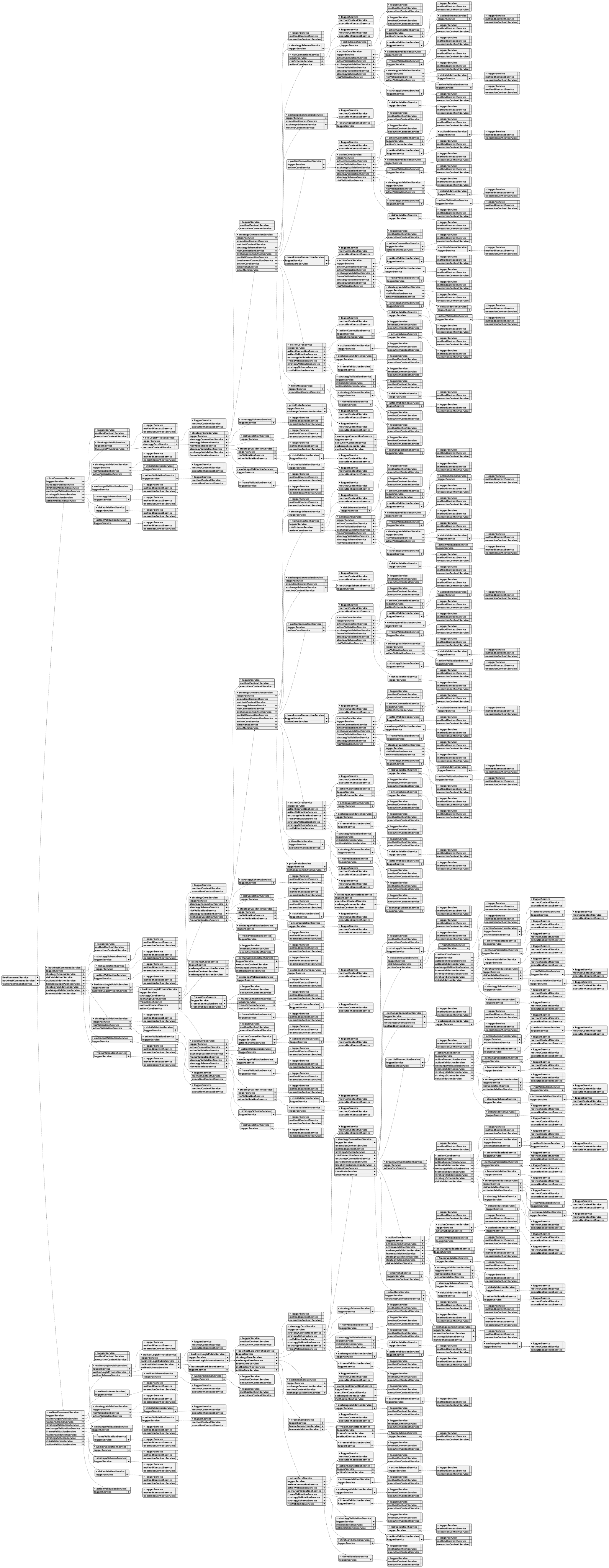
Overview:
Backtest-kit is a production-ready TypeScript framework for backtesting and live trading strategies with crash-safe state persistence, signal validation, and memory-optimized architecture. The framework follows clean architecture principles with dependency injection, separation of concerns, and type-safe discriminated unions.
Core Concepts:
- Signal Lifecycle: Type-safe state machine (idle → opened → active → closed) with discriminated unions
- Execution Modes: Backtest mode (historical data) and Live mode (real-time with crash recovery)
- VWAP Pricing: Volume Weighted Average Price from last 5 1-minute candles for all entry/exit decisions
- Signal Validation: Comprehensive validation ensures TP/SL logic, positive prices, and valid timestamps
- Interval Throttling: Prevents signal spam with configurable intervals (1m, 3m, 5m, 15m, 30m, 1h)
- Crash-Safe Persistence: Atomic file writes with automatic state recovery for live trading
- Async Generators: Memory-efficient streaming for backtest and live execution
- Accurate PNL: Calculation with fees (0.1%) and slippage (0.1%) for realistic simulations
- Event System: Signal emitters for backtest/live/global signals, errors, and completion events
- Graceful Shutdown: Live.background() waits for open positions to close before stopping
- Pluggable Persistence: Custom adapters for Redis, MongoDB, or any storage backend
Architecture Layers:
- Client Layer: Pure business logic without DI (ClientStrategy, ClientExchange, ClientFrame) using prototype methods for memory efficiency
- Service Layer: DI-based services organized by responsibility:
- Schema Services: Registry pattern for configuration with shallow validation (StrategySchemaService, ExchangeSchemaService, FrameSchemaService)
- Validation Services: Runtime existence validation with memoization (StrategyValidationService, ExchangeValidationService, FrameValidationService)
- Connection Services: Memoized client instance creators (StrategyConnectionService, ExchangeConnectionService, FrameConnectionService)
- Global Services: Context wrappers for public API (StrategyGlobalService, ExchangeGlobalService, FrameGlobalService)
- Logic Services: Async generator orchestration (BacktestLogicPrivateService, LiveLogicPrivateService)
- Markdown Services: Auto-generated reports with tick-based event log (BacktestMarkdownService, LiveMarkdownService)
- Persistence Layer: Crash-safe atomic file writes with PersistSignalAdaper, extensible via PersistBase
- Event Layer: Subject-based emitters (signalEmitter, errorEmitter, doneEmitter) with queued async processing
Key Design Patterns:
- Discriminated Unions: Type-safe state machines without optional fields
- Async Generators: Stream results without memory accumulation, enable early termination
- Dependency Injection: Custom DI container with Symbol-based tokens
- Memoization: Client instances cached by schema name using functools-kit
- Context Propagation: Nested contexts using di-scoped (ExecutionContext + MethodContext)
- Registry Pattern: Schema services use ToolRegistry for configuration management
- Singleshot Initialization: One-time operations with cached promise results
- Persist-and-Restart: Stateless process design with disk-based state recovery
- Pluggable Adapters: PersistBase as base class for custom storage backends
- Queued Processing: Sequential event handling with functools-kit queued wrapper
Data Flow (Backtest):
- User calls Backtest.background(symbol, context) or Backtest.run(symbol, context)
- Validation services check strategyName, exchangeName, frameName existence
- BacktestLogicPrivateService.run(symbol) creates async generator with yield
- MethodContextService.runInContext sets strategyName, exchangeName, frameName
- Loop through timeframes, call StrategyGlobalService.tick()
- ExecutionContextService.runInContext sets symbol, when, backtest=true
- ClientStrategy.tick() checks VWAP against TP/SL conditions
- If opened: fetch candles and call ClientStrategy.backtest(candles)
- Yield closed result and skip timeframes until closeTimestamp
- Emit signals via signalEmitter, signalBacktestEmitter
- On completion emit doneEmitter with { backtest: true, symbol, strategyName, exchangeName }
Data Flow (Live):
- User calls Live.background(symbol, context) or Live.run(symbol, context)
- Validation services check strategyName, exchangeName existence
- LiveLogicPrivateService.run(symbol) creates infinite async generator with while(true)
- MethodContextService.runInContext sets schema names
- Loop: create when = new Date(), call StrategyGlobalService.tick()
- ClientStrategy.waitForInit() loads persisted signal state from PersistSignalAdaper
- ClientStrategy.tick() with interval throttling and validation
- setPendingSignal() persists state via PersistSignalAdaper.writeSignalData()
- Yield opened and closed results, sleep(TICK_TTL) between ticks
- Emit signals via signalEmitter, signalLiveEmitter
- On stop() call: wait for lastValue?.action === 'closed' before breaking loop (graceful shutdown)
- On completion emit doneEmitter with { backtest: false, symbol, strategyName, exchangeName }
Event System:
- Signal Events: listenSignal, listenSignalBacktest, listenSignalLive for tick results (idle/opened/active/closed)
- Error Events: listenError for background execution errors (Live.background, Backtest.background)
- Completion Events: listenDone, listenDoneOnce for background execution completion with DoneContract
- Queued Processing: All listeners use queued wrapper from functools-kit for sequential async execution
- Filter Predicates: Once listeners (listenSignalOnce, listenDoneOnce) accept filter function for conditional triggering
Performance Optimizations:
- Memoization of client instances by schema name
- Prototype methods (not arrow functions) for memory efficiency
- Fast backtest method skips individual ticks
- Timeframe skipping after signal closes
- VWAP caching per tick/candle
- Async generators stream without array accumulation
- Interval throttling prevents excessive signal generation
- Singleshot initialization runs exactly once per instance
- LiveMarkdownService bounded queue (MAX_EVENTS = 25) prevents memory leaks
- Smart idle event replacement (only replaces if no open/active signals after last idle)
Use Cases:
- Algorithmic trading with backtest validation and live deployment
- Strategy research and hypothesis testing on historical data
- Signal generation with ML models or technical indicators
- Portfolio management tracking multiple strategies across symbols
- Educational projects for learning trading system architecture
- Event-driven trading bots with real-time notifications (Telegram, Discord, email)
- Multi-exchange trading with pluggable exchange adapters
Test Coverage:
The framework includes comprehensive unit tests using worker-testbed (tape-based testing):
- exchange.test.mjs: Tests exchange helper functions (getCandles, getAveragePrice, getDate, getMode, formatPrice, formatQuantity) with mock candle data and VWAP calculations
- event.test.mjs: Tests Live.background() execution and event listener system (listenSignalLive, listenSignalLiveOnce, listenDone, listenDoneOnce) for async coordination
- validation.test.mjs: Tests signal validation logic (valid long/short positions, invalid TP/SL relationships, negative price detection, timestamp validation) using listenError for error handling
- pnl.test.mjs: Tests PNL calculation accuracy with realistic fees (0.1%) and slippage (0.1%) simulation
- backtest.test.mjs: Tests Backtest.run() and Backtest.background() with signal lifecycle verification (idle → opened → active → closed), listenDone events, early termination, and all close reasons (take_profit, stop_loss, time_expired)
- callbacks.test.mjs: Tests strategy lifecycle callbacks (onOpen, onClose, onTimeframe) with correct parameter passing, backtest flag verification, and signal object integrity
- report.test.mjs: Tests markdown report generation (Backtest.getReport, Live.getReport) with statistics validation (win rate, average PNL, total PNL, closed signals count) and table formatting
All tests follow consistent patterns:
- Unique exchange/strategy/frame names per test to prevent cross-contamination
- Mock candle generator (getMockCandles.mjs) with forward timestamp progression
- createAwaiter from functools-kit for async coordination
- Background execution with Backtest.background() and event-driven completion detection
backtest-kit classes
Class WalkerValidationService
The WalkerValidationService helps you keep track of and make sure your parameter sweep configurations (called "walkers") are set up correctly. It acts as a central place to register these walkers, meaning you can add new ones as needed.
Before you start running any tests or optimizations based on a walker, this service checks to confirm it actually exists. It also remembers the results of these checks, so it doesn't have to re-validate the same walkers repeatedly, which speeds things up.
You can also get a complete list of all the walkers that are currently registered.
Essentially, it makes managing and verifying your walker configurations much easier and more efficient.
Class WalkerUtils
WalkerUtils provides helpful tools for working with walkers, which are essentially automated trading systems. It simplifies running and managing these systems by handling details like logging and automatically figuring out which exchange and frame to use. Think of it as a central place to interact with your trading strategies.
You can easily kick off a walker comparison – essentially, a test run of your strategies – using the run function, and there’s also a background option if you want to run it silently without seeing the immediate results.
Need to halt a walker's activity? The stop function gracefully shuts down strategies, allowing existing trades to finish before preventing new ones.
To retrieve results, use getData to gather data from the strategy comparisons, or getReport to create a nicely formatted markdown report summarizing those comparisons. You can also save this report to a file using dump. Finally, list lets you quickly see the status of all your active walker instances.
Class WalkerSchemaService
The WalkerSchemaService helps you keep track of and manage different "walker" schemas, which are essentially blueprints for how your system operates. It utilizes a secure and type-safe storage mechanism.
You can add new walker schemas using the addWalker() (represented by register) method, and then find them again later using their names with the get() method.
Before a schema is formally registered, validateShallow() quickly checks to make sure it has all the essential parts and is structured correctly.
If you need to update a schema that's already been registered, you can use override() to selectively modify certain properties, rather than replacing the whole schema.
The service also has internal components for logging and managing context, which you likely won't interact with directly.
Class WalkerReportService
This service helps you keep track of how your trading strategies are performing during optimization runs. It listens for updates from the optimization process, recording key details like metrics and statistics for each strategy test.
The service acts as a central place to store these optimization results, letting you analyze your progress and compare different strategy versions.
You can subscribe to receive these updates, and there's a built-in mechanism to ensure you only subscribe once. When you're finished, you can unsubscribe to stop receiving updates. A logger service provides some debugging output. The tick property handles the actual processing and logging.
Class WalkerMarkdownService
The WalkerMarkdownService is designed to automatically create and save detailed reports about your trading strategies. It keeps track of how each strategy performs during a backtest, collecting results as the test runs.
Think of it as a reporting engine that organizes your trading data into easy-to-read markdown tables. These tables compare strategy performance based on key metrics. The reports are saved automatically to your logs directory, making it simple to review results.
You can control how the service works by subscribing to events from the walker, and it uses a clever storage system to ensure that data for each strategy is kept separate. The service also provides functions to retrieve specific data, generate reports, and even clear out old data when you're done. You can specify what data to include in the reports and where to save them.
Class WalkerLogicPublicService
This service helps manage and run your trading strategies, known as "walkers," in a consistent way. It automatically handles important information like the strategy's name, the exchange it's running on, and the specific timeframe it's analyzing, ensuring everything is passed along correctly.
Essentially, it's a convenient layer on top of a more private service, simplifying the process of running your walkers.
The run method is the key here – you give it a symbol (like a stock ticker) and some context, and it will execute all relevant strategies and provide you with the results. Think of it as a central point for launching your backtesting experiments.
Class WalkerLogicPrivateService
WalkerLogicPrivateService helps you run and compare different trading strategies against each other. It works by running each strategy one at a time and providing updates as they finish. You'll get progress reports for each strategy, and the service keeps track of the best performing strategy along the way. Finally, it presents you with a complete ranking of all the strategies you tested.
It relies on other services like BacktestLogicPublicService to handle the actual backtesting process.
The run method is the primary way to use this service. You give it a symbol (like a stock ticker), a list of strategies to test, a metric to optimize (like profit or Sharpe ratio), and some context information about the exchange, frame, and walker. It then runs those strategies and returns the results one by one, allowing you to monitor the progress and see the best strategy emerge.
Class WalkerCommandService
WalkerCommandService acts as a central access point for interacting with the walker functionality within the backtest-kit framework. It's designed to be easily used with dependency injection, making it a straightforward way to access the core components.
This service wraps the WalkerLogicPublicService and provides validation services for walkers, strategies, exchanges, frames, risks, and actions. The validation process is robust; it includes an extra, intentional check to ensure the configurations are correct, guarding against potential issues during critical operations.
You can initiate a walker comparison using the run function, specifying the symbol and providing context like the walker, exchange, and frame names. The run function returns an asynchronous generator, allowing you to step through the comparison results.
Class TimeMetaService
The TimeMetaService helps you track when candles happen for each trading strategy you're running. It keeps a record of the latest timestamp for each combination of symbol, strategy name, exchange, frame, and whether you're backtesting.
Think of it as a central place to look up the current candle time, especially when you need it outside of the normal trading cycle. If you're performing actions or triggering commands between ticks, this service ensures you have the right time information.
It automatically updates this timestamp information as your strategies run and offers a convenient way to get the information you need. If the timestamp hasn't been set yet, it will wait a short time for it to become available. You can also clear out these timestamp records to ensure you’re working with fresh data. The service is designed to be reset at the start of each strategy run.
Class SystemUtils
SystemUtils helps keep your backtest simulations clean and independent. It prevents one test from accidentally affecting the settings of another.
Think of it like this: it creates a "snapshot" of how things are set up before a backtest. This snapshot effectively pauses any ongoing interactions between different parts of your trading system.
After the test is complete, it automatically restores everything to how it was before, so you don't have to worry about manually resetting.
The createSnapshot property allows you to trigger this isolation and restoration process. It provides a function that returns a special object you can use to put everything back where it belongs.
Class SyncUtils
SyncUtils helps you analyze and understand the lifecycle of your trading signals. It gathers information about signal openings and closings, like when orders are filled and positions are exited. You can use it to see how many signals were processed, how many opened and closed, and to generate detailed reports.
It works by tracking these events and accumulating data.
You can ask SyncUtils for summarized statistics about a particular trading symbol, strategy, and timeframe.
It also lets you create readable markdown reports showing all the signal events for a specific symbol and strategy, including important details like entry and exit prices, profit/loss, and timestamps. Finally, it allows you to save these reports directly to a file, making it easy to share or keep a record of your trading activity.
Class SyncReportService
The SyncReportService helps keep track of what's happening with your trading signals. It focuses on logging key moments – when a signal starts (like a limit order being filled) and when it ends (when a position is closed).
It listens for these "sync" events and records details like the initial signal information and, when a position is closed, the profit/loss and why it was closed.
Think of it as creating a detailed audit trail of your trading activity.
You can start the process by subscribing to receive these sync events, and when you're done, you can unsubscribe to stop the service. It’s designed to prevent accidental double-subscription, ensuring a smooth and reliable logging process.
Class SyncMarkdownService
This service is designed to automatically create and save reports detailing signal synchronization events during backtesting or live trading. It keeps track of signal openings and closures for each symbol, strategy, exchange, and timeframe.
It listens for signal events and organizes them, then compiles them into readable markdown tables that show the signal lifecycle, along with key statistics like total events, opens, and closes. These reports are saved as files on your disk.
To start collecting data, you’ll need to subscribe to a signal event stream. This subscription ensures you don't accidentally resubscribe and flood your system with updates. When you’re done, unsubscribe to clean up accumulated data and detach from the event stream.
Each time it receives a signal event, it records the details like timestamps, open/close reasons and stores it for a specific combination of symbol, strategy, exchange, and timeframe.
You can request the accumulated statistics for a specific combination of symbol, strategy, exchange, and timeframe. This will return a model, which can be displayed or further processed.
You can also request a full report, which generates the markdown table along with statistics. The report can be written directly to a file as well.
Finally, a clear function allows you to erase the collected data. You can clear the data for a specific combination or clear everything at once.
Class SweepValidationService
The SweepValidationService keeps track of all your registered sweeps, ensuring they exist and their associated exchanges are valid whenever they’re used. Think of it as a gatekeeper for your sweep definitions.
It prevents you from registering the same sweep name multiple times, unlike other parts of the system.
Here's what it does:
addSweep: Registers a new sweep, verifying it's unique.validate: Checks if a sweep is registered and its exchange is valid - it only does this check once per sweep name to save resources.list: Provides a list of all sweeps that have been registered.
It uses a logger service and an exchange validation service to do its job, and stores sweep information in an internal map.
Class SweepUtils
SweepUtils helps you systematically test a large number of trading ideas, essentially running many simulations with slightly different parameters. It's like exploring a wide range of possibilities to see which ones perform best.
The tool profiles each idea by looking at how it would have performed with just one candle (a single price point in time), then evaluates all the ideas based on a grid of these profiles. You'll get rankings based on four key metrics: Sharpe ratio (risk-adjusted return), Sortino ratio (similar to Sharpe but focuses on downside risk), profit and loss (pnl), and recovery rate (how quickly losses are recouped). Each of these rankings has its own set of rules for what constitutes a "winner". Detailed, trade-by-trade reports are also generated for each idea.
Several adjustable parameters control how these simulations run. These include:
- Exit Strategies: Settings that dictate when a trade is closed, such as a hard stop (maximum loss), trailing stop (automatically adjusting the stop level), profit lock (a fixed profit target), and a time limit.
- Entry: Every idea gets a chance to enter a trade, with no initial filtering.
- Author Grading: Each author's performance is assessed separately, based on whether their ideas generated a profit before a stop loss. The grading considers the rule’s hold, profit lock, stop, and trailing aspects.
- Reporting: You can control the order in which the simulation results are displayed.
The core function, run, executes the entire parameter sweep simulation. It takes a set of trading ideas and runs them through a series of processes, including data profiling, filtering, grid evaluation, and ranking. Ideas are filtered before the simulation to remove duplicates and ideas for other symbols. It’s important to note that the final confirmation of parameter effectiveness should always be done with a real backtest.
Class SweepSchemaService
The SweepSchemaService acts as a central place to store and manage different sweep schemas, which define the structure of data being processed. It ensures these schemas are registered and initially checked for basic correctness.
This service keeps track of schemas, associating each one with a unique name.
Think of it as a lookup table that the system uses to understand the format of the data it’s working with.
It performs a simple check when registering schemas to make sure the essential fields are present.
The service allows you to register new schemas, replace existing ones, and retrieve them by their names. It also has a mechanism for updating parts of existing schemas.
Class SweepGlobalService
SweepGlobalService acts as the main gateway for interacting with the sweep functionality. It's the first stop for requests that involve running simulations.
Essentially, it makes sure the sweep you're requesting exists and is compatible with the exchange before passing the work along to other parts of the system.
This service keeps things organized by handling the overall flow, from initial validation to ultimately producing simulation results.
The run method is the core function – it takes a symbol, sweep name, and a list of ideas, then orchestrates a complete simulation process involving author filtering, grid evaluation, and ranking to deliver a final result.
Class SweepCoreService
The SweepCoreService is a central component for running sweep simulations. It acts as a gatekeeper, ensuring that the simulation setup is valid before proceeding.
It checks the sweep details, like whether the data exists and is compatible with the exchanges involved.
Then, it passes the validated sweep information along to the connection layer for execution. Think of it as the orchestrator between the initial request and the actual simulation process.
This service relies on other components like a logger, a connection service to manage sweep execution, and a validation service.
The core function, run, is responsible for executing the complete sweep process from start to finish, involving stages like filtering author ideas, evaluating performance based on predefined profiles, and ranking the results. You provide the symbol you're interested in, the name of the sweep, and a list of ideas to test.
Class SweepConnectionService
SweepConnectionService acts as the bridge between your requests and the underlying sweep logic. It manages the lifecycle of sweep clients, ensuring efficiency by reusing them whenever possible.
Think of it as a central point where you send requests that need to be processed by a specific sweep.
Here's what it does:
- It finds or creates a sweep client based on its name. This client is memoized, meaning it only gets created once per unique sweep name to save resources.
- It automatically applies default settings (grid axes) if they're missing from the sweep's definition.
- It uses a logger to track what’s happening.
- You provide data in a simple format (DTOs), and it handles the rest of the process.
You can trigger a full simulation by providing a symbol, sweep name, and ideas.
You also have the ability to clear the memoized clients, forcing the system to re-read the sweep schema and create new clients – useful for refreshing configurations.
Class StrategyValidationService
The StrategyValidationService helps you keep track of and confirm the correctness of your trading strategies. Think of it as a central manager for your strategies, ensuring they're all properly set up and ready to go.
It lets you register new strategies, giving them names and associated details. Before you actually use a strategy, this service checks to make sure it exists and that any linked risk profiles and actions are also valid.
To make things faster, validation results are cached so you don’t have to repeat checks unnecessarily.
Finally, you can easily get a list of all the strategies currently registered within the system.
It relies on other services for risk and action validation, and internally uses a map to store and manage strategy configurations.
Class StrategyUtils
StrategyUtils helps you understand how your trading strategies are performing by providing tools to analyze and report on their actions. It's like having a central dashboard for your strategy's history.
You can use it to get statistical data about strategy events, like how often it cancels scheduled orders or takes profits. It can also generate easy-to-read reports in Markdown format, showing detailed information about each event, including the symbol, strategy, action taken, price, and timestamps.
Finally, you can export these reports directly to files, so you can keep a record of your strategy’s activity and share them if you need. The reports are named with details like the symbol, strategy, exchange, and frame, so you can easily identify them. This utility gathers data from the StrategyMarkdownService to provide this analysis.
Class StrategySchemaService
The StrategySchemaService helps keep track of different strategy blueprints, ensuring they're well-defined and consistent. It's like a central library for strategy designs.
You can add new strategy designs using the addStrategy function, giving each one a unique name. When you need to use a specific strategy design, you can easily find it by its name.
Before a strategy design is officially added, it’s checked to make sure it has all the necessary parts and that those parts are the right type – this helps prevent errors later on.
If a strategy design already exists, you can update parts of it using the override function. This lets you make changes without completely replacing the original design. Finally, get allows you to retrieve a registered strategy schema by its key.
Class StrategyReportService
This service helps you keep a detailed record of your trading strategy's actions, like canceling trades, closing positions, or adjusting stops. It's designed to create an audit trail by saving each event as a separate JSON file as it happens, rather than accumulating them in memory.
To start logging, you need to "subscribe" to the service. When you're finished, "unsubscribe" to stop the logging process.
Here’s a breakdown of the different event types it can track:
- cancelScheduled: Records when a planned trade is cancelled.
- closePending: Logs when a trade that was waiting to be executed is closed.
- partialProfit: Tracks when a portion of your position is closed at a profit.
- partialLoss: Records when a portion of your position is closed at a loss.
- trailingStop: Notes adjustments to the trailing stop-loss level.
- trailingTake: Logs adjustments to the trailing take-profit level.
- breakeven: Documents when the stop-loss is moved to the entry price.
- activateScheduled: Records instances where a scheduled signal becomes active prematurely.
- averageBuy: Records when a new entry is added as part of a dollar-cost averaging strategy.
Each of these functions receives detailed information about the trade, including the symbol, strategy name, exchange, and relevant financial data. This lets you analyze your strategy's performance in detail and understand why decisions were made.
Class StrategyMarkdownService
This service helps you keep track of and report on strategy activity during backtesting. It's designed to collect events like signal cancellations, pending order closures, and profit/loss adjustments. Instead of writing each event immediately to a file, it stores them temporarily, making it ideal for creating comprehensive reports and statistics.
Think of it as a temporary holding area for strategy events.
Here's a breakdown of what it does:
- Collects events: It listens for and records key actions taken by your strategy.
- Gathers statistics: It keeps track of how many times each type of action happens.
- Generates markdown reports: You can create nicely formatted reports showing these events, and choose what information to include.
- Exports reports to files: It can save these reports as markdown files.
- Clears data: It lets you clear the collected data, either for specific strategies or everything at once.
To use it, you need to "subscribe" to start collecting events and "unsubscribe" when you're done. This service works alongside other components like StrategyReportService, but offers more efficient batch reporting. You can get the data in several ways: retrieve raw event data, generate a report, or export directly to a file.
Class StrategyCoreService
The StrategyCoreService acts as a central hub for managing strategy operations, especially during backtesting and live trading. It utilizes various services like logging, connection management, schema validation, and risk assessment to ensure strategies function correctly and safely.
This service offers a wide range of functions to monitor and manage a trading position. You can retrieve data like pending signals, total position size, remaining cost basis, entry prices, partial close information, and P&L metrics, all with considerations for DCA (dollar-cost averaging).
It also facilitates actions such as pausing/resuming strategies, canceling scheduled signals, closing positions, and adjusting stop-loss or take-profit levels. Several methods also exist for validating strategy behavior and potential outcomes before execution.
For backtesting, it provides specialized functions for running simulations and analyzing historical data.
Finally, it offers methods for inspecting the performance of a running position, including statistics about its highest profit, largest drawdown, and duration of activity.
Class StrategyConnectionService
This class, StrategyConnectionService, acts as a central hub for managing strategies within the backtesting framework. Think of it as a router—it ensures the right strategy gets the right request.
It intelligently picks which strategy implementation to use based on the trading symbol and strategy name, and it does this efficiently by caching strategy instances.
Before any trading actions happen, it makes sure the strategies are properly initialized. It handles both live trading (tick()) and backtesting (backtest()) scenarios.
Here’s a breakdown of what it offers:
- Smart Strategy Selection: It automatically connects trading requests to the correct strategy based on symbol and name.
- Performance Boost: It avoids recreating strategies repeatedly by caching them, making backtests faster.
- Reliable Operations: It guarantees proper initialization before any trading logic runs.
- Comprehensive Data Access: Provides methods to retrieve information about active positions, including pending signals, total holdings, cost basis, and more. It offers insights into profitability, risk, and the remaining time for positions.
- Control and Flexibility: Methods like
setPaused,createSignal, andcancelScheduledprovide ways to influence strategy behavior during backtests or live trading.
Essentially, this class takes care of the underlying complexity of connecting your trading strategies to the backtesting environment, allowing you to focus on designing and evaluating those strategies themselves.
Class StorageLiveAdapter
The StorageLiveAdapter provides a flexible way to manage how trading signals are stored during live trading. It acts as a central point, allowing you to easily switch between different storage methods without changing the core trading logic.
You can choose to use persistent storage (saving signals to disk), in-memory storage (keeping signals only in the current session), or a dummy storage adapter for testing purposes. The adapter pattern makes it simple to plug in custom storage solutions as well.
The adapter handles events related to signals – when they're opened, closed, scheduled, or cancelled – by passing these actions on to the currently selected storage method.
Finding signals by ID or listing them all also works through the adapter, ensuring consistency regardless of the storage implementation. It also manages updating signal timestamps based on "ping" events to track activity.
If you need to change the storage mechanism, you can easily switch between options like persistent, memory, or dummy storage. It also provides a method to clear the cached storage instance, which is helpful when your working directory changes between strategy runs.
Class StorageBacktestAdapter
The StorageBacktestAdapter provides a flexible way to manage how your backtest data is stored. It acts as a middleman, allowing you to easily switch between different storage methods without changing the core backtesting logic. By default, it uses an in-memory storage solution, which is great for quick testing.
However, you can easily change it to persist your data to disk for long-term storage or use a dummy adapter to simulate scenarios without actually writing anything. This makes it very adaptable to various needs.
The adapter handles events like signals opening, closing, scheduling, and cancellation, passing these on to the currently selected storage mechanism. You can also retrieve signals by ID or list all signals. The useStorageAdapter method gives you control over which storage implementation is used. useDummy, usePersist, and useMemory offer convenient shortcuts to switch between common storage options. Finally, clear is crucial when the environment changes between backtest runs to ensure a fresh storage instance is used.
Class StorageAdapter
The StorageAdapter is the central hub for managing your trading signals, handling both historical backtest data and real-time live data. It automatically keeps track of signals as they're generated by subscribing to signal emitters, ensuring your storage stays synchronized.
Importantly, it’s designed to avoid accidentally subscribing multiple times, preventing unwanted data duplication.
You can use the enable property to start the storage process and disable to safely stop it whenever needed. Need to retrieve specific data? findSignalById helps you locate signals by their unique ID, while listSignalBacktest and listSignalLive let you view all backtest and live signals, respectively.
Class StateLiveAdapter
The StateLiveAdapter helps manage and store data related to your trading strategies, especially when you're using AI to make decisions. It’s designed to be flexible, allowing you to choose where that data is saved – whether it’s in memory for quick access, on disk for persistence across restarts, or even discarded entirely for testing purposes.
Think of it as a way to swap out different storage solutions without changing the core logic of your trading strategies.
It remembers key information like how long a trade has been open and its peak profit, allowing AI to evaluate whether a trade is behaving as expected and potentially close it if needed. This data is saved even if your application restarts, ensuring a consistent view of trade performance.
You can easily switch between different storage options like using local memory, persistent file storage, or even a dummy adapter that just throws away data. The disposeSignal method cleans up old data when a trading signal is finished. The clear function is particularly useful if your project's file paths change.
Class StateBacktestAdapter
The StateBacktestAdapter is a flexible system for managing and storing data during backtesting, allowing you to easily change how that data is handled. It's designed to track information like peak performance and how long a position has been open, which is particularly useful for automated trading rules, like those driven by LLMs.
You can choose different storage methods: a default in-memory option, a persistent file-based solution, or even a dummy mode that simply ignores all data. The adapter efficiently manages these stored pieces of data and cleans them up when signals are finished.
To help with setup, it offers shortcuts to switch between these storage types quickly. If you need even more control, you can also plug in your own custom state adapter. The disposeSignal method is crucial for cleanup, ensuring that data related to a closed signal is removed. The clear function is for situations where the storage location changes, refreshing the adapter’s memory.
Class State
The State class helps you manage data associated with individual signals during your backtest or live trading. Think of it as a container for information specific to a particular signal, like the highest price seen so far.
You create a State object, giving it a name and an initial value. This initial value can be a simple object or a function that creates the object – this function gets extra information about the signal itself, allowing you to customize the starting state.
To use it, you'll need to explicitly “enable” the state, which sets up a system to clean up old data when a signal is finished. You can then read and update this state within your trading strategy's functions, without needing to manually pass around signal details.
The getState and setState methods are the core ways you interact with the data. They automatically fetch the necessary signal information from the backtest environment. Writing to older points in time is protected – reads before the current timestamp return the initial value, and writes that go too far back are overwritten. Don’t forget to call disable when you no longer need the state.
Class SizingValidationService
The SizingValidationService helps you keep track of and check your position sizing configurations. Think of it as a central place to register your different sizing strategies—like fixed percentage, Kelly Criterion, or ATR-based approaches—and make sure they're available when you need them.
It keeps a record of all the sizing strategies you’ve added, and it validates that a strategy exists before you try to use it, preventing errors. To make things faster, it remembers the results of previous validations.
You can use addSizing to register new sizing strategies, validate to confirm a sizing exists and optionally its method, and list to see all the sizing strategies you’ve registered. It’s designed to be easy to use and improve the reliability of your sizing setups.
Class SizingSchemaService
The SizingSchemaService helps you organize and manage your sizing schemas, which define how much of an asset to trade. It's like a central library for these sizing rules, ensuring they are consistent and type-safe.
Schemas are added using addSizing() (or the register method) and retrieved later by their name using get. You can also update existing schemas using override, providing only the changes you need.
Before a sizing schema can be added, a quick check (validateShallow) ensures it has all the necessary properties in the correct format – this helps catch potential errors early on. The service relies on a type-safe storage mechanism for its schemas.
Class SizingGlobalService
The SizingGlobalService is a central tool for determining how much of an asset to trade. It uses a connection service to perform the actual size calculations and a validation service to ensure those calculations are correct. Think of it as the brain behind the sizing decisions within the backtest-kit framework.
It's a global service, meaning it's available throughout the system and utilized both by the internal workings of strategies and by the public API you might use.
The calculate method is the main function you'll interact with. It takes parameters defining the risk profile and the sizing name and returns the calculated position size. The loggerService, sizingConnectionService and sizingValidationService are internal components supporting the calculation process.
Class SizingConnectionService
This service manages how position sizes are calculated within the backtest. It acts as a central point for routing sizing requests to the correct sizing implementation, ensuring that the right method is used for each strategy.
To improve efficiency, it remembers (caches) the sizing implementations it has already created, so it doesn't need to recreate them every time.
You specify which sizing method to use by providing a sizingName. If a strategy doesn't have a specific sizing configuration, you’ll use an empty string for this name.
The getSizing property lets you retrieve these pre-configured sizing methods.
The calculate method is how you actually perform the sizing calculation itself, taking into account risk parameters and the selected sizing method, and it handles routing the request appropriately. It supports methods like fixed percentage, Kelly Criterion, and ATR-based sizing.
Class SessionLiveAdapter
The SessionLiveAdapter helps you manage and store data during live trading sessions, allowing you to easily switch between different storage methods. It’s designed to be flexible, letting you plug in various ways to persist your session information.
By default, it uses a file-based storage that keeps your data even if the program restarts. However, you can quickly change to an in-memory storage for testing or a dummy storage that simply discards any written data.
The adapter keeps track of session data for each symbol, strategy, exchange, and frame combination, making it efficient to retrieve and update values.
You can use convenient helper methods like useLocal, usePersist, and useDummy to quickly switch between storage options. If you need something truly unique, you can even supply your own custom session adapter.
If the working directory of your program changes during repeated runs, it's a good idea to clear the internal cache using clear to ensure fresh session instances are created.
Class SessionBacktestAdapter
This component provides a flexible way to manage and store session data during backtesting. It acts as an intermediary, allowing you to easily switch between different storage methods without changing your core backtesting logic.
Initially, it uses an in-memory storage – meaning data exists only while your program is running – but it’s simple to change this. You can switch to persistent storage, saving data to disk, or a dummy adapter that effectively ignores any changes.
The useLocal, usePersist, and useDummy methods offer convenient shortcuts to change the storage backend. You also have the power to plug in your own custom storage solutions if needed. The system intelligently caches these adapters, and you can manually clear the cache if your working directory changes, ensuring everything is refreshed. Retrieving and setting session data is done through the getData and setData methods, allowing you to grab values at specific points in time or update them as your backtest progresses.
Class SessionAdapter
The SessionAdapter acts as a central hub for handling data storage during both simulated backtesting and live trading. It intelligently directs requests to either the SessionBacktest or SessionLive storage mechanisms, depending on whether you're running a test or live execution.
Essentially, it simplifies data access and modification by abstracting away the differences between backtest and live environments.
You can use getData to retrieve values related to a specific signal, specifying the symbol, relevant strategy and exchange names, the backtest flag, and a timestamp. Similarly, setData allows you to update session values, again ensuring the information is stored in the correct location based on your operational mode. This adapter ensures a seamless flow of data management across your trading process.
Class ScheduleUtils
The ScheduleUtils class offers a simple way to monitor and report on scheduled trading signals. It's like a central hub for understanding how your strategies are performing in terms of signal delivery.
It helps you track signals waiting to be processed, those that were cancelled, and provides insights into cancellation rates and wait times.
You can retrieve statistics for specific symbols and strategies using getData, or generate easy-to-read markdown reports with getReport to visualize the entire signal schedule.
Finally, dump allows you to save these reports directly to a file, providing a permanent record of signal scheduling performance. Think of it as a toolkit to improve your backtesting workflow and signal reliability.
Class ScheduleReportService
This service helps you track and understand how your scheduled signals are performing over time. It acts like a recorder, listening for events related to signals – when they're scheduled, when they start executing, and when they're cancelled.
It keeps track of how long it takes for signals to move from scheduled to either execution or cancellation, which can be really valuable for spotting delays or inefficiencies in your trading strategies.
You can easily start and stop this tracking by subscribing and unsubscribing to the signal events; it's designed to prevent accidental multiple subscriptions. The service leverages a logger to output debug information and relies on a ReportWriter to save data into an SQLite database.
Class ScheduleMarkdownService
The ScheduleMarkdownService helps you track and understand how your trading strategies are performing by automatically creating reports about scheduled and canceled signals. It listens for these events as they happen, organizes them by strategy, and generates easy-to-read markdown tables that detail each event.
You'll get valuable insights such as cancellation rates and average wait times, all neatly presented in reports saved to your logs directory. The service ensures each strategy and combination of parameters (symbol, exchange, timeframe) gets its own dedicated report storage to keep things organized.
You can subscribe to receive these events, unsubscribe when you no longer need them, and even request the accumulated data or a full report for specific symbols and strategies. The service also allows you to clear out the accumulated data when needed, either for a specific scenario or a complete reset. Essentially, it's designed to make monitoring and analyzing your trading strategies simpler and more insightful.
Class RiskValidationService
The RiskValidationService helps you keep track of your risk management settings and make sure they’re all set up correctly. Think of it as a central place to register and verify your risk profiles.
It lets you add new risk profiles to a registry, and then quickly check if a specific profile exists before you try to use it.
To make things efficient, it remembers the results of its checks, so you don't have to repeat the same validations over and over.
You can also get a full list of all the risk profiles you've registered. It's designed to be easy to use and to improve the reliability of your risk management processes.
Class RiskUtils
This class helps you analyze and understand risk rejection events within your trading system. Think of it as a tool for investigating why trades might have been blocked or modified.
It gathers information about rejections – including the symbol, strategy, position, exchange, price, and a reason for the rejection – and stores it for later review.
You can use it to get statistical summaries of rejections, like how many times a particular strategy rejected trades. It can also create detailed reports in Markdown format, making it easy to share these findings with others or to review them yourself. These reports include tables of individual rejection events and a summary of overall rejection statistics.
Finally, you can save these reports directly to files on your computer, so you can keep a record of your risk management performance and easily track trends over time. The reports will be named using the symbol and strategy used.
Class RiskSchemaService
The RiskSchemaService helps you organize and manage your risk schemas, ensuring they are consistent and reliable. It uses a special system to keep track of these schemas in a type-safe way.
You can add new risk profiles to the system using the addRisk() method, and later retrieve them using their names.
The service includes a way to quickly check if a new schema has the necessary components before adding it, preventing errors later on.
If you need to update a risk schema, you can use the override() method to make changes to existing ones.
Finally, the get() method allows you to easily find and access specific risk schemas based on their names.
Class RiskReportService
The RiskReportService is designed to keep a record of when risk management rejects trading signals, creating an audit trail for analysis and understanding. It actively listens for these rejections, noting the reason why a signal was blocked and what the signal was about.
The service stores this information in a database, ensuring that you can track risk-related events over time. To prevent overwhelming the database, it uses a system to limit how frequently it records rejections, preventing repeated events from being logged continuously.
You interact with this service by initially subscribing to receive these rejection events, and you can later unsubscribe when you no longer need it. The subscription process prevents accidental duplicate subscriptions.
Class RiskMarkdownService
The RiskMarkdownService is designed to automatically create reports detailing rejected trades based on risk management rules. It listens for risk rejection events and organizes them by symbol and trading strategy. It then generates well-formatted markdown tables with detailed information about each rejection, along with overall statistics like the total number of rejections, broken down by symbol and strategy.
You can subscribe to receive these rejection events, and the service will keep track of them. It provides methods to retrieve data and generate reports for specific symbols and strategies, allowing you to analyze rejection patterns. The reports are saved to disk in a structured way, making them easy to access and review.
Importantly, the service uses a unique storage space for each combination of symbol, strategy, exchange, frame, and backtest, preventing data from different setups from getting mixed up. It also allows you to clear out the accumulated data, either for everything or just for a specific symbol-strategy setup.
Class RiskGlobalService
RiskGlobalService acts as a central hub for managing and enforcing risk limits within the trading system. It works closely with other services to validate configurations and ensure trades adhere to predefined risk parameters. Think of it as a gatekeeper, making sure trades stay within safe boundaries.
It includes components for logging, managing connections, and validating risk, exchange, and frame data.
The validate function checks risk configurations and remembers previous checks to speed things up.
checkSignal determines if a trade signal should be allowed, while checkSignalAndReserve does the same but also secures a place for that signal, preventing issues when multiple signals arrive at once. This is particularly important for keeping things consistent under heavy trading activity.
addSignal registers a new trade when it's initiated, and removeSignal removes it when it's closed. The clear function provides a way to wipe out all or part of the stored risk data, useful for resetting or troubleshooting.
Class RiskConnectionService
This service acts as a central hub for managing risk within your trading system. It intelligently directs risk-checking requests to the correct specialized risk handler, ensuring the right rules are applied for different trading scenarios. To avoid repeatedly creating these risk handlers, it remembers previously used ones, which speeds things up.
Think of it like a postal service, making sure each piece of mail (a trading signal) gets to the right department (risk implementation) for processing.
Here’s a breakdown of its capabilities:
- Directs Risk Checks: It takes a
riskNameand routes signals to the corresponding risk management logic. If a strategy doesn’t have specific risk configurations, this value is just an empty string. - Smart Caching: It remembers frequently used risk handlers, so you don't have to recreate them every time. This significantly improves performance.
- Signal Validation: The
checkSignalfunction ensures trading signals comply with predefined risk limits, like portfolio drawdown and position exposure. If a signal fails these checks, it triggers a notification. - Concurrency Safety: The
checkSignalAndReservefunction helps prevent issues when multiple parts of your system try to validate signals simultaneously, ensuring a consistent view of available resources. - Signal Tracking: It registers and removes trading signals (both when they're initiated and closed) within the risk management system.
- Cache Clearing: You can clear the cached risk handlers if needed, effectively forcing the system to recreate them.
Several core services are essential for this component to function, including a logger, a risk schema service, a time meta service, and an action core service.
Class ReportWriterAdapter
The ReportWriterAdapter helps you manage and store your trading data in a structured way. It acts as a flexible bridge between your trading logic and where you want to save information like trade events, performance metrics, or walker data.
You can easily swap out the storage method – for example, using JSONL files or something else entirely – without changing your core trading code. It intelligently keeps track of storage instances, ensuring that you only have one instance per report type (like 'backtest' or 'live') throughout the application's lifecycle.
This adapter simplifies the process of building pipelines for analyzing and understanding your trading activity. It handles the details of writing data and initializes storage automatically when you first start saving.
You can customize which storage adapter is used, switch to a dummy adapter for testing purposes (where data is discarded), or revert to the standard JSONL storage. There's also a way to clear the stored instances, which is useful when the working directory of your project changes.
Class ReportUtils
ReportUtils helps you control which parts of the trading framework generate log files. It lets you turn on or off logging for things like backtests, live trading, strategy performance, and more.
The enable method lets you choose which services to monitor and log. It sets up the logging, sends data to JSONL files, and gives you a special function to turn off all the logging at once. Remember to use that cleanup function to avoid problems!
The disable method is for stopping logging on specific services without affecting others. It immediately halts logging and releases resources. There's no cleanup function needed with this one.
Class ReportBase
The ReportBase class is designed to help you efficiently log and analyze trading data. It writes events as simple, line-by-line JSON files, making them easy to process later.
It automatically creates the necessary directories to store your reports and handles potential errors gracefully. The system prioritizes reliability, with built-in safeguards to prevent data loss and ensure writes complete within a reasonable timeframe – typically within 15 seconds.
You can filter reports by key criteria like symbol, strategy, exchange, or frame, which simplifies searching for specific events. The class ensures that the file is properly initialized only once, even if you attempt it repeatedly. Finally, the write method handles the actual data logging, ensuring data is appended with relevant metadata and timestamps.
Class ReportAdapter
The ReportAdapter helps manage and store trading reports consistently. It acts as a flexible layer, allowing you to easily switch between different storage methods, like writing to JSONL files or using a custom solution.
It remembers which storage method you’re using for each type of report, avoiding unnecessary re-initialization. The default setup writes reports to JSONL files, but you can easily change that.
If your working directory changes during backtesting, clearing the adapter ensures new storage is used. You can also temporarily disable report writing with the dummy adapter, which is useful for debugging or testing.
Class ReflectUtils
This utility class, available as a single instance, provides a way to access and monitor key position metrics like profit and loss (PNL), peak profit, and drawdown during trading. It simplifies obtaining this information by handling the complexities of strategy, exchange, and frame contexts, along with validation and logging. It works whether you're running a live trade or a backtest.
You can use it to retrieve:
- Unrealized PNL: Get the percentage or dollar amount of unrealized profit or loss for a current trade.
- Peak Performance: Find the highest profit price reached, along with its timestamp and associated PNL values.
- Drawdown Metrics: Track how long a position has been in a drawdown, including when the deepest loss occurred and associated PNL values. It also gives you the time elapsed since the peak profit.
- Active/Waiting Times: Determine how long a position has been active and how long a scheduled signal has been waiting.
- Distance from Peaks/Troughs: Measure how far the current price is from the highest profit or deepest drawdown points, expressed as a percentage or dollar amount.
Essentially, this class provides a comprehensive suite of tools for closely observing and understanding the performance of a trading position.
Class RecentLiveAdapter
The RecentLiveAdapter helps you manage and retrieve recent trading signals, offering flexibility in how those signals are stored. It uses a design pattern that lets you easily switch between different storage methods, like persistent storage on disk or keeping everything in memory.
The adapter uses a factory to create the storage mechanism, and it remembers the first instance it creates to be efficient – unless you need to clear it to refresh with a new configuration.
You can get the latest signal for a specific trading strategy, check how long ago a signal was created, and handle active ping events, all by passing the right information.
It's designed to be easily customized by letting you choose the specific type of storage adapter you want to use, or to quickly switch between persistent and in-memory storage. Remember to clear the cached instance if the working directory changes to ensure the adapter uses the updated settings.
Class RecentBacktestAdapter
This component helps manage and access recently generated trading signals, offering flexibility in how those signals are stored. It uses a pattern that lets you easily swap out different storage methods without changing the core logic. By default, signals are kept in memory, but you can also configure it to persist signals to a file.
The getInstance property is like a shortcut that creates and saves the storage utility only when needed, ensuring consistent performance. The adapter's handleActivePing, getLatestSignal, and getMinutesSinceLatestSignalCreated methods simply pass on requests to the currently active storage method.
You can change the storage adapter using useRecentAdapter, or quickly switch between persistent and memory storage with usePersist and useMemory. The clear method is useful when you need to ensure a fresh start for your storage, such as when your working directory changes.
Class RecentAdapter
The RecentAdapter manages how recent trading signals are stored and accessed, whether you're backtesting or running live. It automatically updates when new signals come in and provides a straightforward way to get the most recent signal for a specific trading setup.
You can easily turn the storage on or off, and it's designed to prevent accidental duplicate subscriptions.
Need to know the latest signal? The getLatestSignal function looks in both backtest and live data, making sure you’re not looking into the future. It's also handy to know how long ago a signal was created with getMinutesSinceLatestSignalCreated, again with protections against looking into the future. And, if you’re unsure if any signals exist, hasNoLatestSignal lets you check before attempting to retrieve one.
Class PriceMetaService
PriceMetaService helps you track the latest market prices for your trading strategies. Think of it as a central place to get the current price for a specific trading setup (like a symbol, strategy, exchange, and timeframe).
It keeps a record of these prices, updating them whenever a new tick comes in from your strategies. You can easily retrieve these prices whenever you need them, even outside the normal trading execution process.
If a price isn't immediately available, it will wait a short time to see if it arrives, ensuring you're always working with up-to-date information. You can also clear these cached prices to free up memory and make sure you're starting fresh with each new trading period. This is particularly useful when starting a new backtest or live trading session. The service automatically handles updating these prices and clearing them when needed, making it a reliable resource for price data.
Class PositionSizeUtils
This class helps you figure out how much to trade—specifically, how many units of an asset you should buy or sell—using different strategies. It's designed to simplify the position sizing process.
The class offers several built-in methods for calculating position size:
- Fixed Percentage: This method uses a set percentage of your account balance to determine the trade size.
- Kelly Criterion: A more advanced method that aims to maximize growth by considering win rates and win-loss ratios.
- ATR-Based: This technique uses the Average True Range (ATR) to estimate volatility and size positions accordingly.
Each method takes specific inputs, and the class automatically checks to make sure the inputs you provide are suitable for the chosen sizing technique, ensuring a more reliable calculation. Think of it as a tool that makes complex position sizing calculations easier and less prone to error.
Class Position
This section deals with managing positions and figuring out where to place your take profit and stop loss orders. It's designed to handle the direction of your trade – whether you're buying (long) or selling (short) – automatically.
There are two main functions provided:
-
moonbag: This strategy is all about aiming high. It sets your take profit at a fixed percentage above the current price, and your stop loss is calculated based on a percentage below the current price. It’s a simple approach for targeting substantial gains.
-
bracket: If you want more control, the bracket function lets you define both your take profit and stop loss percentages. This gives you the flexibility to tailor your risk and reward profile to your specific trading strategy.
Class PersistStrategyUtils
This class helps manage how strategy data is saved and loaded, especially when dealing with delayed actions or states that need to be persisted. It ensures that each strategy gets its own dedicated storage, and it allows you to customize how that storage works – you can use a file-based system, a custom adapter, or even a dummy setup for testing.
The system cleverly remembers which storage to use for a particular combination of symbol, strategy, and exchange, so it doesn't have to recreate them repeatedly. When you need to read or write strategy data, it automatically sets up the necessary storage if it hasn't already.
You can easily switch between different storage methods like using JSON files or custom implementations. There’s also a way to clear out the storage cache if things like the working directory change during testing or strategy runs. Essentially, it handles the behind-the-scenes details of saving and retrieving strategy information to keep things running smoothly and reliably.
Class PersistStrategyInstance
This component helps you save and load the state of your trading strategies to a file. It's designed to be reliable, even if your application crashes.
It stores strategy data using a specific file name and a consistent identifier, ensuring that your state is always saved correctly.
The constructor takes the trading symbol, strategy name, and exchange name to help identify which strategy you are saving.
You can use waitForInit to make sure the storage is ready before attempting to save any data. readStrategyData lets you retrieve the saved strategy state, and writeStrategyData allows you to update it. You can clear the stored state by passing null to writeStrategyData. It’s built to handle potential issues and ensure your strategy’s state is preserved.
Class PersistStorageUtils
This class provides tools for safely managing and storing signal data, particularly for backtesting and live trading scenarios. It handles persistence, meaning it saves and loads data so you don't lose your progress or settings.
The system automatically creates and manages storage instances, using a default file-based approach, but you can easily swap in your own custom storage solutions if needed.
Think of it as a central manager for signal data, ensuring that each signal's information is saved as a separate file. This design offers resilience, meaning that the system is designed to protect your data even if something unexpected happens during operation.
You can clear the stored data and change the storage method – for instance, switching from file storage to a dummy, non-persistent storage for testing. It's particularly helpful when your project's working directory changes frequently.
Class PersistStorageInstance
This component handles storing and retrieving data persistently, primarily using files. It's designed to be reliable, even if unexpected interruptions occur during the process.
Essentially, each signal you're working with is saved as its own JSON file, making it easy to manage individual data points. When you need to load all the data, it goes through each of those files.
The backtest property indicates whether it's being used for a backtesting scenario. The underlying storage utilizes files to hold the data.
You can use waitForInit to make sure the storage is fully set up before you start working with it. readStorageData pulls all the saved signals back into your application, while writeStorageData saves new signals or updates existing ones, ensuring data is written safely.
Class PersistStateUtils
This class helps manage and save the state of your trading strategies, ensuring that information isn’t lost even if the program crashes. It keeps track of saved data in files, organized by a unique identifier (signalId) and a descriptive name (bucketName).
The system uses a clever technique to ensure each signal and bucket has its own dedicated storage area, preventing conflicts.
You have flexibility to customize how the state is saved—use the default file-based approach, a dummy adapter for testing (which does nothing), or provide your own custom saving mechanism.
The class automatically handles creating and initializing these storage instances. It also provides a way to clear out old storage entries when things change, like when you move your working directory. You can also tell it to clean up storage for specific signals to free up space. Essentially, it provides a simple way to safely persist and retrieve data associated with your trading strategies.
Class PersistStateInstance
This class helps you save and load trading state information to a file. Think of it as a way to remember where your trading strategies were last left off.
It manages the storage behind the scenes, using a file system to keep your data safe. Each strategy (identified by its signalId) gets its own dedicated storage area based on the bucketName you provide.
The waitForInit method ensures the storage is ready before you start trying to read or write data.
You can use readStateData to retrieve saved information, and writeStateData to update and preserve it. The _when parameter of writeStateData indicates the timestamp of the state.
Finally, dispose doesn’t actually do anything on its own; it relies on a separate utility function to handle cleanup.
Class PersistSignalUtils
This class helps manage how signal data is saved and loaded, making sure it's reliable even if there are interruptions. It keeps track of signal data for each trading strategy and symbol combination, storing it in a way that's consistent and protected from crashes.
You can customize how this data is stored using different "adapters" – essentially, you can choose where the data lives (like a file, a database, or even a dummy adapter that doesn’t save anything at all, useful for testing).
The system automatically creates and manages these storage instances, and it guarantees that reads and writes are done safely.
If you need to change how signals are stored, you can register a custom adapter to override the default behavior. You can also clear the storage to reset the system when needed, for example, when the working directory changes.
Class PersistSignalInstance
This class, PersistSignalInstance, helps you reliably save and load signal data for your trading strategies. It’s designed to be a safe and easy way to persist information across sessions, even if your program crashes.
Think of it as a dedicated file where your strategy's signal data (like buy/sell recommendations) is stored. The class uses the trading symbol, strategy name, and exchange to organize this data.
It handles the complex details of writing the data to the file in a way that prevents corruption, even if something unexpected happens during the writing process. To get started, you provide the symbol, strategy name, and exchange name when you create an instance.
You can then use the provided methods to read or write the signal data, and the class manages the underlying file storage for you. waitForInit ensures the storage is ready before you start reading or writing.
Class PersistSessionUtils
The PersistSessionUtils class helps manage how session data is saved and loaded, ensuring your trading strategies remember their state even if things go wrong. It cleverly uses a system of memoization, which means it only creates and loads session data when absolutely necessary, optimizing performance.
Think of it like a smart filing system for your trading sessions. It organizes data by strategy name, exchange, and the specific 'frame' or timeframe being used, storing them in JSON files within a designated directory.
You have a lot of flexibility with how these sessions are persisted, too. It allows you to plug in custom storage solutions, or easily switch between a standard file-based system and a 'dummy' mode that doesn't actually save anything, useful for testing. If you change where your project is located, a clear function can wipe the cache. The dispose method allows you to clean up storage when a session ends. Finally, usePersistSessionAdapter lets you customize how the session data is handled.
Class PersistSessionInstance
This class helps you save and load the state of your trading sessions, especially useful when you want to resume where you left off. It's designed to work with files, ensuring your data is safely stored.
It identifies each saved session by a combination of the strategy name, exchange, a frame identifier, and the trading symbol, along with whether it's a backtest or not. This prevents different sessions from overwriting each other.
You can use waitForInit to make sure the storage is ready before trying to save or load. The readSessionData method retrieves previously saved session information, and writeSessionData stores new data. Importantly, dispose doesn't actually do anything itself, instead relying on a separate utility function to clear out any cached data.
Class PersistScheduleUtils
This utility class helps manage how scheduled signals are saved and loaded, ensuring things run reliably even if there are unexpected interruptions. It keeps track of different storage options for each strategy, allowing you to choose how the signals are persisted.
The class automatically handles creating the right storage mechanism based on the symbol, strategy, and exchange being used, and it ensures data is written and read safely. If something goes wrong, it’s designed to prevent data loss.
You can customize the storage mechanism by providing your own adapter to control how signals are persisted. It also provides built-in options for using file-based storage or a dummy storage for testing.
The clear function is important to call when the working directory changes to refresh the storage information. This ensures the system consistently uses the intended storage locations.
Class PersistScheduleInstance
This class provides a way to reliably save and retrieve schedule data for your trading strategies. It focuses on persistence, meaning it ensures your data isn't lost even if something unexpected happens.
It uses a file to store the data, creating a distinct storage area for each strategy and exchange combination you’re using.
The class automatically handles some technical details like making sure writes are done safely and in one go.
Here’s what you can do with this class:
- Initialization: It needs a brief setup to ensure the storage area is ready.
- Reading Data: It fetches the stored schedule data, identified by a unique symbol (like a ticker symbol). If no data exists, it returns nothing.
- Writing Data: You can use it to save your schedule data, or to completely clear out the stored data. It uses the symbol to identify what data belongs where.
Class PersistRiskUtils
This class helps manage how your active positions are saved and retrieved, especially when dealing with risk profiles. It ensures that each risk profile has its own dedicated storage, and it makes sure these operations happen reliably.
It’s designed to work with ClientRisk, mainly when you're running in live mode, and it intelligently creates these storage instances only when they're actually needed.
You can customize how the storage is implemented by providing your own constructor, and there's even a "dummy" mode for testing where nothing is actually saved.
The class also provides a way to clear its internal cache, which is useful when your working directory changes between strategy runs.
Key functions include readPositionData to load existing position information and writePositionData to save updates.
Class PersistRiskInstance
This class helps you save and retrieve position data persistently, like to a file. It's designed to work with backtest-kit and provides a reliable way to keep track of your trading positions across sessions.
It automatically handles saving data safely, ensuring that your data isn't lost even if there's an unexpected interruption. It uses a specific name ("positions") for the data it stores to keep things organized and predictable.
You can initialize the storage with waitForInit and then read in existing position data with readPositionData or write new position data with writePositionData. The readPositionData method lets you specify a time to retrieve data as of that point.
Class PersistRecentUtils
This class, PersistRecentUtils, helps manage how recent trading signals are saved and retrieved, especially when running backtests or live trading. It's designed to be reliable and efficient, keeping track of signals for each trading setup (symbol, strategy, exchange, timeframe).
It uses a clever system to avoid creating unnecessary storage instances; it only makes one for each unique combination of those settings. You can even customize how these signals are stored using your own methods, or switch back to the default file-based system, or even use a "dummy" mode where nothing is actually saved.
If you need to clear out old data, there's a method for that, useful if the environment changes during your strategy runs. The class handles reading and writing signals, ensuring the process is safe and handles potential errors gracefully. It's the core engine behind keeping track of recent signals in backtesting and live trading environments.
Class PersistRecentInstance
This class, PersistRecentInstance, helps you save and retrieve the most recent trading signals for a specific symbol, strategy, exchange, and frame. Think of it as a way to remember the last important data point for your trading system.
It uses a file to store this data, ensuring the save operation is reliable even if something goes wrong. The file’s name includes details like whether it’s a backtest or live simulation and which timeframe you’re using.
When you create an instance, you provide the symbol, strategy name, exchange name, frame name, and whether it’s a backtest. The class handles the details of writing and reading data to the file, and provides methods to wait for the storage to be ready and to retrieve the last known signal. This helps keep track of your trading performance and allows you to analyze recent activity. The _storage property is the internal file system component that actually manages the data.
Class PersistPartialUtils
This class, PersistPartialUtils, helps manage and store temporary profit and loss data, especially for strategies that need to remember where they left off. It intelligently creates storage locations for this data, ensuring each strategy and symbol has its own dedicated space.
Think of it as a smart notebook where each trading strategy keeps track of its progress.
It provides a way to read and write this data reliably, even if the system crashes. You can also customize how this data is stored, either using the default file system method, a JSON-based approach, or a simple “dummy” mode for testing where no data is actually saved. The system also provides a way to completely clear the stored data when necessary.
Class PersistPartialInstance
This class provides a way to persistently store and retrieve partial data, like intermediate results, for your trading strategies. It's designed to be reliable, even if your system crashes.
The class uses a file to store the data, organizing it by a unique identifier (signalId) that's tied to the symbol, strategy, and exchange you're using. This makes it easy to keep track of data for specific scenarios.
You don’t need to worry about the underlying file management—this class handles it for you, including ensuring that writes are done safely.
The constructor takes the symbol, strategy name, and exchange name to identify the context for the storage.
Key functions let you read existing data using readPartialData and save new or updated data with writePartialData. waitForInit ensures the storage is ready before these operations.
Class PersistNotificationUtils
This class provides tools for reliably storing and retrieving notification data, especially in situations where you need to manage notifications across different modes like backtesting and live trading. It handles the details of saving each notification as a separate file, ensuring that the data isn't lost even if something goes wrong.
The system intelligently manages these storage instances, creating them only when needed and keeping track of the correct one for each trading mode. You can even customize how notifications are stored by providing your own storage implementations.
To help keep things organized and avoid potential issues, the system has a way to clear its internal memory, which is helpful when the working directory changes. There are also convenient options to switch between different storage methods, like using a standard file system or a dummy implementation for testing.
Class PersistNotificationInstance
This component provides a way to save and load notification data to files, making your trading system more resilient and allowing you to persist information across sessions. It essentially creates individual JSON files for each notification, identified by a unique ID.
The system is designed to be crash-safe, ensuring that data isn't lost even if unexpected events occur.
You can initialize the storage when needed with waitForInit, and the readNotificationData function retrieves all stored notifications by processing the file keys. Finally, writeNotificationData handles saving notifications, creating a file for each one based on its ID. The backtest property determines if the system is running in a backtesting scenario.
Class PersistMemoryUtils
This utility class, PersistMemoryUtils, helps manage how memory data is saved and loaded, particularly when dealing with strategies that need to remember information across sessions. It’s designed to create a consistent and reliable way to store and retrieve this data, using a specific file structure to organize everything.
It uses a clever system to ensure that only one storage instance is created for each unique combination of a signal ID and a bucket name. You can even customize how this storage works by providing your own specific storage constructors.
The class provides methods to read, write, and delete memory entries, and also checks if an entry exists. If you need to rebuild indexes, it offers a way to efficiently iterate through existing memory entries. There's also a way to clear the entire cache if needed, for example, when the working directory changes.
You can easily switch between different storage implementations, such as using the default file-based storage, or even a dummy storage for testing purposes where nothing is actually saved. This allows for flexibility in how and where you persist your data.
Class PersistMemoryInstance
This class provides a way to persistently store and retrieve memory data, like settings or cached information, using files. Think of it as a simple database for small chunks of data.
It's designed to work with a specific signal and a bucket (like a folder) to organize your data. The data is saved to files, and the class takes care of managing those file operations safely.
You can read, write, and delete (soft-delete – marking as removed rather than truly deleting) individual memory entries. When you list the data, it automatically filters out any entries that have been "soft-deleted". The class handles the underlying file storage, and you don't need to worry about explicitly cleaning up resources; that’s managed elsewhere. Essentially, it's a convenient way to save data persistently for your backtest kit.
Class PersistMeasureUtils
This utility class helps manage cached data from external APIs, ensuring it’s reliably stored and retrieved. It organizes cached information based on a combination of a timestamp and the trading symbol, creating distinct storage areas for each.
The system can be customized by providing your own method for creating these storage areas. This allows for different persistence strategies, like using files or other storage mechanisms.
It also offers mechanisms for writing, reading, and deleting cached data, all while ensuring operations are handled carefully to prevent data loss. This is especially important if the process crashes unexpectedly.
The class also includes tools for clearing the cached storage areas when needed, such as when the working directory changes. Convenient shortcuts are provided to use a built-in file-based storage or even a dummy storage for testing purposes.
Class PersistMeasureInstance
This component provides a way to persistently store and retrieve measure data, like results from your trading strategies. It essentially acts as a file-based database for your measure data.
The PersistMeasureInstance uses a "bucket" – think of it as a folder – to organize your data. When entries are removed, they aren't truly deleted; instead, a flag marks them as removed, keeping the data intact for potential recovery or auditing.
You can read specific measures by their key, write new measures, or remove them (soft delete). The listMeasureData method lets you get a list of keys for the measures that are currently active, filtering out those marked for removal.
Initialization ensures the underlying storage is ready before you start reading or writing data. It handles the underlying file storage and offers protection for atomic JSON writes.
Class PersistLogUtils
This class provides tools for reliably saving and retrieving your trading logs. It acts as a central point for managing how log data is stored, ensuring it's handled consistently and safely.
It uses a cached copy of the log instance to avoid unnecessary work, and you can even customize how logs are saved by providing your own storage methods.
Think of it as a smart system that automatically handles saving your log data, and it allows you to switch between different storage options like a standard file-based system, a dummy system for testing, or a custom adapter you build yourself. You can clear the existing log data when necessary, like when restarting your strategy.
Class PersistLogInstance
This class helps manage and store trading logs persistently, like saving them to a file so you don’t lose them. It's a default way to keep track of your trading activity, ensuring your logs are saved reliably.
Each log entry gets its own file, making it easy to find specific events. The system only adds new entries; it never changes or deletes existing ones, which is good for keeping a complete and trustworthy record.
It also includes a safeguard – if something goes wrong during saving, it tries to make sure the process is as safe as possible, preventing data corruption. You can use waitForInit to make sure the storage is ready before you start working with it, and readLogData and writeLogData provide ways to access and add to your log data.
Class PersistIntervalUtils
This component helps manage a record of when specific intervals have fired, ensuring actions happen only once per interval. It stores this information in files located in a designated directory, allowing the system to track which intervals have been processed.
The framework lazily loads and initializes these records, meaning it only reads or writes data when needed.
You can customize how these interval records are stored and managed. This allows swapping in alternative storage methods, such as a dummy implementation for testing or a different data format.
The system provides functions to read, write, and delete these interval markers. A helpful feature is the ability to list all the active markers within a particular interval bucket.
You can also clear the internal cache of bucket instances, useful if the working directory changes between strategy executions.
Class PersistIntervalInstance
This component manages the persistent storage for interval data, acting as a reliable way to keep track of when certain actions should happen. It uses files to store this information, ensuring data isn't lost.
Think of it as a way to mark off points in time – like saying "do this action every hour." The system uses a "bucket" to organize these time markers.
If you need to temporarily stop an action, it doesn’t actually delete the marker file; instead, it just flags it as "removed." This lets the system know to ignore it for now, but the marker can be reactivated later.
The waitForInit method helps to make sure the underlying storage is ready before starting any operations.
You can use readIntervalData to check if a specific time marker exists, writeIntervalData to create a new marker, and removeIntervalData to pause a time-based action. listIntervalData allows you to see all active markers.
Class PersistDictionaryUtils
This class helps manage how dictionaries are saved and loaded, ensuring they're preserved even if the system crashes. It acts as a central point for handling dictionary persistence, making it easy to customize how dictionaries are stored.
It uses a smart caching system, creating a storage instance for each dictionary based on its signal ID and name. This caching ensures efficiency and prevents unnecessary file operations.
You can easily switch between different storage methods, like using a default file-based system, a dummy adapter (for testing purposes), or providing your own custom storage solution.
The waitForInit method makes sure the dictionary storage is ready when needed, and the readDictionaryData and writeDictionaryData methods handle reading and writing the dictionary data itself. The clear method can be used to wipe the storage cache, which is useful when the program's working directory changes, and dispose allows for cleaning up storage entries when a signal is no longer needed.
Class PersistDictionaryInstance
This class provides a way to persistently store dictionary data associated with a specific signal. It acts as a layer on top of file-based storage to ensure data integrity.
The class manages a dictionary using a unique name, effectively creating a dedicated storage space for each dictionary linked to a signal.
Initialization is handled through waitForInit, which sets up the underlying storage.
You can retrieve existing data using readDictionaryData, and save new or updated data using writeDictionaryData.
Finally, dispose is a simple operation in this implementation; it doesn't perform any direct cleanup, as that’s handled by a separate utility function for managing the memo cache.
Class PersistCandleUtils
This class helps manage and store your historical candle data, acting like a persistent cache. It breaks down each candle into its own JSON file, organized by exchange, symbol, and timeframe.
The system checks if the cached data is still valid before using it, and it automatically updates the cache when there are missing pieces. It also makes sure operations are performed safely and reliably.
You can customize how the cache is stored and managed by swapping out the way it handles instances. There's a way to revert back to a default file-based storage, or even a dummy version that ignores data entirely for testing purposes. If your working directory changes, you can clear the cache to ensure fresh data is used. This is mainly used by the exchange client to speed up data access.
Class PersistCandleInstance
This class helps you save and retrieve candle data—those snapshots of price action at specific times—to a file. It's designed to be a reliable way to keep your trading system's historical data.
Each candle is stored as a separate file, making it easy to manage and access individual data points. When you ask for data, if a specific candle isn't found, it signals that the data needs to be fetched again.
The system is designed to only save complete candles—those where the closing time has already passed—and it won't overwrite existing data. If it finds a candle that seems to be corrupted, it warns you and treats it as if it doesn't exist, triggering a refresh.
It uses the symbol, interval (like 1 minute or 1 hour), and the name of the exchange to organize the stored files.
You can use waitForInit to make sure the storage is ready before you start working with it. readCandlesData fetches a batch of candles within a given time window; writeCandlesData appends new candles to the stored data.
Class PersistBreakevenUtils
This class helps manage and store the breakeven state for your trading strategies, making sure that data is saved persistently. It's designed to work with different strategies and symbols, keeping track of information about each signal's breakeven point.
The system uses a specific file structure to organize this data, creating separate files for each combination of symbol, strategy, and exchange.
You can customize how this data is stored using adapters, allowing you to use a standard file-based approach, a dummy implementation for testing, or a custom solution.
It automatically handles saving data safely and only creates storage instances when needed, which improves efficiency. The class acts as a central point for accessing and updating this breakeven information, ensuring consistency across your backtesting environment. It also offers a way to clear the stored data if needed, such as when your working directory changes.
Class PersistBreakevenInstance
This class helps you reliably store and retrieve breakeven data—that's the point where a trade starts to make a profit—for your trading strategies. It's designed to be crash-safe, ensuring your data isn't lost even if something goes wrong.
Think of it as a safe place to keep information about each individual trading signal. It organizes this data based on the trading symbol, the name of your strategy, and the exchange being used.
The class uses a file to hold the data, ensuring it's stored in a consistent and secure way. You can use methods like readBreakevenData to get that data back and writeBreakevenData to update it. waitForInit makes sure the storage area is ready before you start saving anything.
Class PersistBase
This class provides a foundation for saving data to files in a safe and reliable way, particularly when dealing with trading data. It's designed to ensure your files don't get corrupted and that updates are always complete.
It handles file management automatically, ensuring a clean and consistent storage directory.
The constructor sets up the basic storage location and name for your data.
Key features include:
- Automatic directory management.
- Safe file writing to prevent data loss.
- A mechanism to check if data exists before trying to read it.
- A way to list all the data you've stored.
- Initial validation and cleanup of existing files upon startup.
The keys method lets you easily iterate through all the IDs of the data you've saved. The readValue, hasValue, and writeValue methods allow you to read, check for, and write data.
Class PerformanceReportService
This service helps you understand where your trading strategies are spending their time. It works by listening for timing events during strategy execution and recording them. This creates a history of performance metrics that you can later analyze to identify bottlenecks and opportunities for optimization.
The service uses a logger to provide debugging output and a tracking mechanism to process and store the timing data.
To start receiving these performance events, you need to subscribe to the performance emitter. This ensures you only receive the data you need and provides a way to stop listening when you're done. If you later want to stop receiving data, you can unsubscribe, which cleans up the connection.
Class PerformanceMarkdownService
This service helps you monitor and understand how your trading strategies are performing. It gathers data about your strategies' performance as they run, organizing it by symbol, strategy name, exchange, timeframe, and whether it's a backtest.
It automatically creates reports in markdown format, which you can easily read and share. These reports include essential statistics like averages, minimums, maximums, and percentiles, and pinpoint areas where your strategy might be struggling.
You can retrieve the accumulated data, generate reports on demand, or have them automatically saved to a file. Furthermore, it’s designed to be easily cleared if you need to start fresh with new data. It uses a unique storage system for each combination of symbol, strategy, exchange, timeframe and backtest allowing for isolated data tracking.
Class Performance
The Performance class helps you understand how well your trading strategies are performing. It provides tools to analyze the performance of your strategies, identifying areas where they might be slow or inefficient.
You can retrieve detailed performance statistics for specific strategies and symbols, including metrics like average execution times, volatility, and percentile data to spot unusual delays.
Generating reports is easy, too – the class creates readable markdown reports that summarize the performance data and highlight potential bottlenecks.
Finally, you can save these reports directly to your hard drive for later review or sharing, with a sensible default location for organization.
Class PartialUtils
This utility class provides tools for examining and reporting on partial profit and loss data collected during trading. It helps you understand the performance of your strategies by providing statistics and detailed reports.
You can retrieve aggregated statistics like total profit/loss counts for a specific symbol and strategy.
It can also create nicely formatted markdown reports, showing a table of individual profit and loss events, complete with details like action type (profit or loss), symbol, strategy name, signal ID, position, level, price, and timestamp.
Finally, this class can save those reports directly to a file, automatically creating the necessary directory structure if it doesn't already exist. The file name will be based on the symbol and strategy used.
Class PartialReportService
The PartialReportService helps you track and record partial exits from your trading positions, specifically focusing on when you take profits or incur losses before a full position is closed.
It listens for signals indicating partial profit and loss events, capturing the details like the price and level at which these events occurred.
This service then stores this information in a database, allowing you to analyze and understand your partial trading decisions later.
You can easily subscribe to these signals to start tracking, and unsubscribe when you no longer need to. It ensures you don’t accidentally subscribe multiple times.
The service relies on a logger for debugging and a component for writing the collected data persistently.
Class PartialMarkdownService
The PartialMarkdownService helps you keep track of your trading performance by automatically creating reports detailing profits and losses. It listens for these events as they happen and organizes them by symbol and strategy. You can then generate easy-to-read markdown tables summarizing these events, along with overall statistics.
The service keeps a separate record for each combination of symbol, strategy, exchange, frame, and backtest, ensuring data is isolated and accurate.
You can subscribe to receive these profit/loss signals, and the service will automatically create and save reports to disk. It also allows you to clear out previously accumulated data if needed, either for a specific combination or everything at once. The reports are generated and stored in a directory structure that keeps them organized.
Class PartialGlobalService
The PartialGlobalService acts as a central hub for managing and logging partial profit and loss events within the trading system. It's designed to be a single point of injection for strategies and provides a layer of abstraction between the strategy logic and the underlying connection layer.
Think of it as a supervisor – it doesn’t directly handle the partials, but it keeps track of everything happening and logs it for monitoring purposes. It relies on other services like PartialConnectionService, and validation services for strategy, risk, exchange, frame, action existence.
When a strategy generates a profit or loss signal, or when a signal closes, this service logs the operation, then passes the responsibility to the PartialConnectionService to handle the actual state changes. This ensures consistent logging and validation across all strategies. The validate function helps prevent errors by checking the configuration related to strategies, exchanges and other factors, remembering previous validations to improve efficiency.
Class PartialConnectionService
The PartialConnectionService helps track profit and loss for trading signals. It’s like a central manager that creates and manages individual trackers for each signal.
It ensures that each signal has its own dedicated tracker to keep tabs on its performance, making sure these trackers are created only once and reused.
This service works closely with the overall trading strategy, receiving instructions from it.
Whenever a signal makes a profit or experiences a loss, this service updates the corresponding tracker and sends out notifications.
When a signal's trading activity is finished, this service cleans up the tracker to prevent unnecessary storage.
Class OrderTransientError
This error class, OrderTransientError, is a way to signal that an order-related action failed temporarily – think of it as a "try again later" kind of problem like a network glitch or a temporary exchange issue. It's not a substitute for specific error handling, as the framework treats any unexpected error as transient by default. This class is mainly for clarity in your code, so you can explicitly show that something is a temporary issue, rather than relying on the default behavior.
When this error happens during order openings or closings, the system automatically retries the action, keeping track of how many attempts have been made. For order checks, the system tolerates these temporary failures and keeps monitoring the order.
Be aware that repeatedly encountering this error is serious—it means the system is fundamentally unable to connect and will shut down. The retry counts are persistent, even if the system crashes, so always verify the order’s status before attempting to resend it. The class provides tools to check if an error is an OrderTransientError, useful for logging or metrics within your application code. Finally, it’s important to know that this class doesn’t actually get used for decision-making within the framework itself – it's purely for signaling intent in your adapter code.
Class OrderRejectedError
This error signals a definitive rejection of an order by the exchange – it's a situation where retrying the order is pointless. It's thrown specifically within the order processing channels like when interacting with a broker or handling order synchronization. When this error occurs, the framework immediately cancels pending orders and closes existing positions, preventing further attempts to execute the order and ensuring the strategy moves on.
Crucially, don't use this error for temporary issues like network problems – those should be handled with standard error handling. Throwing it correctly is essential, as it signifies a business-level impossibility that cannot be resolved through retries. The framework identifies this error by a unique runtime brand, ensuring it's recognized even if the code is bundled in multiple ways. This error is primarily relevant in live trading environments or when directly testing order processing logic. The error message itself is for informational purposes only and doesn't affect how the framework handles the error.
Class OrderDeletedError
This error, OrderDeletedError, signals a definitive confirmation from the exchange that an order you're tracking simply doesn't exist anymore – it’s been canceled by the user or liquidated, for example. It’s a critical signal, but it’s only to be used in specific "check" operations related to order status – these are things like confirming an active order or a pending order.
When this error is thrown, the backtest framework immediately recognizes it and resolves the situation. If it's a position, the framework closes it as if it was deliberately closed, without any further checks. For pending orders, the scheduled order is canceled as if the user did it themselves.
Importantly, this isn’t for typical network hiccups. If there’s a timeout or connection problem, that's handled differently with retry attempts. Throwing OrderDeletedError when experiencing a connection issue would prematurely close live positions.
It's essential to use this error only when the exchange explicitly tells you the order is gone, and only from the designated "check" channels. Using it in other parts of the framework's logic has unintended consequences. The error carries a unique identifier that allows it to be recognized even if your project uses multiple copies of the framework's code. It's also worth noting that this error doesn't appear during backtests, as there's no live exchange to query.
Class NotificationLiveAdapter
This component acts as a central hub for sending notifications related to your trading strategies. Think of it as a flexible messenger that can deliver updates in different ways, like storing them in memory, saving them to a file, or simply doing nothing at all.
You can easily switch between different notification "backends" – like using an in-memory store (the default), persisting notifications to disk, or using a dummy adapter that discards all notifications. This makes it adaptable to different testing and deployment scenarios.
The handleSignal, handlePartialProfit, and similar methods are the entry points for triggering notifications; they forward the information to the currently selected backend. The getInstance property provides access to the specific notification utility implementation being used, and clear() is useful when your environment changes during a backtest run to ensure a fresh start. Finally, useNotificationAdapter, useDummy, useMemory, and usePersist offer convenient ways to configure which notification method is active.
Class NotificationHelperService
This service helps manage and send out notifications about signals, particularly the signal.info type. Think of it as a central hub for ensuring signal information is accurate and properly distributed within the system.
It includes built-in checks to validate different aspects of a trading strategy, like the strategy itself, the exchange being used, and the framework settings. These checks are performed efficiently – once per specific combination of strategy, exchange, and frame – and subsequent requests are skipped to avoid unnecessary work.
You'll mostly interact with this service through a function called commitSignalNotify. This function is called automatically during certain events (like onActivePing callbacks) and takes care of validating all relevant elements, retrieving the signal, and then sending the notification out to subscribers and storing it for later use. It's designed to streamline the process of getting crucial signal information where it needs to go.
The service relies on several other services to do its job, including those dealing with logging, strategy schemas, and various validation tasks.
Class NotificationBacktestAdapter
This component provides a flexible way to manage notifications during backtesting. Think of it as a central hub that directs different types of events—signals, profits, losses, order updates, and errors—to various notification systems.
It's designed to be adaptable; you can easily swap out the underlying notification backend without changing the rest of your backtesting code. It starts with an in-memory storage as the default, but you can connect it to persistent storage or even disable notifications entirely for testing purposes.
The handle... methods are the key to sending out these notifications. Each one corresponds to a specific event within the backtest, and they all forward the information to the currently active notification system.
You can change the notification backend using methods like useDummy, useMemory, usePersist, or setting a custom constructor with useNotificationAdapter. clear() is important when the environment changes between backtest runs to ensure a fresh notification setup.
Class NotificationAdapter
This component acts as a central hub for managing notifications, whether you're running a backtest or a live trading system. It automatically receives and stores notification updates triggered by various events like signals, profit/loss changes, and order status.
You can control its activity with enable and disable functions; enable sets up the subscription to receive notifications, while disable removes those subscriptions – it’s safe to call disable repeatedly.
The getData method allows you to retrieve all stored notifications, specifying whether you want the backtest or live data. Finally, dispose clears all stored notifications when you're finished with the system, ensuring a clean slate for the next run.
Class MemoryLiveAdapter
This component, MemoryLiveAdapter, helps you manage data during live trading by providing a flexible way to store and retrieve information. Think of it as a central memory system for your trading strategies.
It's designed to be adaptable, allowing you to easily swap out different storage mechanisms – whether you want data to exist only in the current process, be saved to a file on disk for persistence, or simply discarded. The default is to save data to files.
You can search through your stored data using full-text search capabilities, list all entries, remove specific entries, and retrieve individual pieces of information. It automatically handles creating and cleaning up these memory instances based on signal IDs and bucket names.
If you need to use a different method to store data, it allows you to plug in your own custom storage implementations. It's important to clear the cache if your working directory changes.
Class MemoryBacktestAdapter
This adapter provides a flexible way to manage memory storage during backtesting. It acts as a central point for interacting with different memory implementations, allowing you to easily switch between them. By default, it uses an in-memory storage system using BM25 for searching, but you can also switch to persistent storage on the file system or a dummy adapter for testing purposes.
You can manage how data is stored and retrieved with methods like writeMemory for saving data, searchMemory for finding data using text-based scoring, and listMemory for viewing all entries. There are also functions to remove and read specific entries.
To control the adapter's behavior, you can use useLocal, usePersist, useDummy, or useMemoryAdapter to select a specific memory implementation. The disposeSignal method is important for cleaning up data related to specific signals when they are no longer needed. The clear function is useful for ensuring fresh instances when the working directory changes.
Class MemoryAdapter
The MemoryAdapter acts as a central manager for handling memory storage, whether you're running a backtest or a live trading environment. It smartly connects to either the backtest memory or the live memory depending on the specific task at hand.
When you want to start using memory storage, you enable it, and the adapter will automatically clean up any old data when signals are closed, ensuring you don't have lingering, outdated information. To stop using memory storage, simply disable it—it's safe to disable it multiple times.
You can write data to memory using writeMemory, search for specific entries with searchMemory utilizing full-text search, list all available entries with listMemory, delete individual entries with removeMemory, or read a specific entry with readMemory. Each of these functions directs the operation to the appropriate memory system based on the context.
Class MaxDrawdownUtils
This class helps you analyze and understand the maximum drawdown experienced during trading simulations or live trading. It acts like a central hub for accessing and presenting drawdown information.
You can use it to fetch detailed statistics about the maximum drawdown for a specific trading strategy and symbol.
It can also generate a nicely formatted markdown report outlining all drawdown events, which you can then view or share.
Finally, the class allows you to automatically save these reports to a file, simplifying the process of documenting and sharing your results.
Class MaxDrawdownReportService
This service is responsible for keeping track of and recording maximum drawdown events, which are important indicators of risk in trading strategies. It monitors a stream of drawdown data and saves each event to a database for later analysis.
The service uses a "write-gate" to ensure that it doesn't process drawdown data too frequently, which helps manage data volume and processing load.
To get started, you'll need to subscribe to the data stream to begin receiving drawdown events. Once you're finished, you can unsubscribe to stop the service from logging new events. Think of the subscription as activating the service and the unsubscribe as turning it off. The subscription mechanism prevents you from accidentally subscribing multiple times, which could lead to duplicate records.
Class MaxDrawdownMarkdownService
This service is designed to automatically create and store reports detailing the maximum drawdown experienced during trading. It listens for drawdown events and organizes them based on factors like the trading symbol, strategy, exchange, and timeframe.
To start using it, you need to subscribe to the maxDrawdownSubject to begin receiving and processing drawdown information. When you’re finished, remember to unsubscribe to stop the process and clear any stored data.
The service provides a few key functions: getData allows you to retrieve the raw drawdown statistics, getReport generates a nicely formatted Markdown report, and dump actually creates the report file and saves it to a location on your system.
You can also selectively clear stored data, either for a specific combination of symbol, strategy, exchange, and timeframe, or globally to erase all accumulated data. This helps manage storage and ensures you're working with the most relevant information.
Class MarkdownWriterAdapter
This component offers a flexible way to manage how your trading reports are saved. It uses a design that allows you to easily switch between different storage methods, like saving each report as a separate file, appending everything to a single log file, or even suppressing the output entirely.
The system automatically keeps track of these storage configurations to ensure that each type of report (backtest, live data, etc.) uses the correct method.
You can adjust the default storage method to suit your needs, and the system handles setting up the storage on the fly when you first write to it. It also provides a way to clear the storage, which is useful if your working directory changes during a trading session. There’s also a "dummy" option which is useful to temporarily disable all report generation.
Class MarkdownUtils
This class helps manage the creation of Markdown reports for different parts of the trading framework, like backtests, live trading, and strategy performance.
It lets you choose exactly which areas you want to generate reports for, enabling or disabling them as needed.
When you enable a report type, it starts collecting data and creating Markdown files. It's really important to unsubscribe from these enabled reports when you’re done, to avoid memory issues.
You can also disable reports individually, stopping them from generating data or files, or clear the data that’s already been gathered without stopping the report generation entirely. Think of it as resetting the report data for a fresh start.
Class MarkdownFolderBase
This adapter, MarkdownFolderBase, is designed to create well-organized reports by generating each report as its own individual markdown file. It’s the default choice for those who prefer a directory filled with easily readable reports.
Think of it as a way to keep your backtest results neatly separated into their own files, making it simple to browse and manually review them.
The adapter handles creating the necessary directories for your reports, and the filename is constructed based on your chosen path and file name options.
Initialization isn't required because it directly writes the markdown content to files.
To use it, you provide a markdownName, and then call dump to write the report content—the adapter takes care of the rest, including structuring the file path and creating directories.
Class MarkdownFileBase
This framework component, MarkdownFileBase, provides a way to consistently create and store markdown reports as JSONL files. Think of it as a centralized logging system for your trading reports. It automatically organizes these reports into a dedicated directory and ensures efficient writing even when dealing with large volumes of data.
Each report is saved as a single file, and the content is structured as a JSONL entry, meaning each line contains a JSON object with the report type, the markdown content itself, and relevant metadata like the trading symbol, strategy, exchange, frame, and signal ID. This format is ideal for later analysis using JSON processing tools.
The process is designed to be reliable, preventing data loss with timeout protection and handling potential bottlenecks. The initialization of the file and stream happens only once, guaranteeing a clean and consistent setup. You can use the dump method to easily add new reports, automatically adding the necessary metadata.
Class MarkdownAdapter
The MarkdownAdapter provides a flexible way to handle how markdown data is stored. It lets you easily change the underlying storage mechanism without altering the rest of your code, acting like an adapter pattern.
You can choose between different storage types, like storing each markdown file as a separate .md file (the default) or combining them all into a single .jsonl file.
To test things out or simply avoid writing to disk, there's even a dummy adapter that ignores any data written to it.
The adapter is designed to be efficient, remembering which storage instance is being used, and it only sets up the storage when you first need to write something. Convenience methods like useMd(), useJsonl(), and useDummy() make switching between these storage options simple.
Class MCPValidationService
The MCPValidationService helps ensure that the models your trading strategies rely on actually exist and are set up correctly. It keeps track of all registered Model Context Protocols (MCPs) and checks them whenever they're used.
Think of it as a gatekeeper: it makes sure each MCP is unique when registered and confirms that any strategy dependencies are valid.
It provides a way to register new MCPs, list all the registered ones, and validate existing MCPs – ensuring that your trading system doesn't try to use something that isn't there or is configured incorrectly. Once validated, a particular MCP is memoized, preventing repeated checks.
Class MCPUtils
This class acts as a bridge between a trading strategy and an agent, allowing the agent to interact with the live trading environment. It provides tools to monitor the strategy's activity and manually control positions.
You can get a snapshot of the current portfolio status, formatted as messages for the agent, using getStatus. getDefaultMessages gives you a similar, but default-rendered snapshot.
The getHistoryMessages method allows you to see a record of past trades, showing how closed positions performed – including their profit/loss and reasons for closure. This helps the agent avoid repeating mistakes. getAgentMessages provides a window into the strategy's internal communications, showing the directives the strategy is sending to the agent. getNotificationMessages displays important events such as position openings, closures, and notes, giving the agent context for understanding the trading decisions.
If you need to manually intervene, commitPositionOpen allows you to open a position, while commitPositionClose lets you close a pending one. You can also use commitAverageBuy to add to a position using a DCA strategy, and commitSignalNotify to send a notification related to a position.
Essentially, this class provides a structured way for an agent to observe and, when necessary, influence a live trading strategy.
Class MCPSchemaService
The MCPSchemaService acts as a central place to store and manage definitions for Model Context Protocols (MCPs). Think of it as a library of blueprints describing how different parts of your trading system communicate.
It keeps track of these blueprints, assigning each one a unique name. When the system needs to understand a specific MCP, it looks here for the definition.
When you add a new blueprint (MCP schema) it performs a quick check to make sure it's structurally sound.
You can also update existing blueprints, combining your changes with the original definition.
Finally, retrieving a blueprint is as simple as asking for it by its name.
Class LookupUtils
The LookupUtils acts like a central record of what's currently happening in your backtests or live trading sessions. It keeps track of each active backtest run, live trade, or step within a trading strategy.
Whenever a backtest starts, a note is added to this record, and when it finishes, the note is removed.
It's important to remove those notes when things complete, even if an error happens, to prevent stale information from lingering.
The LookupUtils provides functions to add, remove, and list these active entries, giving you a snapshot of the current state of your trading operations. It's designed to be a singleton, so there's no need to create instances of it.
Class LoggerService
The LoggerService helps ensure all parts of your trading strategy and backtesting process log information in a consistent and informative way. It essentially acts as a central point for logging, automatically adding relevant details to your messages.
You can customize the logging behavior by providing your own logger implementation through the setLogger function.
If you don't provide one, it defaults to a "no-op" logger, meaning nothing is logged.
Internally, it appends information about the strategy, exchange, and frame being executed, as well as the symbol, timestamp, and whether it’s a backtest run. This context allows you to easily trace events and troubleshoot issues.
It provides several logging levels – log, debug, info, and warn – all of which automatically include this contextual information.
Class LogAdapter
The LogAdapter lets you easily control where and how your trading framework logs information, offering flexibility in how you manage those logs. It provides a central point for logging, and you can swap out different logging methods depending on your needs. By default, it stores logs in memory, but you can switch to persistent storage on disk, a dummy logger that discards everything, or even a JSONL file.
The LogAdapter is designed to be adaptable. You can register different logging implementations and then switch between them as needed. The getInstance property cleverly caches the logging instance to avoid rebuilding it repeatedly, and the clear method helps maintain this caching when environment changes might impact it. Methods like log, debug, info, warn, and agent all pass through to the currently selected logging implementation. You can also easily switch between these logging types with convenient methods like usePersist, useMemory, useDummy, and useJsonl.
Class LiveUtils
LiveUtils provides tools for running and managing live trading sessions. It acts as a central point for live operations, offering simplified access and robust recovery mechanisms.
You can start live trading for a symbol using run(), which creates an infinite generator that continuously produces trading results. If the process crashes, it will automatically recover from saved data. background() allows you to run live trading in the background for tasks like persistent data logging, without directly processing the trade results.
To get the current pending signal for a trade, use getPendingSignal(). Several methods let you inspect the state of a running trade, like getTotalPercentHeld (the percentage of the position still held), getBreakeven (whether the breakeven price has been reached), and getPositionInvestedCost (the total cost of the trade).
You can also control a live trade with functions like stop() (to halt trading) and commitClosePending() (to close the current position). commitAverageBuy() allows you to manually add DCA entries. There are also methods for adjusting trailing stops and take profits, like commitTrailingStop() and commitTrailingTake().
The LiveUtils class is designed to be a singleton, providing a single, shared instance for easy access throughout your application. It includes methods for retrieving status and data about running live trading instances, and generating reports.
Class LiveReportService
LiveReportService helps you keep a detailed record of what your trading strategy is doing in real-time. It listens for events as your strategy goes through its lifecycle – from being idle, to opening a position, actively trading, and finally closing it.
This service logs all the relevant details of each event and stores them in a SQLite database, so you can monitor and analyze your strategy's performance while it's running.
You can think of it as a live audit trail for your trading activity.
To use it, you'll subscribe to a live signal emitter. This subscription is designed to prevent accidental duplicate setups. You can unsubscribe later to stop receiving and logging these events.
Here's a breakdown of the key parts:
- A logger service is used to help with debugging.
- The
tickproperty handles the actual processing of events. - The
subscribefunction manages getting events and prevents duplicates. - The
unsubscribefunction allows you to stop receiving and logging events.
Class LiveMarkdownService
This service helps you automatically generate and save reports about your live trading activity. It listens for events happening during trading – like when a strategy is idle, a trade is opened, is actively running, or is closed.
It keeps track of all these events for each strategy you're using, and then organizes that information into nicely formatted markdown tables. You'll also get useful trading statistics like win rate and average profit/loss per trade.
The reports are saved as markdown files in a logs/live/{strategyName}.md directory, making it easy to review your trading performance over time.
Here's a breakdown of what you can do:
- Subscription: You subscribe to receive trading events and unsubscribe when you no longer need the updates.
- Data Retrieval: You can request statistics or full reports for specific trading symbols and strategies.
- Report Generation: Generate a markdown report for a particular symbol and strategy.
- Data Storage: The data is stored in a way that ensures each combination of symbol, strategy, exchange, frame, and backtest has its own separate storage area.
- Clearing: You can clear all the accumulated trading data, or just data for a specific combination of symbol, strategy, exchange, frame, and backtest.
- Logging: It uses a logger service for debugging.
Class LiveLogicPublicService
LiveLogicPublicService handles the complexities of live trading, making it easier to manage and orchestrate your strategies. It automatically passes along important information like the strategy and exchange names to the underlying functions, so you don't have to repeatedly include them.
This service continuously runs, generating a stream of trading results – both when positions are opened and closed.
It’s designed to be reliable, incorporating features like automatic state recovery in case of crashes and using real-time timestamps for accurate progression. Think of it as the main engine powering your live trading process.
It includes services for logging, interacting with the exchange, and managing the private logic behind the trading decisions.
You initiate the process using the run method, specifying the trading symbol and any necessary context. The run method then creates an ongoing generator that provides a continuous stream of trading events.
Class LiveLogicPrivateService
This service manages live trading operations, acting as a central coordinator for your trading strategies.
It continuously monitors the market in an ongoing loop, checking for new trading signals.
The service efficiently streams results – only opened and closed trades are reported, skipping active or idle states – ensuring you only receive relevant updates.
It's designed to be memory-efficient, using an asynchronous generator to handle the flow of data.
If something goes wrong and the process crashes, it automatically recovers the trading state from saved data, preventing any lost progress.
The run method is the key entry point, initiating the live trading process for a specific trading symbol and providing a stream of trading results.
Class LiveCommandService
LiveCommandService acts as a central point for live trading operations within the backtest-kit framework. It simplifies access to the underlying live trading logic and provides a way to inject dependencies for testing and flexibility.
You can think of it as a convenient intermediary to handle live trading requests.
It includes several helper services for validation—checking your strategies, exchanges, and risk configurations—and uses caching to speed up the process.
The core functionality is the run method, which is an ongoing process that executes trading for a specific symbol, keeps track of the results (like opened, closed, or cancelled trades), and automatically attempts to recover from any crashes. This ensures continuous, uninterrupted live trading.
Class IntervalUtils
The IntervalUtils class helps manage functions that should only run once within a specific time interval. It offers two ways to do this: in-memory, where the state is kept in the program's memory, and file-based, where the state is saved to a file so it persists even if the program restarts.
Think of it as a way to avoid repeatedly executing code that only needs to run once per period, like calculating a moving average only at the end of each day.
It uses a unique "instance" for each function you want to control, ensuring that each function gets its own independent tracking of when it last ran.
You can manually clean up these instances when necessary, especially if your project directory changes, and reset the counters to avoid conflicts. There's also a way to completely wipe all the tracked function states.
Class HighestProfitUtils
This class helps you access and understand the highest profit performance of your trading strategies. Think of it as a tool for reviewing how well your strategies have done in terms of maximum profit.
It provides a few key functions:
- getData: This allows you to get detailed statistics about a specific strategy's highest profit. You'll need to specify the trading symbol, strategy name, exchange, and timeframe.
- getReport: This creates a nicely formatted markdown report summarizing all the highest profit events for a given strategy. You can customize which data fields are included in the report.
- dump: This is similar to
getReport, but instead of just showing the report on screen, it saves the markdown report directly to a file you specify.
Class HighestProfitReportService
This service is responsible for keeping track of and recording the highest profit moments achieved during a backtest. It monitors a specific data stream, highestProfitSubject, and whenever a new record of highest profit is detected, it saves that information in a format suitable for later analysis and reporting.
Think of it as a dedicated reporter that documents peak performance.
It keeps a record of the last profit percentage it logged, and a mechanism to ensure reports aren’t written too frequently (to manage data volume).
To use this service, you'll need to subscribe to the highestProfitSubject to start receiving and logging these profit events. This subscription is designed to only run once; subsequent calls to subscribe will just return the original unsubscribe function. You can then unsubscribe to stop the recording.
Class HighestProfitMarkdownService
This service helps you create and save detailed reports about the highest profits generated by your trading strategies. It listens for data about these profits and organizes them by symbol, strategy, exchange, and time frame.
You can subscribe to receive these profit events, but it's designed to only subscribe once to avoid unnecessary re-subscriptions. Unsubscribing will clear all the accumulated data and stop the service from receiving further updates.
The tick method is responsible for processing each incoming profit event, storing it in the correct category. You can retrieve the accumulated data, generate markdown reports, or even save these reports directly to files.
The clear method provides a way to wipe the stored profit data, either for a specific trading setup or for everything. This can be useful for resetting a report or completely purging old data.
Class HeatUtils
HeatUtils helps you create and manage portfolio heatmaps to visualize your trading strategy's performance. It simplifies getting data and generating reports, automatically compiling statistics across all symbols used by a strategy. Think of it as a convenient tool to get an overall picture of how well your strategy is doing, broken down by individual assets.
You can request aggregated data for a specific strategy, which will give you a breakdown of performance for each symbol, along with portfolio-level metrics.
It allows you to generate a nicely formatted markdown report displaying key metrics like total profit/loss, Sharpe ratio, and maximum drawdown for each symbol, sorted by profitability. You can also save this report directly to a file. It’s designed to be easy to use, handling the data aggregation and formatting for you, so you can focus on understanding your strategy’s results.
Class HeatReportService
This service helps you track and analyze your trading decisions by recording when signals close and how much profit or loss occurred. It listens for these closing signals across all your assets, and then neatly stores that information in a database.
The service focuses on closed signals and the resulting profit and loss, ignoring other signal actions.
You can easily start this process by subscribing to the signal emitter, which prevents you from accidentally subscribing multiple times. To stop the service, simply call the unsubscribe function that's returned when you subscribe. If it's already unsubscribed, calling it again won't cause any issues.
Class HeatMarkdownService
This service helps you visualize and analyze the performance of your backtesting strategies, creating a heatmap-like view of your portfolio. It listens for signals from your trading system and gathers key statistics for each symbol and strategy.
Think of it as a central hub that gathers data from your trading runs, allowing you to see how each strategy is performing across different exchanges and timeframes. It organizes this data into easy-to-understand tables and reports.
You can subscribe to receive updates as your strategies trade, and then use functions to view aggregated statistics, generate markdown reports, or even save those reports to a file. The system intelligently manages its memory, creating separate storage for each exchange, timeframe, and backtest mode to prevent confusion. It also provides a way to clear all accumulated data when needed, essentially resetting the heatmap.
Class GeneralUnexpectedError
This class represents a serious, unexpected application error – a situation where something has gone wrong in the code and shouldn't have happened. It's not about handling predictable business scenarios; it's about signaling a genuine malfunction, like a bug or a broken assumption in the system.
Think of it as the equivalent of throwing an Error or IllegalStateException in Java. When encountering this, the system should immediately stop the current operation, log a detailed message, and never try to recover silently.
It’s designed to be different from GeneralExpectedError, which indicates a normal, anticipated situation that can be gracefully handled. This class avoids special routing within the framework; it’s treated like any other unhandled error.
To identify this specific error type (and its subtypes), use the isGeneralUnexpectedError static method, which relies on a unique runtime brand rather than instanceof to properly handle scenarios with duplicate module instances. The error message itself is intended for developers debugging the system, not for end-users.
The fromError method provides a way to create a GeneralUnexpectedError from any other thrown error object, again to handle cases with duplicated modules.
Class GeneralExpectedError
This class, GeneralExpectedError, helps your application distinguish between routine, predictable problems and genuine malfunctions. Think of it as a way to handle errors gracefully, like Java separates Exception from Error. It's designed for situations where you, the application developer, know how to handle a particular failure – for example, a user entering invalid data.
The framework itself doesn't do anything special with this error; it’s purely a marker for your application code to use. This lets you create more organized error handling blocks, differentiating between conditions you can recover from and unexpected issues that need immediate attention.
It’s different from more specific error types used within the framework's order processing, those are channel-specific. Use GeneralExpectedError in your application logic to manage user-facing issues or precondition failures.
Identifying this type of error involves a unique runtime brand, so it works reliably even when your project is split into multiple bundles or uses linked packages. The error message carries the text you want to display to the user.
Class FrameValidationService
The FrameValidationService helps you keep track of your trading timeframe configurations and make sure they're set up correctly. It acts like a central manager for all your timeframes, keeping a record of them and ensuring they exist before you try to use them in your strategies.
This service is designed to be efficient; it remembers whether a timeframe is valid, so it doesn’t have to repeatedly check.
Here's what you can do with it:
- Add new timeframes: Use
addFrameto register new timeframe setups with their corresponding details. - Verify timeframes: The
validatefunction confirms that a timeframe actually exists before you proceed with calculations or trading. - See your registered timeframes:
listprovides a complete overview of all the timeframe configurations you've added.
It keeps things organized and prevents errors by making sure your timeframes are always in order.
Class FrameSchemaService
The FrameSchemaService helps you keep track of your frame schemas, ensuring they are consistent and well-defined. It's like a central repository for all your frame schema blueprints.
It uses a special system to store these schemas in a type-safe way, so you can avoid errors related to incorrect schema structures.
You add new schemas using register() and retrieve them later using get().
If a schema already exists, you can update it partially using override().
Before adding a new schema, the service checks it quickly with validateShallow() to make sure all essential parts are present and of the right type. This helps prevent problems down the line.
Class FrameCoreService
The FrameCoreService is a central piece of the backtest-kit framework, handling all the behind-the-scenes work related to timeframes. It works closely with the FrameConnectionService to fetch and manage the data needed for backtesting. Think of it as the engine that provides the sequence of time periods for your trading strategy to run against.
It's designed to be used internally, primarily by the BacktestLogicPrivateService, so you typically won’t interact with it directly. The main function you'll indirectly benefit from is getTimeframe, which produces an array of dates representing the timeframe for a specific trading symbol and timeframe name. Essentially, it gives you the start and end points for each period your backtest will analyze.
Class FrameConnectionService
The FrameConnectionService is like a traffic controller for your backtesting environment. It manages and provides access to specific "frames" of data, ensuring the correct data is used for each test.
It automatically figures out which frame implementation to use based on the current testing context.
To improve efficiency, it remembers previously created frames, so you don't have to recreate them every time.
It also handles the backtest timeframe, allowing you to define a start date, end date, and interval for your tests.
The clear method is important for keeping your backtests accurate. It resets the cached frames, preventing stale data from influencing results – particularly during long-running backtests.
Finally, getTimeframe allows you to specify a date range for your backtest, limiting the amount of data processed.
Class ExchangeValidationService
This service helps you keep track of your exchanges and make sure they're set up correctly before you start trading. Think of it as a central manager for all your exchange configurations.
It lets you register new exchanges, so the system knows about them.
More importantly, it checks if an exchange actually exists before you try to use it, preventing errors and unexpected behavior.
For speed, it remembers the results of these checks, so it doesn't have to re-validate exchanges repeatedly.
Finally, you can get a complete list of all the exchanges that are registered within the system.
Class ExchangeUtils
This utility class simplifies common interactions with exchanges within the backtest-kit framework. It acts as a central point for retrieving data like candles, order books, and trades, ensuring consistency and validation.
The class uses a special technique to manage each exchange separately, preventing conflicts and ensuring each exchange operates independently.
You can easily get historical candle data, calculate average prices, or retrieve the latest closing price for a specific trading pair. It also handles the complexities of formatting quantities and prices to match the specific rules of each exchange.
Retrieving order books and aggregated trades is also made straightforward. For fetching candles, you have the flexibility to specify a date range, or allow the system to automatically calculate it based on the interval and the amount of data needed.
When running backtests, the system carefully accounts for potential biases to ensure accurate results.
Class ExchangeSchemaService
The ExchangeSchemaService helps keep track of information about different cryptocurrency exchanges, ensuring consistency and accuracy.
It uses a special system to store this data safely and reliably.
You can add new exchange details using the addExchange() function, and retrieve them later by their name using get().
Before adding a new exchange, validateShallow() checks that it has all the essential information in the correct format.
If you need to update an existing exchange's details, override() lets you modify just the parts that have changed.
The service also has an internal registry where it stores and manages the exchange schema information.
Class ExchangeCoreService
The ExchangeCoreService acts as a central hub for all exchange-related operations within the backtest framework. It combines connection details with information about the specific trading scenario, like the symbol being traded and the time period being analyzed.
This service is designed to handle requests like retrieving historical price data (candles), fetching future prices for backtesting, calculating average prices, and getting order book information.
It also includes handy methods for formatting prices and quantities, ensuring they are displayed correctly within the specific context of the simulation or live trading environment. Validation of exchange configurations is automatically handled and cached for efficiency. Essentially, it provides a standardized and context-aware way to interact with different exchanges.
Class ExchangeConnectionService
The ExchangeConnectionService acts as a central hub for interacting with different cryptocurrency exchanges within the backtest-kit framework. It intelligently directs requests like fetching candles, order books, or average prices to the correct exchange implementation based on the currently active exchange. To make things efficient, it remembers (caches) previously used exchange connections so you don't have to repeatedly create them.
Think of it like a dispatcher; you tell it what data you need, and it handles figuring out which exchange to talk to and retrieving that data.
Here's a breakdown of its capabilities:
- Automatic Exchange Selection: The service automatically determines which exchange to use based on the context of your operations.
- Cached Connections: It avoids unnecessary overhead by caching connections to exchanges, improving performance.
- Comprehensive Functionality: The service provides methods for getting historical and future candle data, calculating average prices, formatting prices and quantities according to exchange rules, retrieving order books and aggregated trades.
- Flexibility with Candles: You can fetch candles using predefined intervals or define your own date range for retrieving historical data.
- Live vs. Backtest Considerations: Some functions, like getting the average price, behave differently depending on whether you are running a backtest or live trading.
Class DumpAdapter
The DumpAdapter acts as a central point for saving different kinds of data generated during a process, providing flexibility in how that data is stored. It has a default method of writing to Markdown files, but you can easily switch to other storage options like memory or even a dummy backend that discards the data.
Before you start using the adapter to save data, you need to "enable" it, which sets it up to listen for important events. When you're finished, you can "disable" it to stop that monitoring.
The adapter provides several methods for saving data, including:
dumpAgentAnswer: Saves a complete history of messages from an agent.dumpRecord: Saves a simple key-value pair.dumpTable: Saves an array of data arranged in a table format.dumpText: Saves raw text.dumpError: Records error descriptions.dumpJson: Preserves more complex data structures as formatted JSON.dumpMCPStatus: Captures a snapshot of the Model Context Protocol status.
You can change the storage backend using methods like useMarkdown, useMemory, useDummy, useDumpAdapter, or useMarkdownMemoryBoth. The useDumpAdapter function is especially powerful, allowing you to completely customize how data is saved by providing your own implementation. The clear function is useful for ensuring fresh data storage when your working directory changes.
Class DictionaryLiveAdapter
This component provides a flexible way to manage dictionaries during live trading, allowing you to easily switch between different storage methods. It acts as an intermediary, adapting how dictionaries are handled.
You can choose to store your dictionary data in memory for speed (using the local adapter), persistently on disk (the default option), or even use a dummy adapter that simply ignores any data changes for testing purposes. It also allows you to plug in your own custom dictionary adapters if needed.
The system remembers which dictionary instance it's using for each trading signal, and it clears these memories when a signal is ended. The adapter provides standard dictionary methods like getting, setting, deleting, and listing entries. It manages these operations for a specific trading signal and dictionary name, using a timestamp to ensure data consistency.
Class DictionaryBacktestAdapter
This component provides a flexible way to manage data dictionaries within your backtesting environment. Think of it as a central repository for storing and retrieving information related to your trading signals.
It's designed to be adaptable, allowing you to easily switch between different storage methods. By default, it uses an in-memory dictionary, meaning data is stored only during the backtest and lost when it ends.
However, you can swap this out for persistence, saving your data to disk, or even a dummy adapter for testing purposes where you don’t want anything written. This switching is convenient, with simple methods like useLocal, usePersist, and useDummy to choose your storage method.
You can also customize it completely by providing your own dictionary implementation.
The adapter manages data under specific signal IDs and dictionary names, and has methods to read, write, delete, and list entries. It also offers ways to clear all data associated with a signal and a critical disposeSignal method that cleans up memoized data when a signal is cancelled. The keys, values, and entries methods allow you to view the contents of the dictionary with a "look-ahead-guarded" approach.
Class Dictionary
The Dictionary provides a way to store and manage data associated with individual signals within your trading strategies. Think of it as a specialized map that remembers which signal each piece of data belongs to. It's designed to prevent accidentally using data from the future ("look-ahead bias") by ensuring that data is only visible when it logically should be.
Before you can use a Dictionary, you need to explicitly enable it using enable(). This makes sure the dictionary cleans itself up properly when the signal it's linked to is finished.
Accessing and modifying data in the Dictionary is straightforward. You can get, set, has, delete, clear, view the keys, values, entries, and determine the size of the stored data, all in relation to the current signal. These operations automatically handle the signal context, so you don't need to pass it in manually.
Important notes:
- The Dictionary's scope is tied to a specific signal name provided during construction.
- Entries are time-stamped, so changes are only visible in the future.
- The
_get,_set,_has,_delete,_clear,_keys,_values,_entriesand_sizemethods provide context-free access, delegating to eitherDictionaryBacktestorDictionaryLivebased on whether you're in a backtest or live environment.
Using enable() and disable() ensures clean and reliable management of signal-specific data during backtesting and live trading.
Class CronUtils
This utility class, CronUtils, helps schedule tasks that need to run at specific times related to trading candles in backtesting scenarios. It’s designed for coordinating tasks across multiple parallel backtests to ensure they run only once at each aligned point in time.
Think of it as a way to ensure tasks like calculating indicators or sending out signals happen reliably and without conflicts when you're running many backtests at once.
How it works:
- Registration: You register tasks (called "entries") with names and intervals. These tasks will fire at the specified times.
- Coordination: When multiple backtests try to run the same task at the same time, this system makes sure only one instance of the task actually runs, preventing conflicts. This is accomplished by a unique promise for each task.
- Watermarks: It keeps track of when tasks last fired to avoid triggering them multiple times if there's a delay in the simulated trading environment.
- Memory Management: It cleans up old entries to keep things efficient.
Key aspects:
- Singleton: There's only one instance of this utility (
Cron) to manage all scheduling. - Parallelism: It's built to handle situations where many backtests are running simultaneously.
- Control: You can register, unregister, and clear scheduled tasks.
- Resetting: There's a
disposemethod to completely reset the scheduler, removing all registered tasks and cleaning up internal states. This is useful when starting a new test or session.
Class ConstantUtils
The ConstantUtils class provides a set of pre-calculated values that help manage take-profit and stop-loss levels in a trading strategy, all based on a Kelly Criterion approach with exponential risk decay. These constants are expressed as percentages of the distance to the final take-profit or stop-loss target.
For example, TP_LEVEL1 is set at 30%, meaning it triggers when the price reaches 30% of the way to the final take-profit level, allowing for an early partial profit capture.
SL_LEVEL1, at 40%, acts as an early warning, reducing exposure if the trading setup starts to fail.
The levels – TP_LEVEL1, TP_LEVEL2, TP_LEVEL3, SL_LEVEL1, and SL_LEVEL2 – are designed to progressively secure profits and minimize potential losses as a trade progresses.
Class ConfigValidationService
The ConfigValidationService helps make sure your trading setup is mathematically sound and has the potential to be profitable. It checks your global configuration parameters, specifically looking for common mistakes that could lead to losses.
It verifies that percentages like slippage and fees aren't negative, and that your take profit distance is set high enough to cover all those costs. The service also makes sure that your settings for things like timeouts and candle requests are reasonable numbers.
Essentially, this service acts as a safety net, catching potential errors in your configuration before they lead to unexpected results in a backtest or live trading. It confirms that your settings adhere to rules designed to prevent unprofitable trades and ensure the overall stability of your trading system.
Class ColumnValidationService
The ColumnValidationService helps ensure your column configurations are set up correctly, preventing potential errors later on. It's designed to check all the settings within your column definitions against a set of rules.
Specifically, it makes sure each column has the necessary properties – a unique key, a descriptive label, a formatting function, and a visibility function – and that these properties are the correct types. It also verifies that your column keys are unique, avoiding conflicts. Essentially, it’s a safeguard to catch common configuration mistakes before they cause problems.
The validate method performs these checks across all your column configurations.
Class ClientSweep
ClientSweep is a powerful tool designed to efficiently find the best parameters for your trading strategies. It systematically tests various trading ideas, focusing on parameters like stop-loss levels, take-profit strategies, holding durations, and author restrictions. This process happens quickly because it avoids re-running full backtests for each potential parameter combination.
The system assesses authors in isolation, focusing purely on their individual performance without considering any interaction or consensus metrics. It works by simulating each idea's performance against a predefined grid of market conditions.
Here's a breakdown of how it works:
- It examines each trading idea and uses a single "forward pass" of historical candle data to create a performance profile.
- An author ban list is created based on the overall performance of all submitted ideas—poorly performing authors are excluded. This list is provided as part of the results and is meant to be applied directly in your live trading.
- The performance of each idea is calculated for every grid point, adhering to specific trading rules.
- Finally, the best performing strategies are identified based on metrics like Sharpe Ratio, Sortino Ratio, and total Profit and Loss, with a safeguard to prevent fluke results.
Each stage of this process triggers a notification, allowing you to monitor the progress. Importantly, ClientSweep is designed to generate potential candidates; you must then validate these choices with a standard backtest to ensure real-world viability. It's a filtering system, not a complete backtesting solution.
Class ClientSizing
This ClientSizing component is responsible for figuring out how much of an asset to trade, ensuring you don't take on too much risk. It offers several different ways to determine position sizes, like using a fixed percentage, the Kelly criterion, or ATR (Average True Range).
You can set limits to make sure your positions stay within certain boundaries, like maximum position size or a percentage of your capital. It also allows you to add custom checks and record information about the sizing process.
Essentially, it helps your trading strategies decide on the right amount to invest in each trade based on your chosen rules and risk management preferences. The calculate method performs this sizing calculation based on the provided parameters.
Class ClientRisk
ClientRisk manages risk for a portfolio, preventing signals that exceed set limits. It's like a safety net for your trading strategies, ensuring they don’t take on too much risk at once.
This system lets you control things like the maximum number of positions held across all your strategies and apply custom checks based on your specific needs. Importantly, multiple strategies can share the same ClientRisk instance, allowing for comprehensive cross-strategy risk analysis.
The system keeps track of active positions, storing them in a map for easy reference. It also handles temporary "reservation" placeholders to prevent situations where multiple strategies temporarily exceed limits due to timing issues.
Key functions include checkSignal, which verifies a signal's risk profile, and checkSignalAndReserve, a safer version that guarantees a position slot is reserved before validation.
Finally, addSignal registers a new trade, and removeSignal cleans up when a trade is closed, ensuring the system remains accurate and reliable. It's essential that these two methods are always used together – either addSignal to confirm a trade or removeSignal if a trade is aborted.
Class ClientFrame
The ClientFrame helps generate the timelines needed for backtesting trades. It creates arrays of timestamps representing specific periods.
To avoid unnecessary work, it uses a caching system, so it only generates the timestamps once for a given timeframe.
You can adjust the interval spacing – from one minute to one day – to match your backtesting needs.
It also allows you to hook in your own functions to check the validity of the generated timeframes and to keep track of what's happening.
The getTimeframe property is the key function; it's responsible for creating and caching those time arrays for a specific trading symbol. It promises an array of dates representing the timeframe.
Class ClientExchange
This component handles fetching data from an exchange, acting as a bridge between your backtesting environment and real-world market data. It provides functions to retrieve historical and future candle data, calculate VWAP prices, and format prices and quantities according to exchange-specific rules.
The getCandles method retrieves historical data, while getNextCandles fetches data for forward-looking backtesting. You can also grab the latest closing price with getClosePrice. The formatQuantity and formatPrice functions ensure your data is presented correctly for trading.
Need a volume-weighted average price? getAveragePrice calculates it using the last few 1-minute candles. For deeper market insights, getRawCandles allows for flexible date ranges and limits when fetching candle data. Finally, getOrderBook and getAggregatedTrades provides order book and trade information, all while preventing "look-ahead bias" to ensure your backtest results are reliable. This whole system focuses on efficiency, using pre-built functions to minimize memory usage.
Class ClientAction
The ClientAction class is a key component for integrating custom logic into your trading strategies. Think of it as a central hub that manages and routes events to your action handlers—the code that actually performs actions like updating state, logging, sending notifications, or collecting analytics.
It handles the lifecycle of these handlers, ensuring they are initialized once and cleaned up properly when no longer needed. You can then connect your handlers to various events, such as signals from live or backtest environments, breakeven or profit level triggers, and even scheduled events.
Essentially, ClientAction provides a structured way to connect your custom trading logic with the framework's event system, making it easy to extend and customize your strategies. It has methods for various events, including signal events, profit/loss triggers, scheduled actions, and order-related checks—each designed to be handled by your custom action handlers. It uses a "singleshot" pattern to guarantee initialization and disposal only occur once, preventing unexpected behavior.
Class CacheUtils
CacheUtils helps you speed up your code by automatically remembering and reusing results from functions, especially useful when dealing with data that changes over time. Think of it as a smart assistant that avoids redundant calculations.
It provides two main ways to use this: a regular caching mechanism and a more advanced option that stores cached data in files on your computer. The file-based caching is particularly helpful for computationally intensive tasks as it eliminates the need to recalculate these results every time.
Each function you want to cache gets its own separate cache, so changes to one function won't affect others. You can even tell CacheUtils to forget everything it's learned about a specific function if needed – it’s like wiping the slate clean. There's also a way to clear the entire cache, which can be helpful when your project's working directory changes.
The dispose function lets you manually remove a function’s cache, forcing it to recalculate next time.
The resetCounter function is important for maintaining cache integrity when the project's base directory changes.
Class BrokerBase
This class serves as a base for creating adapters that connect your trading strategy to an exchange. Think of it as a customizable bridge between your code and a real-world trading platform.
It handles all the essential events that happen during trading, like opening, closing, and modifying positions. It automatically logs these events, making it easier to track what’s happening. You only need to implement the specific parts of the trading logic you want to customize.
The waitForInit method is crucial; it’s where you handle the initial setup with your exchange, like logging in and making sure you're connected.
The functions starting with onOrder...Commit (like onOrderOpenCommit, onOrderCloseCommit) are triggered when certain events occur and are where you write code to interact with the exchange – placing orders, canceling them, updating stop-loss levels, and so on. These functions also have default implementations that simply log the events, allowing you to skip them if you don't need custom logic.
It offers event-driven hooks to mirror real-time exchange state into your own systems.
This framework handles retry logic, so you don't have to worry about dealing with temporary connection issues. Basically, you extend this base class to create a connection to your favorite exchange.
Class BrokerAdapter
The BrokerAdapter acts as a gatekeeper for any order-related actions happening within the trading framework. It ensures that all order-related events (opening, closing, checking, etc.) are properly relayed to the connected broker, but importantly, it allows for testing and safety checks.
During backtesting, the framework essentially ignores these order commits, letting you simulate trading without actually placing orders. In live trading, it forwards these actions to your real broker.
Think of it like a transaction controller; if something goes wrong during an order commit, the framework prevents any changes to its internal state.
Here's what you need to know:
- Registration: You need to register a broker adapter before the system can interact with a broker. This is done using
useBrokerAdapter(). - Activation: The adapter needs to be "enabled" using the
enable()method to start receiving order events. - Commit Methods: The framework offers various
commit*methods, each corresponding to a different order action. These methods are generally called automatically by the framework, but you can also trigger them directly. - Safety Nets: Before critical actions, like partially closing a position or setting a trailing stop, the adapter has a chance to intercept the action and potentially prevent it if something is wrong. This helps protect against unexpected behavior.
- Schedule Signals: It handles scheduled order actions, including cancellations, and includes a crucial warning about potential race conditions when cancelling scheduled orders. The adapter must verify if the order is still active before attempting to cancel it.
Essentially, the BrokerAdapter provides a safe and flexible way to connect the trading framework to a real broker while maintaining the ability to test and control the process.
Class BreakevenUtils
This class is designed to help you analyze and understand breakeven events within your trading system. It provides simple ways to get statistics and create readable reports about breakeven protection events. Think of it as a tool to quickly see how well your strategies are performing in terms of breakeven protection.
You can use it to retrieve summarized data, like the total number of breakeven events, to get a quick overview of your strategy's behavior. It also allows you to generate detailed markdown reports, showing each event’s information in a structured table. This report includes things like the symbol traded, the strategy used, the entry and breakeven prices, and the time of the event.
Finally, it can automatically save these reports to files, making it easy to share and archive your analysis. The files are named with the symbol and strategy, making them simple to identify. The reports are created as markdown files, which are easy to read and can be rendered in various applications.
Class BreakevenReportService
The BreakevenReportService helps you keep track of when your trading signals reach their breakeven point. It essentially listens for these "breakeven" moments and records them.
Think of it as a logbook for your trades, specifically noting when a signal has paid for itself.
This service saves these events, along with all the details about the signal, so you can analyze them later. It uses a database to store this information.
To use it, you need to subscribe to receive these events, and when you're done, you can unsubscribe. The system ensures you don’t accidentally subscribe multiple times, which could lead to issues.
Class BreakevenMarkdownService
This service is responsible for creating and saving reports detailing breakeven events, which are critical moments in trading. It keeps track of these events for each trading symbol and strategy combination.
You can think of it as an automated reporter that gathers information whenever a breakeven event occurs. It organizes this data into easy-to-read markdown tables, providing both specific details of each event and overall statistics.
The service can generate these reports and save them to your computer, making it easy to review and analyze your trading performance. You can request reports for specific symbols and strategies, or clear all collected data when you’re finished. It uses a clever system to ensure each trading setup has its own dedicated data storage.
Class BreakevenGlobalService
This service acts as a central point for managing breakeven tracking within the system. It’s designed to be injected into strategies, providing a consistent way to handle breakeven calculations.
Think of it as a middleman; it takes requests related to breakeven, logs them for monitoring purposes, and then passes them on to another component responsible for the actual work.
It relies on several other services for tasks like validating strategy configurations, retrieving settings, and ensuring the existence of necessary components.
The check function is the primary method for determining whether breakeven should be triggered, while clear is used to reset the breakeven state when a signal is closed. The service memoizes validations to improve efficiency.
Class BreakevenConnectionService
The BreakevenConnectionService helps track and manage breakeven points for your trading signals. It's designed to keep things organized and efficient by creating and managing individual breakeven tracking instances for each signal, preventing unnecessary duplication.
Think of it as a central place where your trading strategies can access and update breakeven information. This service uses a clever caching system to quickly retrieve and reuse these tracking instances.
When a trading signal needs to know its breakeven point, this service handles the complex details behind the scenes, such as initializing tracking objects, checking conditions, and clearing data when a signal is closed. It makes sure that the breakeven data is accurate, reliable, and available when needed. The service cleans up after itself, automatically removing instances when signals are no longer active, ensuring efficient resource usage.
Class BacktestUtils
The BacktestUtils class provides tools for running and analyzing backtests, acting as a central hub for several operations. It's designed to be a convenient, singleton resource accessible throughout your backtesting process.
To run a backtest, use the run method, providing the symbol and context (strategy name, exchange, and frame). Alternatively, background lets you run tests silently without receiving results.
You can also retrieve information about pending signals using getPendingSignal, or check if signals exist with hasPendingSignal or hasNoPendingSignal. Similarly, getScheduledSignal and hasNoScheduledSignal provide access to scheduled signals.
The class helps you assess your positions with functions like getTotalPercentHeld, getRemainingCostBasis, getPositionEffectivePrice, and getPositionPnlPercentage. It also provides ways to determine if breakeven has been reached (getBreakeven).
To understand position details, you can access information like entry prices (getPositionLevels), partial close history (getPositionPartials), or the original estimated duration (getPositionEstimateMinutes). There are also methods for getting drawdown metrics and distances from peak profit and loss (getPositionHighestProfitDistancePnlPercentage etc.).
If you need to manually trigger a signal or close a position, functions like commitCreateSignal, commitClosePending, and commitPartialProfit are available. stop will halt further signal generation, while commitCancelScheduled clears scheduled signals. Finally, getReport generates a readable report summarizing the backtest results.
Class BacktestReportService
The BacktestReportService helps you keep a detailed record of what's happening during your backtests. It listens for important signal events—like when a signal is idle, opened, active, or closed—and saves this information to a database.
Essentially, it's like a digital notebook for your backtest, allowing you to analyze performance and troubleshoot issues later.
You can tell it to start listening for events using the subscribe method, and it makes sure you don’t accidentally subscribe multiple times. When you're finished, unsubscribe stops the service from collecting data. The service also uses a logger to provide helpful debugging messages.
Class BacktestMarkdownService
The BacktestMarkdownService helps you create and save reports about your backtesting results. It listens for updates during a backtest, tracking the signals generated by your trading strategies.
It keeps track of closed signals for each strategy, storing this information in a way that avoids unnecessary recalculations. The service then transforms this data into easy-to-read markdown tables.
These reports, which include details about each signal, are automatically saved as files in your logs/backtest directory, making it simple to review and analyze your backtest performance.
You can retrieve specific data or reports for a particular symbol and strategy. You have the option to clear this accumulated data if needed, either for everything or just for a specific backtest setup.
To receive these updates, you can subscribe to the backtest signal emitter, and when you are finished, you can unsubscribe to stop the updates.
Class BacktestLogicPublicService
The BacktestLogicPublicService is a tool designed to make running backtests easier and more organized. It handles the complexities of managing context – things like the strategy name, exchange, and frame – so you don't have to pass them around explicitly with every function call.
Think of it as a wrapper around a more internal service, ensuring that information is consistently available when your backtest needs it.
Here's what it does and how it works:
- Handles Context: It automatically manages the context needed for your backtest, simplifying how you access data.
- Runs Backtests: The
runmethod is the main entry point. You provide the symbol to backtest and a context object, and it streams the results of the backtest as a sequence of signals (open, close, cancel). - Logging & Services: It incorporates logging and utilizes other specialized services for managing time, frame schemas, and exchange connections.
- Underlying Services: It relies on the BacktestLogicPrivateService for the core backtesting logic and a TimeMetaService for managing time-related data.
Class BacktestLogicPrivateService
The BacktestLogicPrivateService is the engine that powers your backtesting process. It works by first gathering the necessary timeframes, then stepping through each one, simulating market activity. When a trading signal appears (like an opportunity to buy or sell), it fetches the related historical data and executes the trading strategy.
The system is designed to be efficient; it streams the results of each trade as it happens, rather than collecting everything in a large array. This helps manage memory usage. You can even halt the backtest prematurely if needed.
The service relies on several core services to function, including those responsible for handling strategy logic, exchange data, timeframes, actions, and meta information about prices and time. The run method is the main entry point, taking a symbol as input and yielding a stream of results representing the outcome of each trading event.
Class BacktestCommandService
This service acts as a central hub for running backtests within the framework. It provides a straightforward way to access and utilize backtesting functionality, making it easy to integrate into different parts of your application.
It bundles together several other services – for logging, strategy schema management, risk and action validation, and the core backtest logic itself – simplifying dependency management.
Before a backtest can begin, the strategy and its associated risk settings are thoroughly checked to ensure everything is configured correctly, and this validation is cached to improve performance.
To initiate a backtest, you provide a symbol (like "BTCUSDT") along with context details such as the strategy and exchange names. The service then generates a sequence of results – showing how the strategy would have performed – including opened, closed, cancelled, and scheduled events.
Class ActionValidationService
The ActionValidationService helps you keep track of your trading actions and make sure they're properly set up. Think of it as a central place to register and verify your action handlers – those pieces of code that actually execute trades or perform other operations.
It lets you add new actions to a registry, so the system knows about them. Then, before any action is used, it validates that the handler is actually there, preventing errors. To make things efficient, it remembers the results of those validation checks, so it doesn’t have to re-check things it already knows.
You can also see a full list of all the action handlers that have been registered. This service helps keep your trading system organized and reliable by ensuring all actions are correctly configured.
Class ActionSchemaService
The ActionSchemaService is responsible for keeping track of all the different actions your trading system can perform. It makes sure these actions are set up correctly and that the code handling them follows the rules.
It uses a special storage system that guarantees type safety, preventing unexpected errors. The service checks that action handlers only use the methods they're supposed to, and allows for private methods to exist without issue. You can even change existing action configurations without needing to re-register them entirely.
The register method adds a new action to the system, carefully validating its structure and method names. validateShallow performs a quick check to ensure a new action is properly defined. override lets you update an existing action's details, and get retrieves a fully configured action for use elsewhere in the system.
Class ActionProxy
The ActionProxy acts as a safety net when your custom trading logic is being used. It essentially wraps all of your action handler functions – like init, signal, breakevenAvailable, and many others – so that if something goes wrong in your code, the entire trading system doesn't crash.
Think of it as a way to prevent errors in your custom functions from bringing down the whole operation. Instead of crashing, errors are logged, reported, and the system continues running.
It’s designed to be used with user-defined action handlers, providing a consistent way to handle errors and ensure the system keeps running smoothly. The fromInstance method is how you create one of these proxies – it takes your action handler code and "wraps" it with this error-handling layer.
Crucially, a couple of methods (orderSync and orderCheck) intentionally don't have this error-catching. This is because they're directly involved in critical order processing, and any failures need to be flagged immediately, rather than being silently handled. This ensures that order-related issues don't go unnoticed.
Class ActionCoreService
The ActionCoreService is a central hub for handling actions within your trading strategies. It's like a conductor, managing the flow of events to different parts of your strategy execution.
It automatically figures out what actions a strategy needs based on its configuration and then makes sure those actions are executed in the correct order.
Here's a breakdown of what it does:
- Action Management: It reads action lists from strategy configurations and ensures each action is valid.
- Event Routing: It distributes different types of events (like new ticks, breakeven notifications, or scheduled pings) to the appropriate actions within a strategy.
- Lifecycle Management: It handles initialization, cleanup (disposal), and clearing of action-related data.
Key Functions:
validate: Checks the strategy setup to make sure everything is configured correctly, and it does this efficiently by remembering previous checks.initFn: Sets up each action instance, including loading any saved state.signal,signalLive,signalBacktest: Sends signal updates to the actions.dispose: Cleans up actions after a strategy has finished.orderSync&orderCheck: Synchronizes and validates order-related actions, ensuring consistency across all actions.
Essentially, this service makes sure your strategies execute actions reliably and in the right sequence, and efficiently manages associated data.
Class ActionConnectionService
This service acts as a central hub for directing different types of actions to the correct processing logic within your trading system. It receives requests like signals, breakeven notifications, or scheduled events and makes sure they're handled by the right "ClientAction" based on the specific action name, strategy, and timeframe. To improve efficiency, it remembers previously created actions so it doesn't have to recreate them every time.
Think of it like a mailroom that sorts incoming packages (events) and delivers them to the correct department (ClientAction).
The getAction property is key - it’s responsible for finding or creating the appropriate action handler, remembering it for later use. It uses a caching mechanism that considers the strategy, exchange, and frame, ensuring that each strategy-frame combination gets its own set of actions.
Several methods exist for handling specific event types like signal, breakevenAvailable, orderSync, etc. These methods route the corresponding event to the correct ClientAction for processing.
Finally, the clear method allows you to explicitly remove cached actions if needed.
Class ActionBase
This ActionBase class is designed to help you build custom actions for your trading strategy, making it easier to manage things like notifications, logging, and data collection. Think of it as a foundation to build upon – you don't have to implement every part of it. It provides default logging for various events, letting you focus on the specific actions you want your strategy to take.
When you create an action, you'll get information about the strategy's name, the current 'frame' (like a specific timeframe), and the action's name. The lifecycle of an action handler starts with a constructor, continues with initialization (init), and ends with cleanup (dispose).
There are different event handlers for various scenarios: signal handles general events, signalLive is for live trading actions only, and signalBacktest is specifically for testing. You'll also have functions to respond to specific situations like reaching breakeven, hitting profit or loss targets, or encountering risk rejections.
If you're working with order gates, be cautious – the default implementation is missing intentionally. Instead, use Broker.useBrokerAdapter for a more robust approach. The dispose method is vital for cleaning up resources when the strategy finishes.